Permanently Closed Marketplace Sales Thread

Status
Not open for further replies.
Hello,

Something happened with my Proxy Multiply, it is not working properly anymore :(
It is crawling those 189 URLs for proxies, getting the proxies and checking them; but after this everything stops. It is always saying "found 14 more websites with proxies" - but the proxies are not added anymore to the list, the list is containing only those previously checked proxies from the first 189 URLs.
And this is happening over and over again, it is always showing the "found 14 more websites with proxies" - but nothing happening anymore, just showing that famous number of 14 websites :(
And it is over and over again checking that initial proxy list, until the list is only 20 proxies - no more proxies are added to the list, never :(

Anybody else is getting this error? Or it is only me? I am running it in admin mode, in compatibility with Windows XP SP2 - that was the setting I have used also before, and everything was ok. I didn't made any changes on my PM settings - so why is this happening? :(

Please help me to can get my PM running properly again! :(

This software seems to be broken at the moment.

I am experiencing the same thing "found 14 more websites with proxies" and never stops its endless loop. Also after first start it will never again check "proxy fetching urls" list.

You need to fix this.
 
Hello,

Something happened with my Proxy Multiply, it is not working properly anymore :(
It is crawling those 189 URLs for proxies, getting the proxies and checking them; but after this everything stops. It is always saying "found 14 more websites with proxies" - but the proxies are not added anymore to the list, the list is containing only those previously checked proxies from the first 189 URLs.
And this is happening over and over again, it is always showing the "found 14 more websites with proxies" - but nothing happening anymore, just showing that famous number of 14 websites :(
And it is over and over again checking that initial proxy list, until the list is only 20 proxies - no more proxies are added to the list, never :(

Anybody else is getting this error? Or it is only me? I am running it in admin mode, in compatibility with Windows XP SP2 - that was the setting I have used also before, and everything was ok. I didn't made any changes on my PM settings - so why is this happening? :(

Please help me to can get my PM running properly again! :(

This software seems to be broken at the moment.

I am experiencing the same thing "found 14 more websites with proxies" and never stops its endless loop. Also after first start it will never again check "proxy fetching urls" list.

I have tested the software and am unable to reproduce the bug you mentioned. I need more info about exactly how you're using it. Are you just clicking 'Get proxies!' and letting the software work on its own? Or are you pressing stop and manually interfering with the proxy scraping/testing?

Here is a log of the software scraping proxies and testing them continuously as it is supposed to - just ran the program and tested it:

[6:17 PM] Crawling 502 URLs for proxies... (manage these URLs by clicking Configuration -> Proxy Fetching URLs)
[6:25 PM] All crawler threads finished! Fetched 36,807 proxies to search with.
[6:25 PM] Cleaning up initial scrape proxy list to improve proxy scraping from search engines (testing 36,807 proxies)
[7:12 PM] All proxy testing threads finished!
[7:12 PM] Grabbing search URLs to crawl using proxy 202.43.188.6:8080 as a search basis...
[7:13 PM] Found 111 more websites with proxies. Extracting...
[7:14 PM] All crawler threads finished! Fetched a total of 20209 proxies from the URLs.
[7:14 PM] Testing 20,402 proxies
[7:40 PM] All proxy testing threads finished!
[7:40 PM] Grabbing search URLs to crawl using proxy 187.92.221.106:3128 as a search basis...
[7:40 PM] Found 116 more websites with proxies. Extracting...
[7:41 PM] All crawler threads finished! Fetched a total of 10200 proxies from the URLs.
[7:41 PM] Testing 10,303 proxies
[7:55 PM] All proxy testing threads finished!
[7:55 PM] Grabbing search URLs to crawl using proxy 176.31.99.48:3128 as a search basis...
[7:55 PM] Found 104 more websites with proxies. Extracting...
[7:56 PM] All crawler threads finished! Fetched a total of 10254 proxies from the URLs.
[7:56 PM] Testing 10,338 proxies
[8:10 PM] All proxy testing threads finished!
[8:10 PM] Grabbing search URLs to crawl using proxy 54.84.34.175:3128 as a search basis...
[8:10 PM] Found 106 more websites with proxies. Extracting...
[8:11 PM] All crawler threads finished! Fetched a total of 3137 proxies from the URLs.
[8:11 PM] Testing 3,245 proxies
[8:16 PM] All proxy testing threads finished!
[8:16 PM] Grabbing search URLs to crawl using proxy 78.36.203.84:3128 as a search basis...

My best guess is that you may have a few oddball proxies stuck in the top of the proxy list that aren't producing great search results. Open Proxy Multiply, right click in the proxy list area, and select 'Clear all proxies'. Now try letting the software run - do you still have issues? Copy and paste your status log (bottom right hand corner) to me in reply if so.

Another potential is that you have a size limit enabled on your proxy list (under Configure -> General -> Limit proxy list size to _ proxies) and it is unable to scrape new proxies.

hnmfvnxe, again this issue is not being reproduced, but I'm curious if you're also running Windows XP as the above poster was? Furthermore you mentioned it never scrapes from the proxy URL list again after it starts - that's intentional, it's worked that way since release. The point of the software is to use the URL list to get an initial list of proxies, then find NEW proxies by searching the web.

It's also possible that the proxies it is using to search really are only returning 14 results - but until I see a text log copy/paste from you, I can't speak about the likelihood of that.

it still work ?

AntoherKinGz, PM is working well for us on our end; please download a free demo from www.proxymultiply.com/download and test it! :)

Is there any updated version of this software?

Chad, the last update was released 1.5 months ago. If you download the software or currently use it, it will prompt you to update it as soon as an update is available, and automatically download/upgrade the files. We have had no reason to release an update since then but I'm currently examining the issue mentioned above in the PMs.
 
Last edited:
Hello again,

It is nothing about you have mentioned up. I am running it exactly in the same mode like before, with the automated option, and with no limit on the scraping URLs. And everything worked fine before, with the absolutely same settings. First I even have running it with limiting to 500-1000 - but still worked fine even in this way. Now everything I try to change, it is not working anymore, with any configuration I do.

See my configuration here:
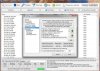
GP 1.jpgGP 2.jpgGP 3.jpgGP 4.jpg


My OS is not Windows XP - it is Windows 7 Ultimate.


And now I can't show other screenshots, because it is freezing, can't nether close it. It never happened before, and I have running it with 500 threads - now it is freezing even with only 300 threads :(
Later I will try to open it again, to can show you also those "found 14 more URLs" thing - when no more proxies are scraping and adding to the list, it is only checking the existing list scraped from the initial 189 URLs.
But as you can see, it is an other user saying the same thing, with these famous 14 URLs - so it is not only for me :)
 
OliBoli, thanks for your quick reply.

--- old reply removed ---

I have identified the issue! I'll try to patch this tonight, if not tonight, tomorrow for sure. The reason I wasn't experiencing this issue is because I had the Search Booster Add-On enabled, which adds extra search engines and hides this issue. So I guess that's a testament to the ability of the search booster add-on!

I'm very sorry for the inconvenience. Look for a patch soon. Thanks for your patience!!!

Edit 4 hours later: Bug fixed, update posted. Just restart Proxy Multiply for the update to download. Thanks!

Please post here and let me know how the update works out for you
 
Last edited:
Hello Jrim,

Thank you very much for your fast help! Yes, it is working better now, that issue was solved. Now I still have a minor problem, I sent you a PM about it; this is not a bug anymore, just I don't know why it is consuming so much CPU/memory now. Now, to can use it with 500 threads, like before, I need to limit the proxy fetching URLs to 1000 - in this way is working just fine, but I am not getting enough proxies/day.
I am still trying different settings, but still couldn't find a good one, to can reach my number of proxies/day I wish :(

The bug was solved fast and prompt, anyway - and this last problem is not any bug, just a minor problem, as I said :)

Thank you very much for your help! :)

Regards,
Oli
 
Hello Jrim,

Thank you very much for your fast help! Yes, it is working better now, that issue was solved. Now I still have a minor problem, I sent you a PM about it; this is not a bug anymore, just I don't know why it is consuming so much CPU/memory now. Now, to can use it with 500 threads, like before, I need to limit the proxy fetching URLs to 1000 - in this way is working just fine, but I am not getting enough proxies/day.
I am still trying different settings, but still couldn't find a good one, to can reach my number of proxies/day I wish :(

The bug was solved fast and prompt, anyway - and this last problem is not any bug, just a minor problem, as I said :)

Thank you very much for your help! :)

Regards,
Oli
PM'd you back, we will solve this together haha :)
 
Can someone share with me the best setting(s) for proxies for google and youtube? I've been running this and it finds about 4 working, then I export as google enabled only and it exports nothing.
Presently I have it set where everything is checked off under HTTP Proxy Settings. I have no country filter on either.
Also wanted to add that I do have it set for port 3128 only.
 
Last edited:
Can someone share with me the best setting(s) for proxies for google and youtube? I've been running this and it finds about 4 working, then I export as google enabled only and it exports nothing.
Presently I have it set where everything is checked off under HTTP Proxy Settings. I have no country filter on either.
Also wanted to add that I do have it set for port 3128 only.


The proxies that the program classifies as "google enabled" are those which are able to perform a Google search; that might not necessarily be synonymous with those that can LOGIN to Google/YT. I would first suggest disabling the filtering of anonymous proxies, and of Google-enalbed proxies. This will leave you with only anon or higher proxies, because right now you're only finding elite proxies and excluding anonymous proxies. Usually anonymous proxies work just as well as elite.

After you do that, check the box that says "Check against specific URL" in the HTTP Proxy Testing area, then click the Configure button adjacent to the option. Set the URL to "https://accounts.google.com/Login?hl=EN" (no quotes), Content to "Sign in with your Google Account". (no quotes again)
 
We hit 2,600 Facebook likes :) Also, we completely redesigned our website. Like it, don't like it, can't find a page you could see before? Post here and let us know. Thanks!
 
hows the success rate of using this software to get Google enabled proxies to perform Indexing & Google Rank checking softwares like Backlink monitor? I've tried using the trial but many of the google enabled proxies get banned almost immediately.. :(
 
1.Does ProxyM sort tested proxies by countries ?
2.Can we add proxy sources manually ?
 
I'm trying this out. I'm very new at this. I want to do some thing manually, without a bot, with the proxies that are working. Is there a program that will change my computers IP's address for chrome or firefox, and if the proxy is either too slow or dead, it will move on to the next proxy?

I tried manually changing proxies through the program's built in option "Use as proxy in browser" and it's either slow as hell or dead. Any recommendations would be greatly appreciated.

EDIT: I'm manually changing proxies within the program and not 1 are working. I must be doing something wrong. I'm selecting the working ones with the green check mark, "Fast speed" and HTTP: Transparent Proxy, Google enabled", last checked: one minute ago. I know I'm doing something wrong, help!
 
Last edited:
hows the success rate of using this software to get Google enabled proxies to perform Indexing & Google Rank checking softwares like Backlink monitor? I've tried using the trial but many of the google enabled proxies get banned almost immediately.. :(

Google proxies are in the highest demand, as many users utilize them and ultimately kill the proxies quickly. As you mentioned, Google proxies will need to be rotated frequently. If the software you are using has the ability to automatically load proxies from a file, then using PM with Automation mode enabled would be feasible to constantly find more Google proxies.

1.Does ProxyM sort tested proxies by countries ?
2.Can we add proxy sources manually ?

1. Yes, you can enable the checking of countries using the Configure -> Country/City menu. Check the box that says to check the country of proxies. Then on the main window of PM, click the Country section in the list to enable sorting.
2. Yes, click Configure and select 'Proxy Fetching URLs' on the left hand side. There is a box to enter URLs and click 'add' afterwards.

I'm trying this out. I'm very new at this. I want to do some thing manually, without a bot, with the proxies that are working. Is there a program that will change my computers IP's address for chrome or firefox, and if the proxy is either too slow or dead, it will move on to the next proxy?

I tried manually changing proxies through the program's built in option "Use as proxy in browser" and it's either slow as hell or dead. Any recommendations would be greatly appreciated.

EDIT: I'm manually changing proxies within the program and not 1 are working. I must be doing something wrong. I'm selecting the working ones with the green check mark, "Fast speed" and HTTP: Transparent Proxy, Google enabled", last checked: one minute ago. I know I'm doing something wrong, help!
Hi CLZzZz, there is no program to do that for Firefox/Chrome as far as I know.

My advice to eliminate very slow/dead proxies is to first select 'Proxy Type' on the main window and then click "Fast (<1 sec) only" in the list to filter for fast proxies. Next, I recommend re-testing the proxy list 2-3 times before attempting to use them in the browser. Ultimately you WILL still end up with SOME oddball proxies that are able to test against our server fine but don't work well for normal browsing, but that should eliminate most of the junk proxies.

Thanks for your continued support everyone :)
 
Hi there, I get this notice on all my proxy searches: "Found 0 more websites with proxies." Is there a typical fix for this? I searched a few of the proxies in google and found that they bring up other websites. Just checking if I'm doing something wrong :-)
 
Status
Not open for further replies.
Back
Top