Mark Robert
Registered Member
- Apr 13, 2024
- 50
- 20
Can I try it for 7 days for free?


I would like the free 7 day trial please
replied in DMCan I try it for 7 days for free?


If you haven’t given this a shot. Trust me, way better than your current privacy browser. Every friend I have was hesitant because people don’t like change, hop on a screen share for two seconds and they’re all in. Gorgeous, user interface, absolutely seamless navigation and control over just about anything you could possibly want to have control when setting up a mock location, proxy configuration, and software plus hardware specs.Greetings, friends!
We are glad to present new generation of legendary Linken Sphere - Evolution! 9th generation is a fast, stylish, innovative and user-friendly antidetect browser. Our team tried very hard and used all six years of experience to create the perfect product for professionals. Here you can familiarize a long read about the creation of a new generation of a well-known browser: https://ls.app/manifest

Linken Sphere creates trends. An industry first, Linken Sphere 9 is:
- Two modes of the built-in antidetect
- Hybrid mode with adaptive configuration settings
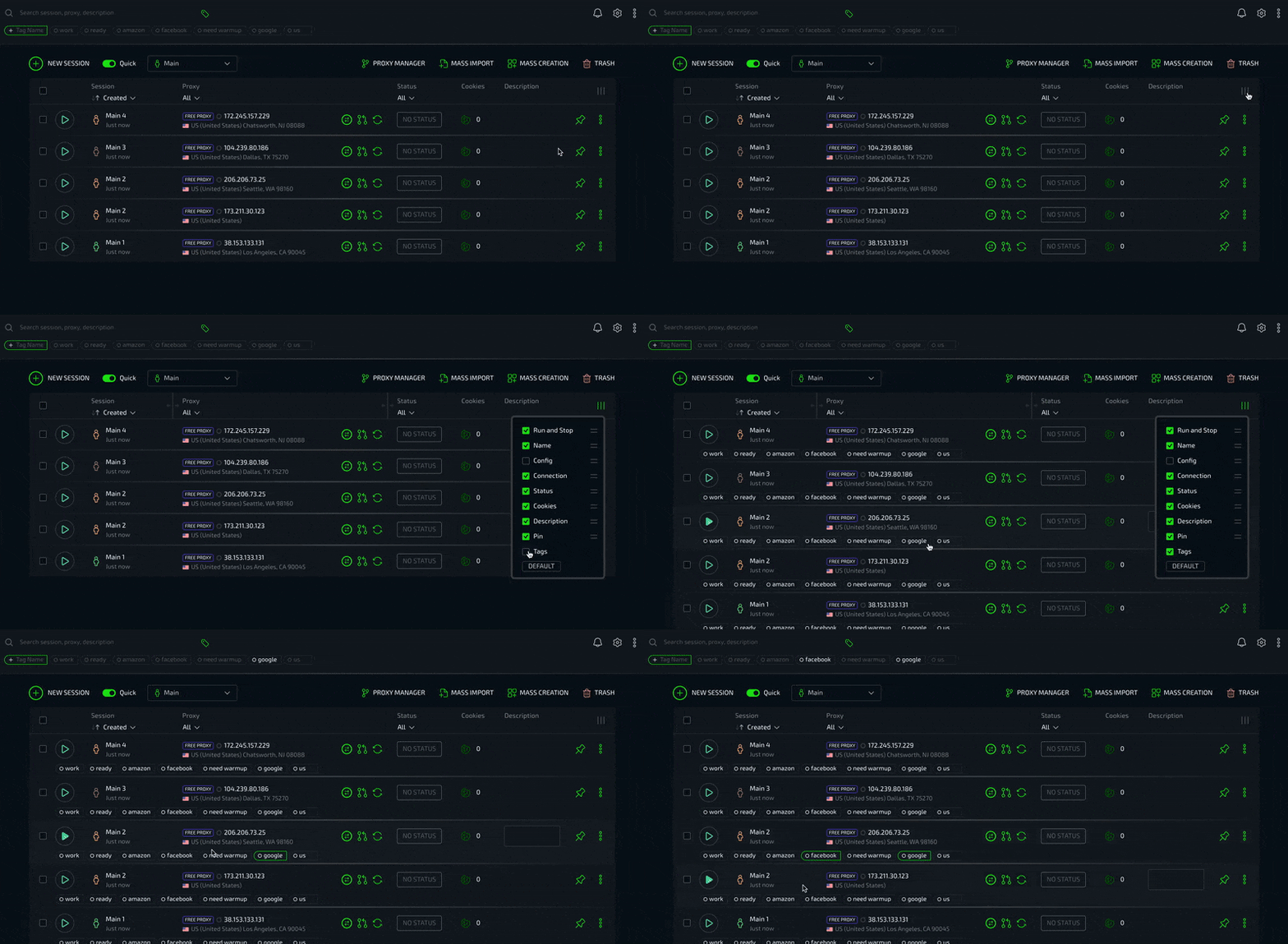
- Ability to quickly switch between preset settings and create sessions in one click
- Desktops with command access settings
- Smart window management of real Chrome
- Phenomenally fast and resource-efficient operating technology
- Mass import of accounts from files and folders
- Mass creation of sessions based on preset settings with mass import of Cookies
- Flexible interface customization system
- Sound accompaniment
The software is presented in the form of installers for Windows (10/11 x64) and MacOS (included ARM). We do not use binding to the hardware, so you can download and install any number of copies on your machines. You can work with an unlimited number of users from one account.
Plans implies the following licenses:
- Pure (10 sessions limit) = 30$/month
- Light (100 sessions limit) = 100$/month
- PRO (300 sessions limit) = 300$/month
- Premium (1000-5000 sessions limit) = from 400$/month
When purchasing a license for a long term, there is a flexible system of discounts. We also have special conditions and offers for huge teams.
Regardless of the license type, users have access to the most complete functionality of the program. No other fees are provided. After purchase, a full refund is possible within 24 hours without specifying reasons. We update the product quite often, increasing its capabilities and quality, informing our users about the changes.
License purchases are built into the application. We support more than 100 types of the most popular cryptocurrencies. The only official website to download: https://ls.app
The browser has been represented for a long time on a variety of thematical boards, and we are sure that many have heard about it, and some users are already our customers. We will be grateful for the feedback of the people who work with the product. If you have any questions or suggestions, we will be happy to hear them.
Announcements from the developer: https://t.me/lscrew
User chat: https://t.me/lsapp
E-mail: [email protected]

Thank you very much for your positive assessment of our work - we are making every effort to become even better for you!If you haven’t given this a shot. Trust me, way better than your current privacy browser. Every friend I have was hesitant because people don’t like change, hop on a screen share for two seconds and they’re all in. Gorgeous, user interface, absolutely seamless navigation and control over just about anything you could possibly want to have control when setting up a mock location, proxy configuration, and software plus hardware specs.
free 7 day trial
I want free trial please
I'm interested in anti-detection system, can I try it for free?
FREE TRIAL PLEASE
Send The Free 7 days Free Trial Details
FREE 7-DAY TRIAL
replied in DMFree 7 day trial
I would like the free 7 day trial please
replied in DM
FREE 7-DAY TRIAL. THANKS....
replied in DMi want free trial please


