Need help with website optimization - website loading speed.

Deividas696

Power Member
Joined
Dec 6, 2017
Messages
629
Reaction score
234
Hello,

I have a problem with my website loading speed.
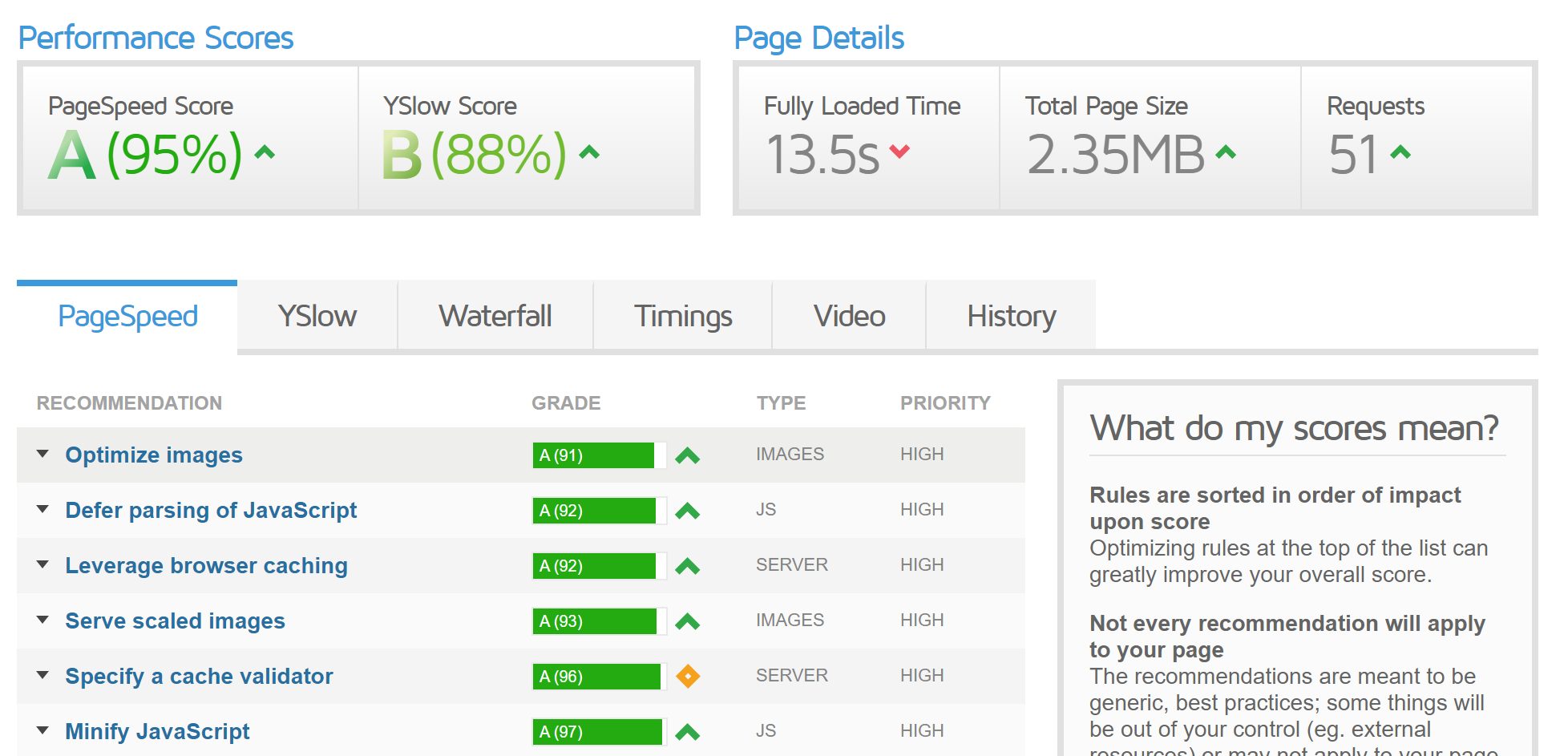
h24EsdL


As you can see my website fully loading speed is very high. I have already done those methods for site optimization which are suggested in this forum but it does not really help. Regardless that I optimized all my images with Smush Pro, I still have a lot of images on my website with size 200kb and more. Maybe that can be the main problem? Although as you can see in gtmetrix optimize images grade is not so terrible.

Also my WP panel loading speed is very low, so if your website speed is low it affects panel speed either?
 
Click on third tab Waterfall.

It will give more details about what file is taking longer time to download.

It could be third party script also.
 
Looks like a server issue to me, check the TTFB
 
W5JqGuy


That's what I got. But I do not really know what results would be normal.

That's almost 3.2 seconds before even your content is downloaded, so your problem is on multiple sides, probably a script is running
 
That's almost 3.2 seconds before even your content is downloaded, so your problem is on multiple sides, probably a script is running
Any ideas how to solve this problem?
 
Probably it's a server-side issue if you are using WordPress you should avoid using innecessary plugins, and also you should choose a WordPress theme with fewer features...
 
And can anybody explain why everytime when I making a test on gtmetrix my fully loading time speed is different if I do not make any changes on my website? Sometimes it shows 8sec, sometimes 12secs, sometime even 15secs
 
There is a thing called 'caching' which means that when the website builds the data to send to the browser, it remembers what it sent so if it needs to send the same next time, it doesn't have to recalculate it.

When you make changes to the site that deletes the cache, so it has to recalculate what it's sending to the browser.

medosla97 is right that this does look like an issue with your server, 3 seconds redirect time, and towards 3 seconds wait time is *very* slow.
 
Put every javascript block and file to the bottom of the page especially advertising codes even if they say put it in the header, that will eliminate the lag before content is shown , and your website is doing good speed wise , it doenst matter how long it takes until fully loaded it matters how long till content is shown and users can interact . Use chrom network tab to see what file takes long to load and try to fix it
 
If still isn't fixed yet, try this:

-Turn off all the caching and speed plugins.
-Clear cache from server if there is option for it.
-Check the gtmetrix and ttfb after 1 or 2 min to ensure new copy of files are analysed at gtmetrix.
-If loading speed problem persist and high ttfb, then you know it's either server based or theme based(most probably server)
-If there's huge improvement at loading speed, then the culprit should be identified by activating plugins one by one.

Or

- After deactivating the culprit plugins, try this holy combination-
1. wp rocket(only caching & preloading, turn off all others)

2. Phastpress(optimizing media files, css, js), keep the recommended settings, just turn off image optimization but keep lazy load on.

3. Asset cleanup(free)- You can individually monitor unnecessary old and unused css an js being loaded. Turn them off and optimize google font site wide and you are good to go. This plugin makes a huge different upon applying correctly.

You can use any image optimization plugin, try both cdn fetched or local fetched if there's option for it and check the results.

Clear wp rocket cache and check again.
 
Back
Top