Sure. I would recommend sticking with the idea of having more small clusters of mini PC's or SBC's than one large one just because of fault tolerance. But this depends on whether you will be around them or not and how good uptime you want to reach. If only for your botting setup and you plan to be around it so you can do maintenance I would recommend going with a good tower PC.
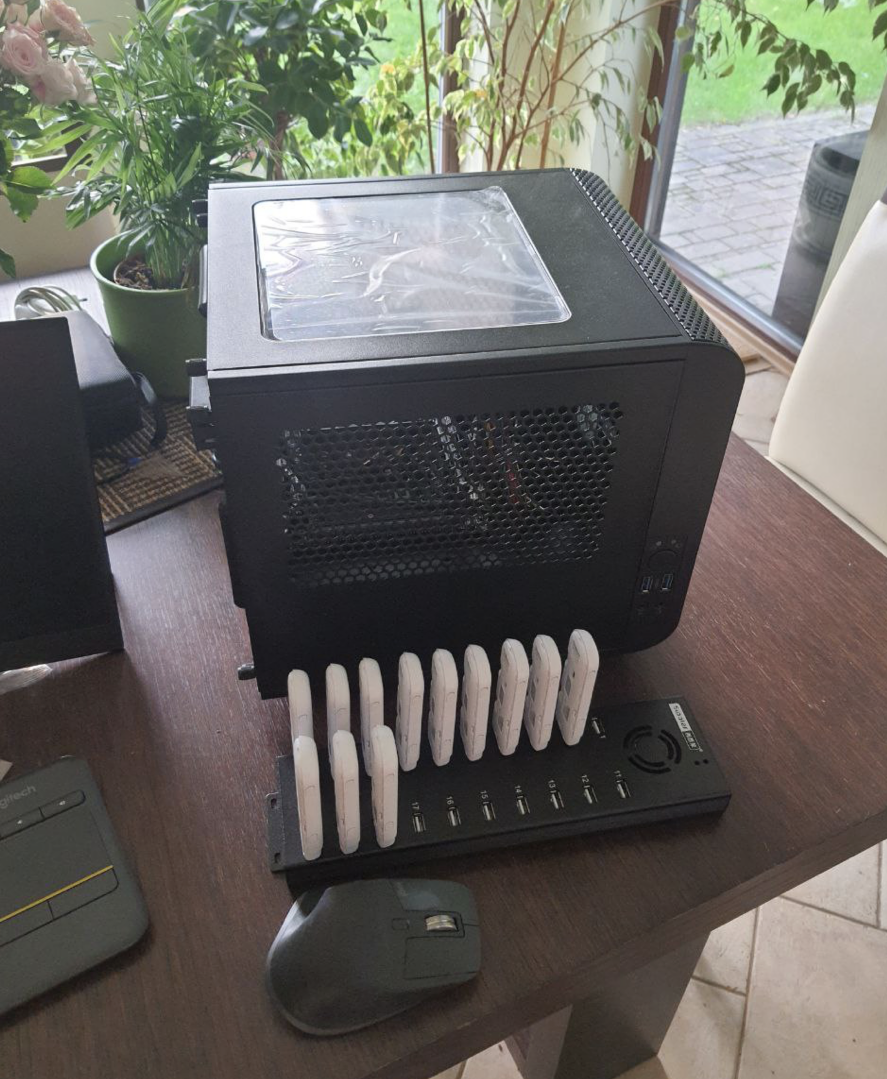
Right now my tower specs are:
- Intel, Core i5-12500
- Thermaltake, Core V1 Snow Edition / Black edition. Because it looks dope.
- motherboard Gigabyte, H610I
- cheapest ddr4 RAM and cheapest/smallest SSD
With these specs it shows 3k connections open to this box
# ss -o state established | wc -l
3044
and it's practically sleeping in terms of CPU load.
View attachment 324463
This is what it looks like:
So you really dont need a powerful box to run 100 dongles on a single PC.
For hubs just go with orico or sipolar USB hubs.
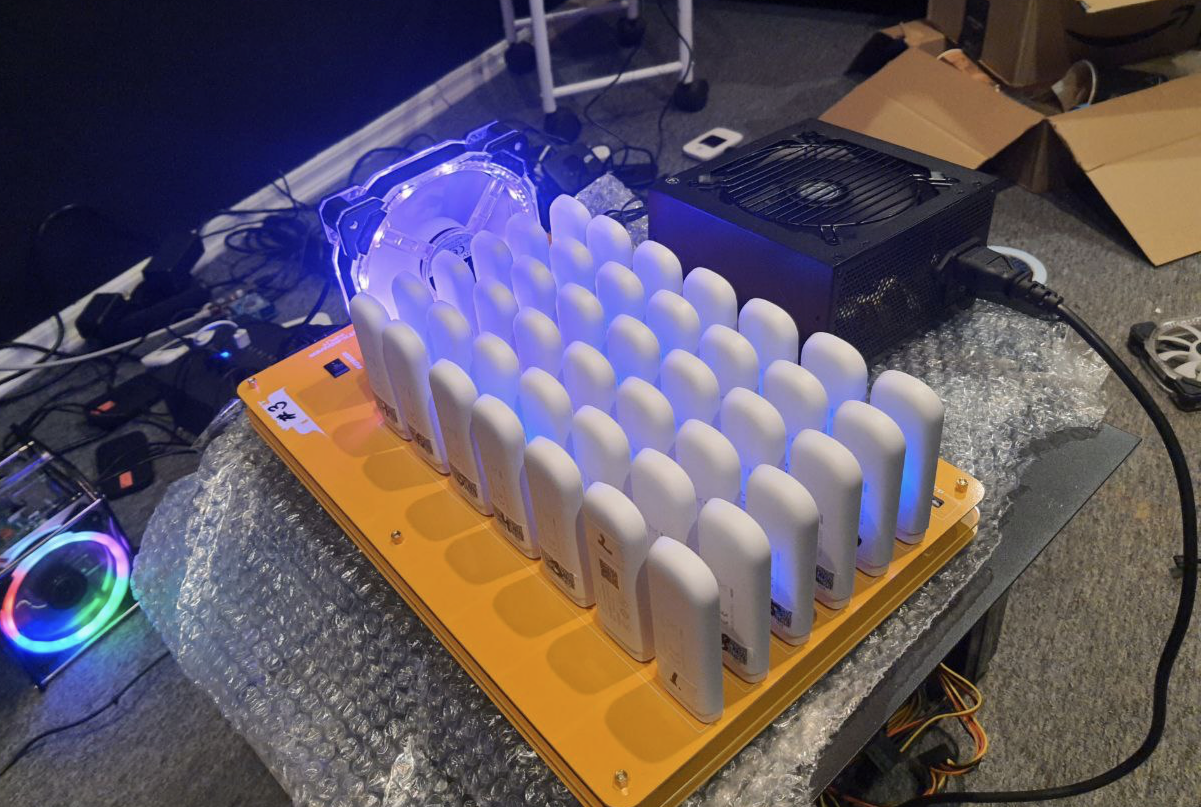
Don't do experiments with custom hubs as I did:
This is BAD. While this hub is very cool because it works from a regular PSU, has a lot of slots with good spacing between for good airflow, this is where I learned the hard truth about what USB controllers are and how they work. With this setup on medium to high load speed per dongle decreased to glorious 1 Mbit/s and latency went up to 1000ms.
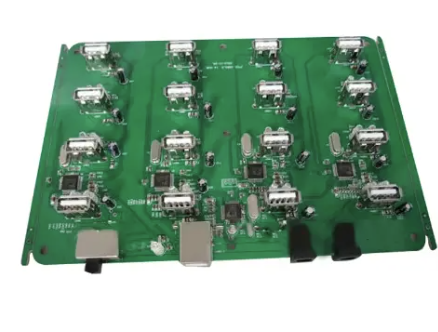
Now I'm working to switch setup on boards like these which I haven't seen others using.
While they still have 1.5A and 5V output to support dongle on high load, there is only 16 2.0 ports, with good spacing for ideal airflow and double power slots for fault tolerance.
For Mikrotik I switched to RB4011iGS+5HacQ2HnD-IN. I kinda don't like it has passive cooling but specs/price ratio is very good and it has built in wireless which makes things easier when you want to quickly go to site, do some maintenance and be on your way. Before I used more regular mikrotik router boards.
Right now I have around 1000 modems hosted in multiple countries,
I have tried it all, this is my approx history of upgrades:
- started with a single PC, Orico hubs and Huawei modems
- changed standalone PC setup for XU4
- started using mikrotik's router boards
- changed Huawei Dongles for ZTE(lifechanging experience)
- experimented with $1000 worth of various hubs to find what works best
- for reasons unclear even to myself I changed some XU4 to a single PC approach again hosting 80-100 dongles per PC
- only couple power outages and hardware faults did show that single PC approach is bad for high uptime requirements
- now I'm switching back to SBC approach and using vim4 from Khadas, it's like XU4 on steroids.
Because commonly advised is hobbyist experiment on a proof of concept level, it will work but you wont be able to run more than 4-6 dongles per rpi. I dont know why, never had interest to investigate why it's so, either it comes from rpi chipset limits or software, i dont know, dont care, XU4 is cheaper and way more powerful. That said XU4 is soon to be discontinued, so will need to look for other options.
- Both are more cost effective as I get my ZTE for less than $20 per dongle with pretty much unlimited supply.
- ZTE has never frozen on me, Huawei had tendency to freeze and stop responding and only hard reset did help.
- ZTE vs Huawei i got better speeds for some carriers. I never experimented much with it but i did notice about 20% difference.
- XU4 uses eMMC where rpi uses microSD. Yes yes, you can probably upgrade rpi with all sorts of stuff to support SSD etc, don't care.
What's significant traffic? Why you want to run big traffic, you need to skip any static resources in your bot from being proxied, it will decrease the use a lot. Unless you plan to use real android phones, then it's another story, and a deep one too haha. But even there optimizations are possible to handle big loads properly.
And here starts the rabbit hole,
USB Controller chipset endpoint limits.
I will try to simplify as much as I can.
- Every USB chipset has limits on how many USB devices can be connected to it.
- With USB 2.0(white color) you will be able to connect 20-40 devices, with USB 3.0(blue color) you will be able to connect only 16 devices
- Max supported device count comes from how many endpoints USB device uses, technically USB 2.0 supports 127 devices but you will have bad time trying to do so
- ZTE/Huawei dongles are USB 2.0, so it doesn't matter if you use USB 3.0 hubs or 3.0 ports on your m/b, it will go backward compatibility to USB 2.0
- USB 2.0 is half-duplex, which means data travels one way at a time, which means it's slow. If you add more than -N devices to the USB controller, it will become slower with each additional device if they are all on high load.
So to run on PC you will need good USB PCIe card with separate channels per port to get most of your setup.
All the above is only about hardware. You will need software to manage it all too. For inhouse use simple node.js script that generates 3proxy config will be enough.
My coffee got cold writing this. Will come back later if I will remember to add something here.