navigation bar not appearing.......

gowthamkumar

Junior Member
Joined
Jun 12, 2012
Messages
168
Reaction score
22
hi guys ,
i applied a converted blogger theme to my blog.
in that template the navigation bar is lables section.

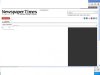
but when i add it to the navigation bar it's not appearing to me but,actually it's there.

that is due to color combination can u guy, help me how to change the color code to appear the
navigation bar.
i attached the screen shots....1.jpg2.jpg
thanking you.
 
Gowthamkumar,

If you can provide a URL I could take a look. You will want to search for something in the CSS code that relates to the menu bar menu item color. Most likely it will be

#mainmenu a{color: some color code;}

Note that is just an example.

A little tip. If you open the website in chrome and right click on the menu item and select inspect element, the developer tools console will appear and show you the HTML that is making that menu. If you hover your mouse arrow over the different lines of code, the corresponding elements in the web page will be highlighted. Find the one that is the menu and click on it. To the right the corresponding CSS will appear. You can even make changes to the code right in the tool and the changes will appear on the screen! Note that you are not really changing the code here.

Here is more info on that tool,

https://developers.google.com/chrome-developer-tools/docs/overview

I hope that helps. If you can paste a URL I can take a look for you,

Shawn
 
You may be able to adjust the CSS aspects of your blogger theme so that links and background elements have a different color than the original.
 
Back
Top