
Cyberars
BANNED
- Nov 5, 2011
- 1,443
- 1,266
what funds? to where?Hello, can I add funds with paypal?

note this is not a BST, if you want to buy something ask on https://www.blackhatworld.com/forums/want-to-buy.92/

what funds? to where?Hello, can I add funds with paypal?


There are many smm panels that don't work. This should be avoided. Those who are starting out will lose money and a lot of time.
The person who provided the guide cannot point to the SMM seller, but giving beginners the selling price of the reseller can save you time.
i really understand your frustration, but i was told very clearly that according to the forum rules, they forbid me to point to smm panels that i'm related to...Problem is finding "REAL YouTube waitings views"........even in the BHW market place.......crickets

1 .if all is done correctly boost will happen on search results and also on discovery (related videos)Really nice tactic to get related traffic but i have a question.
does it shown in top of at search results only or shown in at the right column(related videos) too ?
Second question is, for example we do all these steps and got the link, do we need to send traffic to this link ? or does people need to take some actions like "sub/wait/follow".
I mean just traffic sending enough or need traffic + they must take action to seen it top etc.
thanks
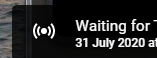
if you set a date and time to that video schedule, then it will count down to that time and then it will say 'Waiting for [Channel_Name]"I could not figure out how to change the date after I uploaded it. I went back after 24 hours and could not change it to a day later!

Thank u for the guide it's amazing.lately many asking me how to get real YouTube subscribers, since most of them try to reach the 1000 subscribers milestone, anyway this is also something that can help to grow a channel from scratch
any channel anytime, also can help established channels to reach more audience
this method actually based on my post from last year [METHOD] How to Rank on YouTube without a video [Full Guide] 11/2019
so make sure you read it first.
Difficulty level:
Beginners
Requirements:
YouTube account
Mobile phone
REAL Traffic* (ONLY from BHW marketplace) *optional
Time to set up:
20-30 minutes
initial set up:
on your YouTube account go to LiveStreaming dashboard
https://www.youtube.com/live_dashboard?nv=1
if you never activate this option, you will need to do a phone verification (PVA) and wait for 24 hours
for that feature to be activate on your YouTube account.
Step 1 - the Niche Teaser
Choose a teaser that related to your Niche, for example if your channel niche is about "how to win the lottery"
then think about a teaser that will "promise" something to those who subscribe to your channel (but we never going to say that directly)
so good teaser will say "the 14-Time Lottery Winner secret" broadcast starts soon...
Step 2 - the SEO + the content
2a. Do a keyword research and add all the SEO stuff - title, description, tags and shortlink in the description (see 2c)
this is a very important step, you need to choose the best long tail kw they need to be long-tail but with some daily search volume, you better aim low and later you can change and improve those kw.
2b. IMPORTANT don't forget to upload the most clickable thumbnail you can think of that is relevant to your channel, that is the teaser! that is the clickbait !
it must contain a CALL to action "Subscribe to get more info" or "Subscribe to get notified" or something like that...
2c. on the top of the description you MUST add a short link that will redirect to your channel ID + add sub (add a call to action next to it - "click here for more info" or "click here to join for free")
youtube com/channel/REPLACE_WITH_ID?sub_confirmation=1
or
youtube com/user/USERNAME?sub_confirmation=1
example
[B]https://www.youtube.com/channel/UCbPCDmtTU-W4SdA8abZtWpA?sub_confirmation=1[/B]
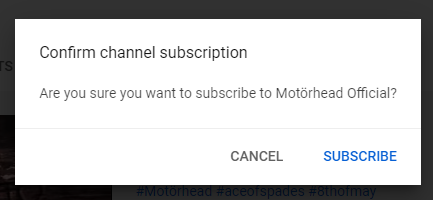
this will redirect to your channel and open a subscription POP message that helps you to squeeze subscribers
Step 3 - Scheduled to the future
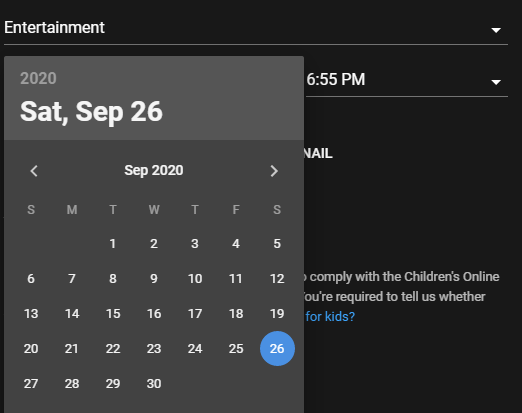
you need to set your "next streaming" to a date in the future
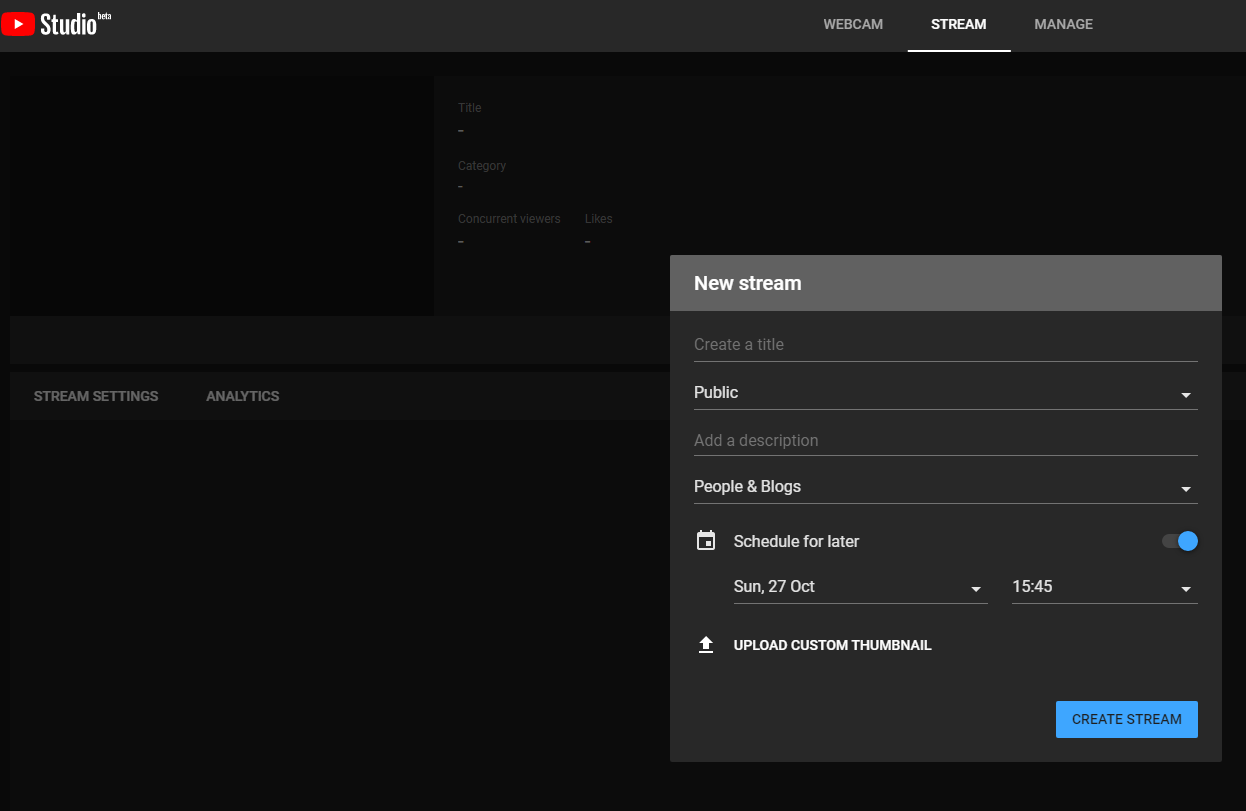
you can set the date to next day so visitors will think they don't need to wait to long, and later you can change it and extend it (note that we don't plan to stream anything, this is just a teaser)
Step 4 - Boosting the ranking
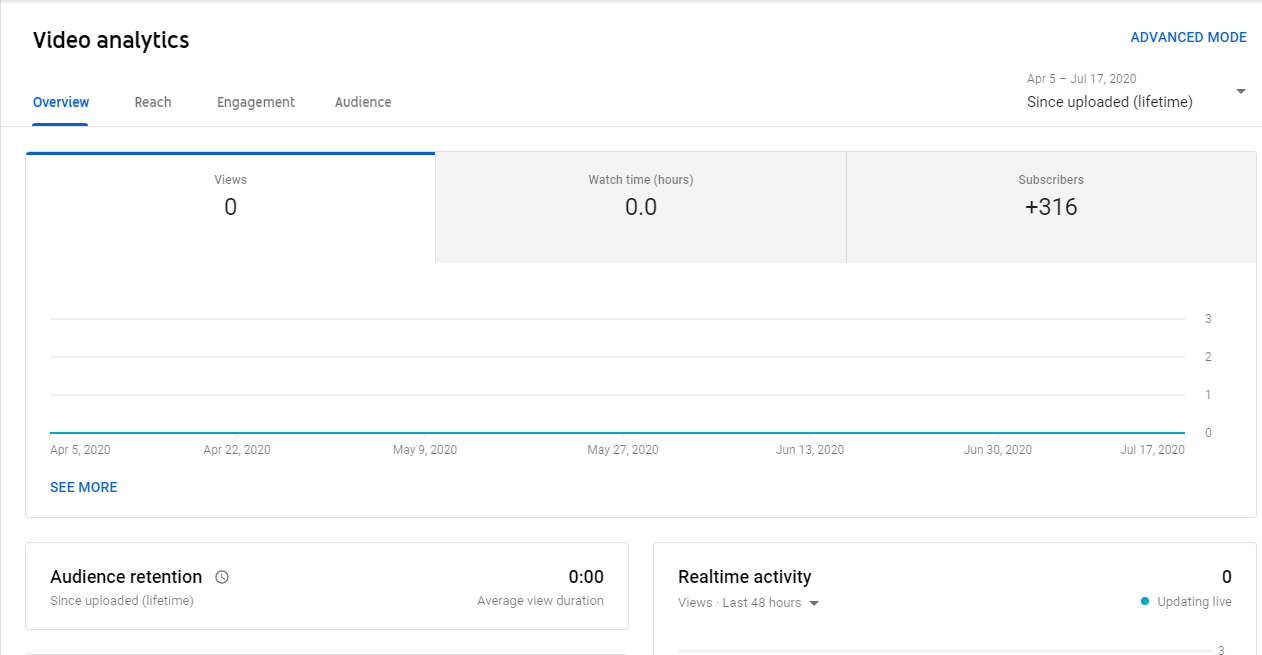
so by now you got an URL of your scheduled video (or actually the page with no video)
and sometimes you may see it's already started to rank a bit, anyway this is the time you need to go to the BHW marketplace and from the best smm panels there get REAL YouTube waitings views
do not confuse those with the REAL YouTube LiveStream views or bot waiting views, since you need real traffic to see your thumbnail teaser and interact with it by subscribing directly to your channel, those active users will also boost ranking, search position, discovery (suggestions).
you can use other real traffic sources, google adwords, push ads, popads, mailing lists etc. but those usually will cost more
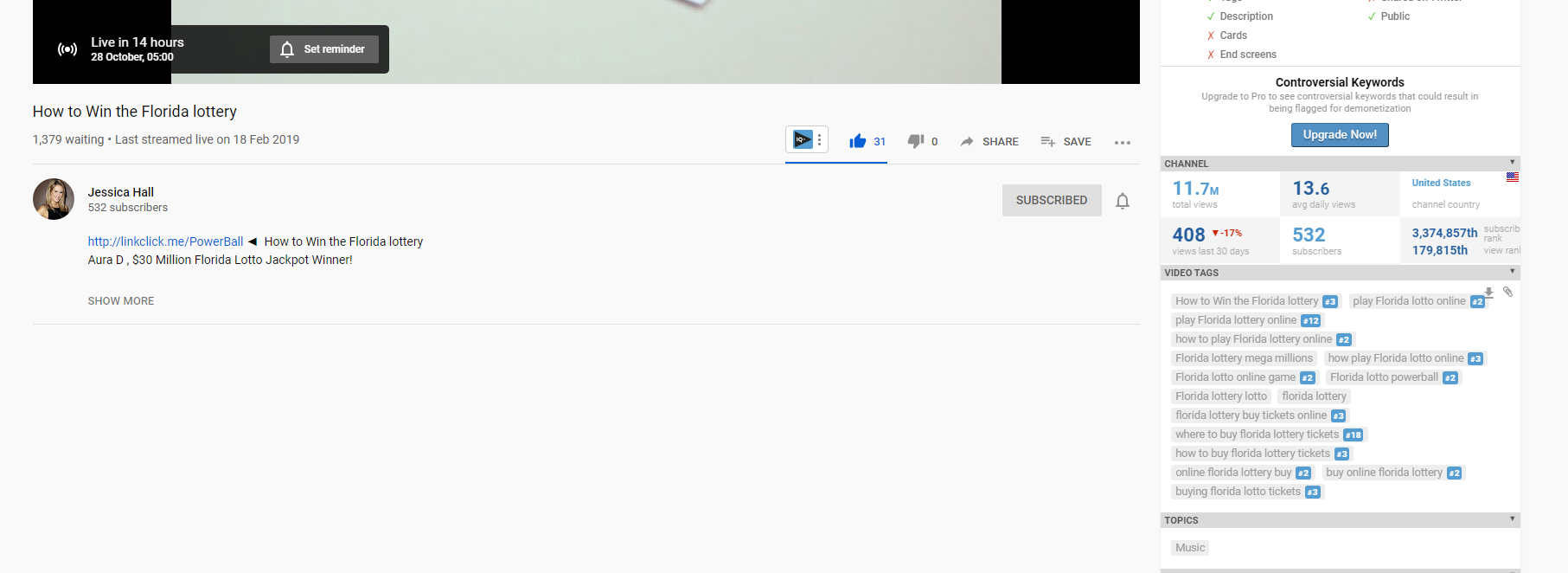
changing the date of the scheduled "future broadcast' will not change anything in the ranking, so you can keep it in the future forever, and boost it if needed, note that
there is no limits for number of scheduled "future LiveStreams" you can add and run simultaneously (on my test here i used 2 events only on a very slow drip feed since it's just a test channel)
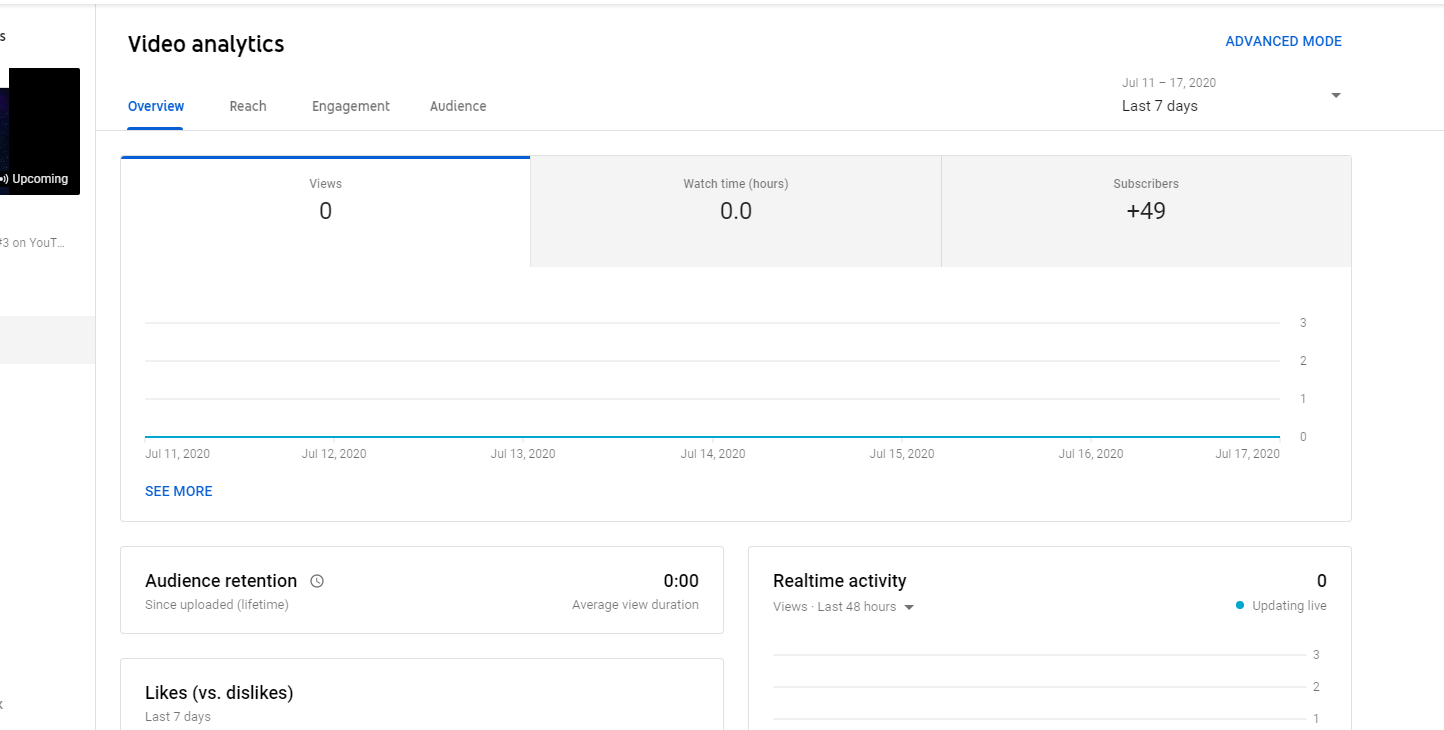
this is a legit method, since youtube allows you to schedule broadcasts and tease audience to follow your content later.
the subs you gain organically will wait for your content, since there is some mystery involved as you gave them only clues about your content, so those are good niche related active subs!
Good Luck!

you can use if for anything, if you use it in a smart way + with real traffic you can use it even for content that usually get deleted by youtube... don't think video think of a banner ad.Thank u for the guide it's amazing.
Can I use this for cpa, like an upcoming game

What's that tool you are using for keywords?lately many asking me how to get real YouTube subscribers, since most of them try to reach the 1000 subscribers milestone, anyway this is also something that can help to grow a channel from scratch
any channel anytime, also can help established channels to reach more audience
this method actually based on my post from last year https://www.blackhatworld.com/seo/method-how-to-rank-on-youtube-without-a-video-full-guide-11-2019.1172859/
Difficulty level:
Beginners
Requirements:
YouTube account
Mobile phone
REAL Traffic* (ONLY from BHW marketplace) *optional
Time to set up:
20-30 minutes
initial set up:
on your YouTube account go to LiveStreaming dashboard
https://www.youtube.com/live_dashboard?nv=1
if you never activate this option, you will need to do a phone verification (PVA) and wait for 24 hours
for that feature to be activate on your YouTube account.
Step 1 - the Niche Teaser
Choose a teaser that related to your Niche, for example if your channel niche is about "how to win the lottery"
then think about a teaser that will "promise" something to those who subscribe to your channel (but we never going to say that directly)
so good teaser will say "the 14-Time Lottery Winner secret" broadcast starts soon...
Step 2 - the SEO + the content
2a. Do a keyword research and add all the SEO stuff - title, description, tags and shortlink in the description (see 2c)
this is a very important step, you need to choose the best long tail kw they need to be long-tail but with some daily search volume, you better aim low and later you can change and improve those kw.
2b. IMPORTANT don't forget to upload the most clickable thumbnail you can think of that is relevant to your channel, that is the teaser! that is the clickbait !
it must contain a CALL to action "Subscribe to get more info" or "Subscribe to get notified" or something like that...
2c. on the top of the description you MUST add a short link that will redirect to your channel ID + add sub (add a call to action next to it - "click here for more info" or "click here to join for free")
youtube com/channel/REPLACE_WITH_ID?sub_confirmation=1
or
youtube com/user/USERNAME?sub_confirmation=1
example
[B]https://www.youtube.com/channel/UCbPCDmtTU-W4SdA8abZtWpA?sub_confirmation=1[/B]
this will redirect to your channel and open a subscription POP message that helps you to squeeze subscribers
Step 3 - Scheduled to the future
you need to set your "next streaming" to a date in the future
you can set the date to next day so visitors will think they don't need to wait to long, and later you can change it and extend it (note that we don't plan to stream anything, this is just a teaser)
Step 4 - Boosting the ranking
so by now you got an URL of your scheduled video (or actually the page with no video)
and sometimes you may see it's already started to rank a bit, anyway this is the time you need to go to the https://www.blackhatworld.com/forums/social-media.200/ and from the best smm panels there get REAL YouTube waitings views
do not confuse those with the REAL YouTube LiveStream views or bot waiting views, since you need real traffic to see your thumbnail teaser and interact with it by subscribing directly to your channel, those active users will also boost ranking, search position, discovery (suggestions).
you can use other real traffic sources, google adwords, push ads, popads, mailing lists etc. but those usually will cost more
changing the date of the scheduled "future broadcast' will not change anything in the ranking, so you can keep it in the future forever, and boost it if needed, note that
there is no limits for number of scheduled "future LiveStreams" you can add and run simultaneously (on my test here i used 2 events only on a very slow drip feed since it's just a test channel)
this is a legit method, since youtube allows you to schedule broadcasts and tease audience to follow your content later.
the subs you gain organically will wait for your content, since there is some mystery involved as you gave them only clues about your content, so those are good niche related active subs!
Good Luck!
that is VidIQ the free chrome extension versionWhat's that tool you are using for keywords?


