

- Feb 21, 2018
- 1,496
- 2,275
Before going ahead let me ask you something?
Which Profile Is looking more attractive?

OR
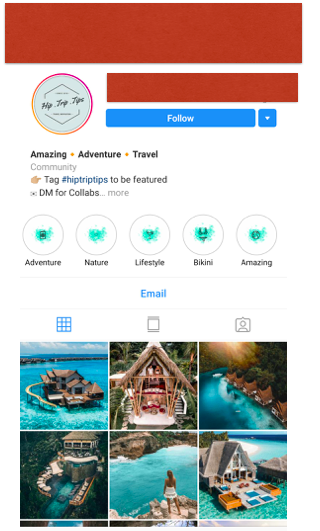
Obviously the second one.. Why? - Because they are using those Instagram story highlights + Cover on them and in this thread I will show you step by step.
"HOW TO CREATE INSTAGRAM STORY HIGHLIGHTS COVER"
So in order to get started you need an application i.e INSHOT ( you can download that for free from play store )

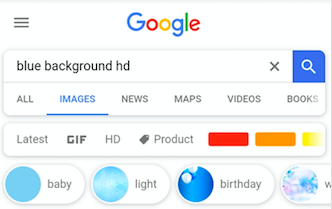
After that Go to Google and search for a background, In this example I am going to search for blue background but you use any colour you want
After that you need an icon for your story. In this example I am going to create an highlight cover for my " Book highlight " so I am going to search for Books icon and if you are creating this cover for cars, then search car here.
But make sure that you use the icon which have a transparent background else it will not work

After that Open your Inshot application and select Photo and then choose your background image from your gallery.
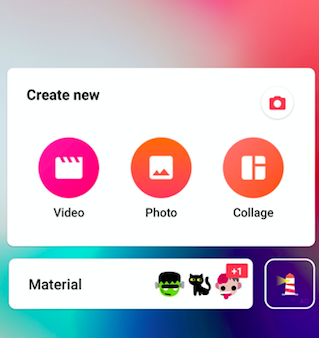
After that add your icon over the background and then save it .

Now open your Instagram Profile page and click on this "+" Sign
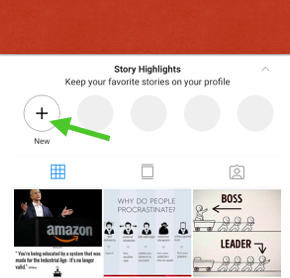
After that your Old stories will be shown to you which you can use to create highlights, So just select the images and then click next.

Now click on that " Edit Cover " and upload the cover which we created. And hit save.

BOOM!! Its done

______________________________________________________________________________Which Profile Is looking more attractive?
OR
Obviously the second one.. Why? - Because they are using those Instagram story highlights + Cover on them and in this thread I will show you step by step.
"HOW TO CREATE INSTAGRAM STORY HIGHLIGHTS COVER"
So in order to get started you need an application i.e INSHOT ( you can download that for free from play store )
After that Go to Google and search for a background, In this example I am going to search for blue background but you use any colour you want
After that you need an icon for your story. In this example I am going to create an highlight cover for my " Book highlight " so I am going to search for Books icon and if you are creating this cover for cars, then search car here.
But make sure that you use the icon which have a transparent background else it will not work
After that Open your Inshot application and select Photo and then choose your background image from your gallery.
After that add your icon over the background and then save it .
Now open your Instagram Profile page and click on this "+" Sign
After that your Old stories will be shown to you which you can use to create highlights, So just select the images and then click next.
Now click on that " Edit Cover " and upload the cover which we created. And hit save.
BOOM!! Its done
OTHER IMPORTANT THREADS -
1) [METHOD] How To Find Viral Content As Per Your Niche
2) [METHOD ] How To Setup Instagram Profile


