
You are using an out of date browser. It may not display this or other websites correctly.
You should upgrade or use an alternative browser.
You should upgrade or use an alternative browser.
[METHOD] Get Backlinks from IBM Bluemix for FREE!
- Thread starter Rachmaninoff
- Start date

Great bro done... https://chaukorstudio11-12-1.eu-gb.mybluemix.net/

lastbencher
Junior Member
- May 19, 2013
- 199
- 77
Congrats. And smart way to get it indexed vir007

quangcaoxe
Newbie
- Jun 25, 2020
- 16
- 1
Where i can find my host & name url ??
hasselhoff
Newbie
- Mar 15, 2021
- 34
- 8
Nice share guys, thanks. Works fine!


fb3003
Elite Member
- Aug 14, 2015
- 5,035
- 3,500
will get deleted in less than a month... dont botherThanks for sharing this! Got a cool link!


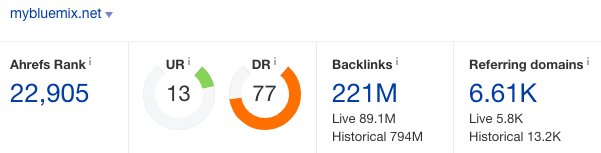
Great method!Site Metric
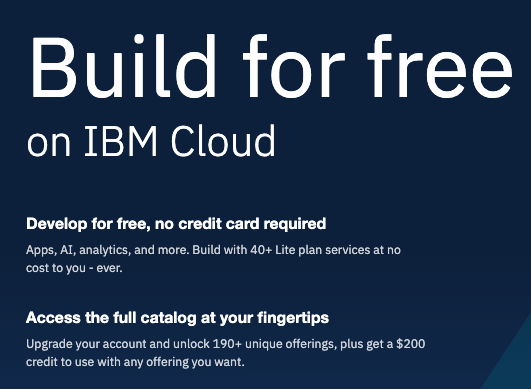
Sign up for free at
Code:https://cloud.ibm.com/registration
Then go toCreate a toolchain. Pick Develop a Cloud Foundry app. Give it a name. Scroll down to Repository type and select New. Uncheck the ‘Make this repo private’. Create IBM Cloud IP key. Then hit the Create button.Code:https://cloud.ibm.com/devops/toolchains?
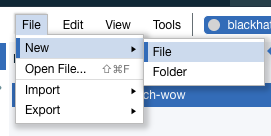
Select Eclipse Orion Web IDE. Then go to File menu, New, File. Name it index.html.
Copy paste your html code into the editor.
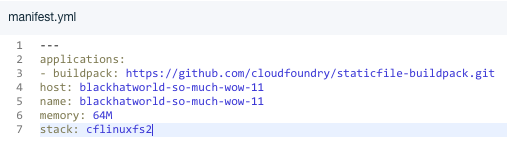
Create a new manifest by going to File menu, New, File. Name it manifest.yml and copy paste the code below into your editor.
Code:--- applications: - buildpack: https://github.com/cloudfoundry/staticfile-buildpack.git host: sample-${random} name: sample-${random} memory: 64M stack: cflinuxfs2
Replace the host and the name with your host application URL. And it must be unique. Here is the sample
Then Deploy the App by clicking the start icon and then wait for a minute.

If it success, the light will turn into green like this

If it fails, go to your launch file and edit the “Name: “ with your unique name above.
Apply your changes to Git Repos by doing this

Enter a comment then Commit.

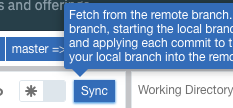
Hit the Sync button.
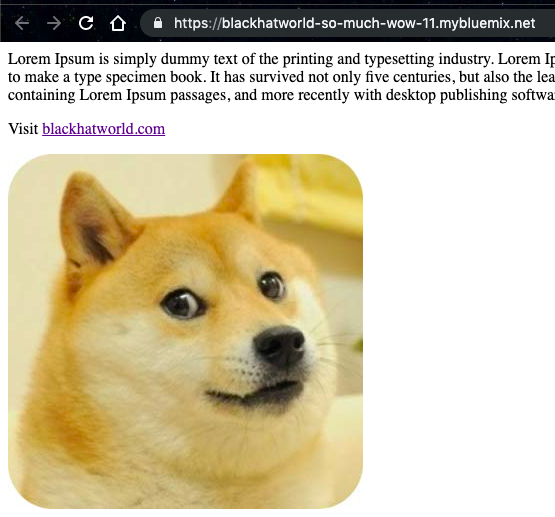
Then click Open the Deployed App to see the result
And voila! Your site is live!
Link indexed on google

In case you missed my share https://www.blackhatworld.com/seo/method-get-free-backlinks-on-ms-azure-da90.1124055/ and other cool methods, you may upgrade your account to Jr. VIP to get them for free

filiposlovni
Banned - Multiple Rules Violations
- Aug 1, 2020
- 301
- 205
Dont bother guys its not working and even when its working it gets deleted after few weeks.Site Metric
Sign up for free at
Code:https://cloud.ibm.com/registration
Then go toCreate a toolchain. Pick Develop a Cloud Foundry app. Give it a name. Scroll down to Repository type and select New. Uncheck the ‘Make this repo private’. Create IBM Cloud IP key. Then hit the Create button.Code:https://cloud.ibm.com/devops/toolchains?
Select Eclipse Orion Web IDE. Then go to File menu, New, File. Name it index.html.
Copy paste your html code into the editor.
Create a new manifest by going to File menu, New, File. Name it manifest.yml and copy paste the code below into your editor.
Code:--- applications: - buildpack: https://github.com/cloudfoundry/staticfile-buildpack.git host: sample-${random} name: sample-${random} memory: 64M stack: cflinuxfs2
Replace the host and the name with your host application URL. And it must be unique. Here is the sample
Then Deploy the App by clicking the start icon and then wait for a minute.
If it success, the light will turn into green like this
If it fails, go to your launch file and edit the “Name: “ with your unique name above.
Apply your changes to Git Repos by doing this
Enter a comment then Commit.
Hit the Sync button.
Then click Open the Deployed App to see the result
And voila! Your site is live!
Link indexed on google
In case you missed my share https://www.blackhatworld.com/seo/method-get-free-backlinks-on-ms-azure-da90.1124055/ and other cool methods, you may upgrade your account to Jr. VIP to get them for free

iamtheepxert
Power Member
- Aug 20, 2015
- 538
- 257
Thanks OP. I will give it a try.

benifiedon
Registered Member
- Dec 7, 2020
- 99
- 20
Great post, thanks for sharing

- May 13, 2021
- 501
- 148
Not working

DuckingOutstanding
Senior Member
- Dec 22, 2015
- 1,108
- 769
This was a three year old post about getting a backlink from a platform, IBM Bluemix, which hasn't existed for a couple years now.Not working
Wtf would make you think it was still working?

chimp-rewriter-article
Newbie
- Apr 12, 2022
- 12
- 6
Does this bluemix still work?


fizakhan1
Supreme Member
- Apr 10, 2018
- 1,297
- 822
nopeDoes this bluemix still work?