They are doing their best not to become the next medium. Find another nipple to suck on and keep quiet. Too many people doing the same thing = disaster. It's been proven times and times again.<meta name="robots" content="noindex, nofollow, noimageindex" />


You are using an out of date browser. It may not display this or other websites correctly.
You should upgrade or use an alternative browser.
You should upgrade or use an alternative browser.
[Method] Get A Do follow / No follow backlink from Buzzfeed
- Thread starter dakudaddy
- Start date


dakudaddy
Regular Member
- Nov 21, 2019
- 326
- 527
BTW, is your article still up after adding the link afterwards?
Yes I already mention that in my post when to add backlink
Try from another country because BuzzFeed varies according to countries also and create profile backlink and check your webmaster also after adding linkMy post has the noindex tag ... F*ck, but thanks anyway
Last edited by a moderator:

Extruser
Regular Member
- Dec 2, 2017
- 289
- 185
Maybe a dull question, but I don't really use Buzzfeed:
Could you write about a company and its products, like on an "About Us" page,
or would moderators delete this kind of content.
Or could you write about one product in particular?
Does it have to be in English, or are other language accepted?
Thanks in advance!
Could you write about a company and its products, like on an "About Us" page,
or would moderators delete this kind of content.
Or could you write about one product in particular?
Does it have to be in English, or are other language accepted?
Thanks in advance!

SimonBC
Junior Member
- Sep 18, 2019
- 163
- 107
I imagine it would get deleted. I paid someone to open some web 2.0 accounts for me a few months ago and they opened one on BuzzFeed and it got deleted in 2 days. BuzzFeed loves articles such as '10 best ...' and will promote them if they like them but not straight boiler plate.Maybe a dull question, but I don't really use Buzzfeed:
Could you write about a company and its products, like on an "About Us" page,
or would moderators delete this kind of content.
Or could you write about one product in particular?
Does it have to be in English, or are other language accepted?
Thanks in advance!
I imagine it would get deleted. I paid someone to open some web 2.0 accounts for me a few months ago and they opened one on BuzzFeed and it got deleted in 2 days. BuzzFeed loves articles such as '10 best ...' and will promote them if they like them but not straight boiler plate.
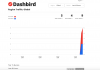
Out of interest I created an account on Buzz Feed an hour ago and placed links to two articles on a blog I own and it is getting traction. With hindsight I should have created an article rather than adding an image and a link.
I also need to see if Buzz Feed delete anything over the next two day but they did give an option of uploading just a link to an existing article and a thumbnail so that is what I did.
Attachments
Last edited by a moderator:

lishu44275
Regular Member
- May 6, 2019
- 290
- 86
My article was deleted even I add the link 3days after I publish the article.

C45HC0W
Regular Member
- Jan 30, 2019
- 430
- 142
I can not edit my post
Any idea why its not possible to edit the post after publishing? Or is can I only edit the post once after publishing? Did buzzfeed change the editing ?
"once your post has been featured on our front page or awarded a badge you will no longer be able to edit it." is it possible that because this was my very first post on buzzfeed that I got a badge for my post because it is my first one I can not edit the post anymore? that sucks because I spent like 1.5h on this stupid post
Hey Members
I don't is someone already post this method here or not. But I am posting this method here some members told me that Buzzfeed community has no index tag so you don't get a backlink from Buzzfeed, But I don't think so if Google webmaster is showing that you get a link from Buzzfeed then it is also passing link juice to your domain and my link is crawled by both google and Ahref.
Now Method for Getting Backlink From Buzzfeed :
SiteDR 91Code:buzzfeed.com
Login/ signup Url :Code:https://www.buzzfeed.com/auth/signup
View attachment 125901
After Logging In Buzzfeed Community
Create a new post
View attachment 125902
Don't Put any Url in this article just write a good listicle article here with images and everything mention source of images and your keyword in Description and also in the article and publish the article.
After 1 or 2 Days login again and go to your post and edit it and for a do-follow link insert your link in the description of the article and for a no-follow link insert the link into the post. ( if you insert your link while publishing it some times moderators delete your post and ban your account that's why I ask you to wait for at least 24 hours)
View attachment 125907
View attachment 125906
You will get a do-follow and no-follow a link from Buzzfeed there is one more option for getting a backlink from BuzzFeed.
Go to account settings
View attachment 125909
and put your link in the Website section it also provides you a do-follow backlink from your profile section
View attachment 125910
when I use this method for my website my link is crawled Ahref and Google crawler
View attachment 125912
If I Missed something then sorry please mention that in the comments and Sorry for my Bad English Also.
Any idea why its not possible to edit the post after publishing? Or is can I only edit the post once after publishing? Did buzzfeed change the editing ?
"once your post has been featured on our front page or awarded a badge you will no longer be able to edit it." is it possible that because this was my very first post on buzzfeed that I got a badge for my post because it is my first one I can not edit the post anymore? that sucks because I spent like 1.5h on this stupid post
Last edited by a moderator:

L1ckMyDorr1to
Junior Member
- Jun 7, 2019
- 100
- 41
The moderators just keep on marking the post as noindex, i don't think it works anymore...
dakudaddy
Regular Member
- Nov 21, 2019
- 326
- 527
if your post was selected for the main Buzzfeed then you are not able to edit it if your post was still in the community then you are able to edit it"once your post has been featured on our front page or awarded a badge you will no longer be able to edit it." is it possible that because this was my very first post on buzzfeed that I got a badge for my post because it is my first one I can not edit the post anymore? that sucks because I spent like 1.5h on this stupid post
But I do it recently for my e-com website and my link is crawled by Google crawler and showing in my webmaster and i prefer webmaster links more than otherThe moderators just keep on marking the post as noindex, i don't think it works anymore...
welcomeThanks for sharing, let's try it..
Last edited by a moderator:
dakudaddy
Regular Member
- Nov 21, 2019
- 326
- 527
Feel sorry for thatmy account also get ban before place the link.....

Kamil Onur Algan
Newbie
- Nov 25, 2019
- 46
- 29
I published the article and waited for 2 days.
2 days later, my profile got 403. lol
Not working anymore.
2 days later, my profile got 403. lol
Not working anymore.
dakudaddy
Regular Member
- Nov 21, 2019
- 326
- 527
Thanks, buddyI like it your method,I try it
I don't know what mistake are you doing it may be quality of content.I published the article and waited for 2 days.
2 days later, my profile got 403. lol
Not working anymore.

aminedw
Junior Member
- Sep 28, 2018
- 159
- 40
Just one more silly questions aren't these links kind of spammy since anyone can list itHey Members
I don't is someone already post this method here or not. But I am posting this method here some members told me that Buzzfeed community has no index tag so you don't get a backlink from Buzzfeed, But I don't think so if Google webmaster is showing that you get a link from Buzzfeed then it is also passing link juice to your domain and my link is crawled by both google and Ahref.
Now Method for Getting Backlink From Buzzfeed :
SiteDR 91Code:buzzfeed.com
Login/ signup Url :Code:https://www.buzzfeed.com/auth/signup
View attachment 125901
After Logging In Buzzfeed Community
Create a new post
View attachment 125902
Don't Put any Url in this article just write a good listicle article here with images and everything mention source of images and your keyword in Description and also in the article and publish the article.
After 1 or 2 Days login again and go to your post and edit it and for a do-follow link insert your link in the description of the article and for a no-follow link insert the link into the post. ( if you insert your link while publishing it some times moderators delete your post and ban your account that's why I ask you to wait for at least 24 hours)
View attachment 125907
View attachment 125906
You will get a do-follow and no-follow a link from Buzzfeed there is one more option for getting a backlink from BuzzFeed.
Go to account settings
View attachment 125909
and put your link in the Website section it also provides you a do-follow backlink from your profile section
View attachment 125910
when I use this method for my website my link is crawled Ahref and Google crawler
View attachment 125912
If I Missed something then sorry please mention that in the comments and Sorry for my Bad English Also.

Ppsolution
Registered Member
- Sep 11, 2019
- 94
- 22
that is nice of you and l will give the method a try when l get home today it is a very wonderful trick from you thanks so much

