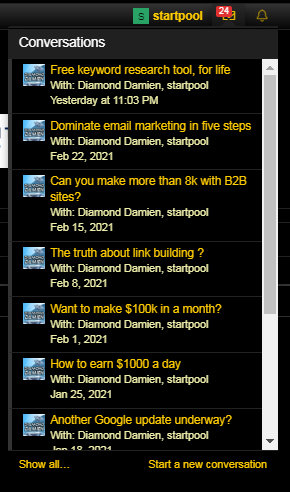
S startpool Junior Member Joined Sep 1, 2020 Messages 111 Reaction score 58 Mar 1, 2021 #1 Just a thought. I think there should be a way to "mark as read" on this notification? If you're not opening bhw for awhile it'll have bunch of these.
Just a thought. I think there should be a way to "mark as read" on this notification? If you're not opening bhw for awhile it'll have bunch of these.
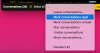
Diamond Damien Owner BlackHatWorld Staff member Moderator Jr. VIP Joined Oct 27, 2005 Messages 84,869 Reaction score 22,522 Mar 1, 2021 #2 Go into the conversations folder by double-clicking on the envelope which will take you here https://www.blackhatworld.com/conversations/ At the bottom of this page you will find a menu - select all - Mark as read. Asked - Answered - Closed.
Go into the conversations folder by double-clicking on the envelope which will take you here https://www.blackhatworld.com/conversations/ At the bottom of this page you will find a menu - select all - Mark as read. Asked - Answered - Closed.