[MAC USERS] Run a PC on your MAC Now - No problem!

Also, try running a bot and one or two seo linking tools on your bootcamp and see how that works for you!

My friend programs on his macbook pro using bootcamp+windows and runs Zennoposter all the time.. it runs really well, I mean seriously better then many mid-range notebooks that were designed to run windows.. it's almost kinda annoying because he has the style and design of mac and the reliability and ease of use of windows.. But still it's a LOT of money for the one benefit that he gets.. and that is of course being able to shut the lid as fast as he wants and experiencing that nice cushioning effect.. lol silly macs
 
Guys, sorry about that, but you will need to remove ALL the [**] from the code string posted at the top of the thread.

Unfortunately, I can't edit it and forgot to add that note.

REMOVE THE [**] when you are entering the code to your terminal.
 
Guys try vmware. I have it runing on my mbp pro 2008 with 8gb ram. I have two desktops simultaneously OSX and win 7 x64.
I share the desktop on both platforms and can copy paste from one to another, it also lets you use the osx commands like cmd +c cmd +v in winblows. It just makes life easier. I usualy run my seo tools on win, and do the rest on osx.
 
Thanks for sharing, but I am pretty sure VMware is not FREE, which is why I suggested virtualbox.
 
Here is how you can copy files/folders and whatever the fu** you want EASILY and very quickly from the virtualmachine to your desktop.

This is for Mac users who have installed virtualbox on their mac. This specific case, I installed windows xp, but it should work for anyone just the same.

First, you will need to download "guest additions" for virtualbox. (Unfortunately, I don't think I am allowed to post links, but you can find a download link if you google one, or just follow the below step from the virtual box menu

>> In the VirtualBox menu, under Devices, click Install Guest Additions... (Look at your mac screen when you are clicked in your windows desktop!). Follow the steps of the install and all should be good. If not, then just download one on your virtual machine and install it.

Now copying and pasting should be smoother as well, as the mouse and keyboard are shared!! :-)

Now, WE WILL NEED to install a shared folder so we can move files/folders around between both smooothly.

Go to the same menu we were at (Look at your mac screen when you are clicked in your windows desktop!) - then go to devices >> shared folders. Add a new folder and select where you want it to be seen in your Mac.(this is where you will find the folder on your mac!)
Make sure you keep the name, one word with no spaces.

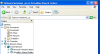
Now, this is where you can find the folder in your windows machine!
Go to Folders >> My Network Places >> Entire Network Virtualbox shared folders. Then your file name will be shown there.

Screen Shot 2013-08-27 at 12.21.05 AM.png

BOooo YA!
 
Last edited:
Back
Top