You can easily do it from the main messages screen, but once you enter the conversation itself it shows you 4-5 members and 'x' more, but you have no way of knowing who they are because it's not clickable.
On both the mobile and the desktop site, there's that participants line shown in the mobile screenshot you took.
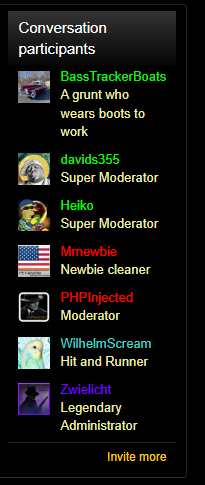
However, on the desktop version of the website, there's a section on the left-hand side of the screen that shows all conversation participants in a group. Example:
When you're on mobile, switch to desktop mode and you'll be able to see all of the conversation participants.
I'll still put this down as a quality of life change we can consider in the future, though.
This site uses cookies to help personalise content, tailor your experience and to keep you logged in if you register.
By continuing to use this site, you are consenting to our use of cookies.