July Follow Blocks [resolution]

klique

Elite Member
Joined
Mar 31, 2011
Messages
2,328
Reaction score
1,753
I've gotten multiple DMs, and have read multiple threads regarding IG and the new blocks. Some are thinking things are over, while others have already found a solution.

Temp blocks are just part of the update. You have to learn to evolve and adapt with the changes. When you get a temp block, pause actions for a bit, clear cookies, and resume. The block will be gone, and you'll be able to follow. If the block persists, use a longer delay, clear cookies and the block will be gone.

Accounts that are aged, and have been active can push 200-300 follows a day. None of my accounts have gone above 289 follows so far. New accounts, to avoid block warm them up using only follows and no DM. Once the accounts are warmed up, then add DM into your routine. I'm not going to give you the proper timeouts to use between operations and interactions, I'll leave some work for you to do.

I'm running a little over 1.6k accounts, some are still facing blocks.. but when they do, i clear them and resume. Most accounts are doing 150-190 follows a day, and I said some are getting close to 300.. but not many of them. That should be enough information to get the ball rolling.
 
Thanks for the update! I've also noticed that newly made accounts that do warm up with DM's are getting banned or blocked faster no matter how good you make them.

As for warm up, is it better to do slow portions and frequent operations or bigger bulks and bigger delays between actions. My testresults lean more towards smaller and more frequent but i'm not a 100% sure.

Also, would it be a no go to reset a device ID before it hits the full hard block when you see it has more frequent temp blocks or still a no go. Feel like aged accounts have actually revived since a device reset but everyone keeps telling no to touch it unless there is no way out.

Also, what's the average warm up period, or when would you consider an account warmed up?

Edit: running 250+ slaves and most on DC proxies.
 
Don't reset device ID too often, it will only cause issues with the account later on down the line. All you need to do is as mentioned above. When the block comes, pause the account for a set time, then clear cookies, and resume following. 90% of the time the block will be gone aslong as you set a reasonable pause. I noticed with new accounts, they recover from the block quickly, using clear cookies.

As far as warm up, it's still too early to tell.. but I used to warm up my accounts for anywhere between 2 - 3 weeks depending on what I planned on using the account for. So I would say its safe to say 2-3 weeks should be good. Some people don't warm up their accounts, but I find I get better long term results by warming up my accounts.

They definitely made changes to DMing and following at the same time, because if I just follow I can get to 200 without any action blocks. But once DMs are in the picture, they pop up here and there.
As far as delays, I'm still playing with the numbers. I've found ones that are working, but I have different timeouts for different groups of accounts. Really just have to trial and error to find that golden number for your accounts.
 
Don't reset device ID too often, it will only cause issues with the account later on down the line. All you need to do is as mentioned above. When the block comes, pause the account for a set time, then clear cookies, and resume following. 90% of the time the block will be gone aslong as you set a reasonable pause. I noticed with new accounts, they recover from the block quickly, using clear cookies.

As far as warm up, it's still too early to tell.. but I used to warm up my accounts for anywhere between 2 - 3 weeks depending on what I planned on using the account for. So I would say its safe to say 2-3 weeks should be good. Some people don't warm up their accounts, but I find I get better long term results by warming up my accounts.

They definitely made changes to DMing and following at the same time, because if I just follow I can get to 200 without any action blocks. But once DMs are in the picture, they pop up here and there.
As far as delays, I'm still playing with the numbers. I've found ones that are working, but I have different timeouts for different groups of accounts. Really just have to trial and error to find that golden number for your accounts.

I see. I'll keep testing. Does the delay between actions matter much? i'm not talking about the delays between operations. Just the delay between each follow within an operation. People dont seem to talk about it much.
 
Don't reset device ID too often, it will only cause issues with the account later on down the line. All you need to do is as mentioned above. When the block comes, pause the account for a set time, then clear cookies, and resume following. 90% of the time the block will be gone aslong as you set a reasonable pause. I noticed with new accounts, they recover from the block quickly, using clear cookies.

As far as warm up, it's still too early to tell.. but I used to warm up my accounts for anywhere between 2 - 3 weeks depending on what I planned on using the account for. So I would say its safe to say 2-3 weeks should be good. Some people don't warm up their accounts, but I find I get better long term results by warming up my accounts.

They definitely made changes to DMing and following at the same time, because if I just follow I can get to 200 without any action blocks. But once DMs are in the picture, they pop up here and there.
As far as delays, I'm still playing with the numbers. I've found ones that are working, but I have different timeouts for different groups of accounts. Really just have to trial and error to find that golden number for your accounts.

Thanks for the follow ups on this. I didn't realize cookies were important here. I'm using followplanner which is cloud based, so you're saying if I clear cookies in my browser because it's cloud based along with rest days, this should help the issue?
 
I've gotten multiple DMs, and have read multiple threads regarding IG and the new blocks. Some are thinking things are over, while others have already found a solution.

Temp blocks are just part of the update. You have to learn to evolve and adapt with the changes. When you get a temp block, pause actions for a bit, clear cookies, and resume. The block will be gone, and you'll be able to follow. If the block persists, use a longer delay, clear cookies and the block will be gone.

Accounts that are aged, and have been active can push 200-300 follows a day. None of my accounts have gone above 289 follows so far. New accounts, to avoid block warm them up using only follows and no DM. Once the accounts are warmed up, then add DM into your routine. I'm not going to give you the proper timeouts to use between operations and interactions, I'll leave some work for you to do.

I'm running a little over 1.6k accounts, some are still facing blocks.. but when they do, i clear them and resume. Most accounts are doing 150-190 follows a day, and I said some are getting close to 300.. but not many of them. That should be enough information to get the ball rolling.
What bot are you using to run that many accounts?
 
Don't reset device ID too often, it will only cause issues with the account later on down the line. All you need to do is as mentioned above. When the block comes, pause the account for a set time, then clear cookies, and resume following. 90% of the time the block will be gone aslong as you set a reasonable pause. I noticed with new accounts, they recover from the block quickly, using clear cookies.

As far as warm up, it's still too early to tell.. but I used to warm up my accounts for anywhere between 2 - 3 weeks depending on what I planned on using the account for. So I would say its safe to say 2-3 weeks should be good. Some people don't warm up their accounts, but I find I get better long term results by warming up my accounts.

They definitely made changes to DMing and following at the same time, because if I just follow I can get to 200 without any action blocks. But once DMs are in the picture, they pop up here and there.
As far as delays, I'm still playing with the numbers. I've found ones that are working, but I have different timeouts for different groups of accounts. Really just have to trial and error to find that golden number for your accounts.


whats proper warm up now days?

i get temp blocks at 20 follow per day
 
what proxys are you using and how were your accounts created
`
Account was created normally as a normal ig user would in 2015
its a 90k buisness acc

i run automation on my residential wifi (always have)

past i was able to get to 1.2k follows per day without any blocks etc

automation has been off since June 1st (due to shadowban)

now i cant even do 20 follow per day
 
`
Account was created normally as a normal ig user would in 2015
its a 90k buisness acc

i run automation on my residential wifi (always have)

past i was able to get to 1.2k follows per day without any blocks etc

automation has been off since June 1st (due to shadowban)

now i cant even do 20 follow per day
This is from 123 accs
Instagram warm up settings – Updated 1 July 2019
First off, be highly cautious in social media automation: automatically liking, following, commenting, etc.. explicitly violates TOS. Growing accounts / gaining traffic using automated tools puts your accounts at risk of being suspended or permanently banned. The moment an account is added on bots, logged on proxies and automated, the account safety is lost.. Although marketers that will use automation gently and varied, can obtain great rewards using it, but they also know and accept the risks.

Niche type (legit or fake); virgin proxy; private bot; custom actions; traffic funneling scheme (snapchat/kik user / link in bio / image watermark link) or whatever formula of actions you will apply, can’t keep you 100% safe from the site algorithms that can detect automation.

Now let’s get started with warming up the accounts:

After you have successfully logged into and verified your account by using one of the methods in this post, it is time to warm it up. Once an account is logged into a totally different environment (device/software and IP), it will enter a state of sensitivity to almost every action for a couple of days, that’s why it needs to be slowly accustomed with its new environment, a procedure that we call warm up.

Warming up an account is a mandatory procedure to increase chances of good standing on the long-term, it may also avoid some security screens like phone verification. However, please note that all the settings on this page are only suggestions.

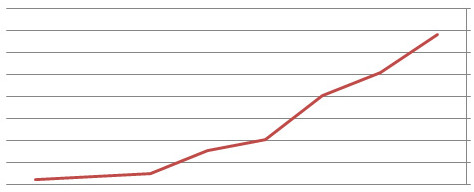
progressive-chart.jpg


Actions should be give depending on account age, below you can see the suggested actions for accounts less than – and over 3 months old:


Actions for Instagram accounts UNDER 3 months of age:
DAY 1: (regardless of account age): At the first login you can update profile data (make sure you enter unique data) on the edit profile page: name, username, gender, biography etc. Do not add any link in the website field yet! You can also add an avatar and 2-3 media on the feed that matches (or not) your niche. Give only a few likes (3-7 likes), no followings/commenting/DM’s at all. Then let the account rest for 16-24 hours.

DAY 2: 5 followings + 15 likes spread over approximately 3 hours. Make sure to set very relaxed delays, don’t hurry up things.
DAY 3: 15 followings + 30 likes spread over 3 hours.
DAY 4: 25 followings + 50 likes spread over 5 hours.
DAY 5: 50 followings + 100 likes spread over 6 hours.
DAY 6: 75 followings + 150 likes spread over 7 hours.
DAY 7: 100 followings + 200 likes spread over 8 hours. Now you can add the link in the website field (make sure to follow these safe linking guidelines).
DAY 8: 125 followings + 250 likes spread over 10 hours.
DAY 9 and beyond: 150-175 followings + 250-300 likes.

Actions for Instagram accounts ABOVE 3 months of age:
DAY 1: (regardless of account age): At the first login you can update profile data (make sure you enter unique data) on the edit profile page: name, username, gender, biography etc. Do not add any link in the website field yet! You can also add an avatar and 2-3 media on the feed that matches (or not) your niche. Give only a few likes (5-10 likes), no followings/commenting/DM’s at all. Then let the account rest for 16-24 hours.

DAY 2: 10 followings + 25 likes spread over approximately 3 hours. Make sure to set very relaxed delays, don’t hurry up things.
DAY 3: 25 followings + 50 likes spread over 3 hours.
DAY 4: 50 followings + 100 likes spread over 5 hours.
DAY 5: 75 followings + 150 likes spread over 6 hours.
DAY 6: 100 followings + 200 likes spread over 7 hours.
DAY 7: 125 followings + 250 likes spread over 8 hours. Now you can add the link in the website field (make sure to follow these safe linking guidelines).
DAY 8: 150 followings + 300 likes spread over 10 hours.
DAY 9 and beyond: 175-200 followings + 300-350 likes.

Improving safety:
  • Vary daily time-frame of running accounts between 6-12 hours, for every account. Example: on Monday you can run an account between 12PM-10PM, and on Tuesday you can run it between 6AM-16PM, on Wednesday it can run between 15PM-1AM, and so on. If your tool can vary the daily running time-frame, make sure you enable it and use different time-frames for every account.
  • Make 1-2 days of pause in random days of the week. This will avoid getting accounts flagged of suspicious action patterns.
  • Add one media on the feed at least two times a week. This will make the account more genuine-looking, and will also boost its trust-rank.
You can try to push actions further but it will become more riskier. You can also only use liking, instead of following + liking, it will be much safer for the accounts, but the follow back rate will be smaller.

Unfollowing settings for Instagram accounts:
At some point you will be close to the maximum 7,5k followings mark. So what you need to do now, if you want to continue increasing your followers count, is start unfollow users so you can follow more people. When you’re close to 6-7k followings, you can stop the follow actions (liking actions can still be continued but a complete pause will be better), and let the account/s rest for minimum 24 hours.

After this pause, you can start unfollowing but with 50 actions below the previous following actions. For example: If you followed 200 users / day, start unfollow no more than 150 users / day. Continue unfollowing + liking until you get close to 1-2k followings, then, after a pause of minimum 24 hours you can start following + liking again.


How to make your Instagram accounts stronger
Always try to simulate normal user behavior with small engagement activities, by using all the communication and customizing features the site allows:

  • Fully customize your profile (connect it with other social media accounts if possible);
  • Frequently add media to your account;
  • Respond to other user actions;
  • Make random searches;
  • Send a few DM’s (direct messages) once in a while;
  • Check personal messages and notifications;
  • Give some comments here and there, etc.
 
I see. I'll keep testing. Does the delay between actions matter much? i'm not talking about the delays between operations. Just the delay between each follow within an operation. People dont seem to talk about it much.
Yes, the delay between operations and interactions is still important. But there is no set number. Don't get into any guide telling you its x amount per hour, because it's different on each account. Best way to get your ideal settings is trial and error. Only you know the quality and history of the accounts.

Thanks for the follow ups on this. I didn't realize cookies were important here. I'm using followplanner which is cloud based, so you're saying if I clear cookies in my browser because it's cloud based along with rest days, this should help the issue?
I'm not sure, as I've never used follow planner before. I know with the API based bots, if you do as instructed in the OP you should be good. Give it a try with a test account. Remember to delay before clearing cookies. If you clear cookies immediately and try to follow again, you'll just extend the time of your block.

What bot are you using to run that many accounts?
I'm running 4 licences of GMT2. It's stable, and works perfectly for what I need it for. Not to mention the price point for unlimited accounts.

whats proper warm up now days?

i get temp blocks at 20 follow per day
New accounts, without follows 20-30 first day, and gradually increase. You can manage to avoid the block while warming up the account with the right delays. Things have changed drastically though, so keep in mind with an average of 200 follows per account, pull out your calculator and start doing the math on the right delays to spread it out evenly over a course of 12-24 hours.

`
Account was created normally as a normal ig user would in 2015
its a 90k buisness acc

i run automation on my residential wifi (always have)

past i was able to get to 1.2k follows per day without any blocks etc

automation has been off since June 1st (due to shadowban)

now i cant even do 20 follow per day
I'm running residential proxies on all my accounts right now, and create them using 4g in the app. When creating accounts like this, their quality is top notch and doesn't require verification when logging on new IPs. Good luck.

This is from 123 accs
Instagram warm up settings – Updated 1 July 2019
First off, be highly cautious in social media automation: automatically liking, following, commenting, etc.. explicitly violates TOS. Growing accounts / gaining traffic using automated tools puts your accounts at risk of being suspended or permanently banned. The moment an account is added on bots, logged on proxies and automated, the account safety is lost.. Although marketers that will use automation gently and varied, can obtain great rewards using it, but they also know and accept the risks.

Niche type (legit or fake); virgin proxy; private bot; custom actions; traffic funneling scheme (snapchat/kik user / link in bio / image watermark link) or whatever formula of actions you will apply, can’t keep you 100% safe from the site algorithms that can detect automation.

Now let’s get started with warming up the accounts:

After you have successfully logged into and verified your account by using one of the methods in this post, it is time to warm it up. Once an account is logged into a totally different environment (device/software and IP), it will enter a state of sensitivity to almost every action for a couple of days, that’s why it needs to be slowly accustomed with its new environment, a procedure that we call warm up.

Warming up an account is a mandatory procedure to increase chances of good standing on the long-term, it may also avoid some security screens like phone verification. However, please note that all the settings on this page are only suggestions.

progressive-chart.jpg


Actions should be give depending on account age, below you can see the suggested actions for accounts less than – and over 3 months old:


Actions for Instagram accounts UNDER 3 months of age:
DAY 1: (regardless of account age): At the first login you can update profile data (make sure you enter unique data) on the edit profile page: name, username, gender, biography etc. Do not add any link in the website field yet! You can also add an avatar and 2-3 media on the feed that matches (or not) your niche. Give only a few likes (3-7 likes), no followings/commenting/DM’s at all. Then let the account rest for 16-24 hours.

DAY 2: 5 followings + 15 likes spread over approximately 3 hours. Make sure to set very relaxed delays, don’t hurry up things.
DAY 3: 15 followings + 30 likes spread over 3 hours.
DAY 4: 25 followings + 50 likes spread over 5 hours.
DAY 5: 50 followings + 100 likes spread over 6 hours.
DAY 6: 75 followings + 150 likes spread over 7 hours.
DAY 7: 100 followings + 200 likes spread over 8 hours. Now you can add the link in the website field (make sure to follow these safe linking guidelines).
DAY 8: 125 followings + 250 likes spread over 10 hours.
DAY 9 and beyond: 150-175 followings + 250-300 likes.

Actions for Instagram accounts ABOVE 3 months of age:
DAY 1: (regardless of account age): At the first login you can update profile data (make sure you enter unique data) on the edit profile page: name, username, gender, biography etc. Do not add any link in the website field yet! You can also add an avatar and 2-3 media on the feed that matches (or not) your niche. Give only a few likes (5-10 likes), no followings/commenting/DM’s at all. Then let the account rest for 16-24 hours.

DAY 2: 10 followings + 25 likes spread over approximately 3 hours. Make sure to set very relaxed delays, don’t hurry up things.
DAY 3: 25 followings + 50 likes spread over 3 hours.
DAY 4: 50 followings + 100 likes spread over 5 hours.
DAY 5: 75 followings + 150 likes spread over 6 hours.
DAY 6: 100 followings + 200 likes spread over 7 hours.
DAY 7: 125 followings + 250 likes spread over 8 hours. Now you can add the link in the website field (make sure to follow these safe linking guidelines).
DAY 8: 150 followings + 300 likes spread over 10 hours.
DAY 9 and beyond: 175-200 followings + 300-350 likes.

Improving safety:
  • Vary daily time-frame of running accounts between 6-12 hours, for every account. Example: on Monday you can run an account between 12PM-10PM, and on Tuesday you can run it between 6AM-16PM, on Wednesday it can run between 15PM-1AM, and so on. If your tool can vary the daily running time-frame, make sure you enable it and use different time-frames for every account.
  • Make 1-2 days of pause in random days of the week. This will avoid getting accounts flagged of suspicious action patterns.
  • Add one media on the feed at least two times a week. This will make the account more genuine-looking, and will also boost its trust-rank.
You can try to push actions further but it will become more riskier. You can also only use liking, instead of following + liking, it will be much safer for the accounts, but the follow back rate will be smaller.

Unfollowing settings for Instagram accounts:
At some point you will be close to the maximum 7,5k followings mark. So what you need to do now, if you want to continue increasing your followers count, is start unfollow users so you can follow more people. When you’re close to 6-7k followings, you can stop the follow actions (liking actions can still be continued but a complete pause will be better), and let the account/s rest for minimum 24 hours.

After this pause, you can start unfollowing but with 50 actions below the previous following actions. For example: If you followed 200 users / day, start unfollow no more than 150 users / day. Continue unfollowing + liking until you get close to 1-2k followings, then, after a pause of minimum 24 hours you can start following + liking again.


How to make your Instagram accounts stronger
Always try to simulate normal user behavior with small engagement activities, by using all the communication and customizing features the site allows:


    • Fully customize your profile (connect it with other social media accounts if possible);
    • Frequently add media to your account;
    • Respond to other user actions;
    • Make random searches;
    • Send a few DM’s (direct messages) once in a while;
    • Check personal messages and notifications;
    • Give some comments here and there, etc.
Those numbers aren't concrete. They're being extremely petty when it comes to combined actions. From testing, warming up just using follows as opposed to follows and DMs, or follows and likes, I recieved alot more action blocks.

I suggest warming up accounts using just follows to obtain a good trustscore, and then slowly increase your numbers while adding other actions as well.

Right now I have 120 accounts that I'm using strictly for testing purposes, and then running my regular accounts along side of them. Started with 80 new accounts, 40 aged and active accounts. Out of those, 73 new ones and 39 of the aged ones remain.
 
Yes, the delay between operations and interactions is still important. But there is no set number. Don't get into any guide telling you its x amount per hour, because it's different on each account. Best way to get your ideal settings is trial and error. Only you know the quality and history of the accounts.


I'm not sure, as I've never used follow planner before. I know with the API based bots, if you do as instructed in the OP you should be good. Give it a try with a test account. Remember to delay before clearing cookies. If you clear cookies immediately and try to follow again, you'll just extend the time of your block.


I'm running 4 licences of GMT2. It's stable, and works perfectly for what I need it for. Not to mention the price point for unlimited accounts.


New accounts, without follows 20-30 first day, and gradually increase. You can manage to avoid the block while warming up the account with the right delays. Things have changed drastically though, so keep in mind with an average of 200 follows per account, pull out your calculator and start doing the math on the right delays to spread it out evenly over a course of 12-24 hours.


I'm running residential proxies on all my accounts right now, and create them using 4g in the app. When creating accounts like this, their quality is top notch and doesn't require verification when logging on new IPs. Good luck.


Those numbers aren't concrete. They're being extremely petty when it comes to combined actions. From testing, warming up just using follows as opposed to follows and DMs, or follows and likes, I recieved alot more action blocks.

I suggest warming up accounts using just follows to obtain a good trustscore, and then slowly increase your numbers while adding other actions as well.

Right now I have 120 accounts that I'm using strictly for testing purposes, and then running my regular accounts along side of them. Started with 80 new accounts, 40 aged and active accounts. Out of those, 73 new ones and 39 of the aged ones remain.
How much are yo paying per month for all those residential proxies ?
 
Do you get a lot of PV's, multiple PV's weekly for the same accounts? Thanks.
 
Don't reset device ID too often, it will only cause issues with the account later on down the line. All you need to do is as mentioned above. When the block comes, pause the account for a set time, then clear cookies, and resume following. 90% of the time the block will be gone aslong as you set a reasonable pause. I noticed with new accounts, they recover from the block quickly, using clear cookies.
.

Hi,

Thanks to share your advise.

Are you clearing cookies using Jarvee please? (If yes, how do you do please)

For example: during the ramp up time some follow action could be block, but can do manually using browser. I want to solve this without remove the account from Jarvee for 2 days

Thanks in advance
 
How much are yo paying per month for all those residential proxies ?
I'm getting them for relatively cheap and I'm running 3 accounts per proxy. I've ran 5 on them before, they're pretty stable. I'm always open to new options.

Do you get a lot of PV's, multiple PV's weekly for the same accounts? Thanks.
It fluctuates. For the most part, I don't get alot of PVs.. but I'll go threw phases where more accounts than usual will require verification. Keep your actions at a reasonable rate, while using high quality proxies will reduce your verifications alot.

Hi,

Thanks to share your advise.

Are you clearing cookies using Jarvee please? (If yes, how do you do please)

For example: during the ramp up time some follow action could be block, but can do manually using browser. I want to solve this without remove the account from Jarvee for 2 days

Thanks in advance
I don't us Jarvee... I just mentioned that I use gmt2. But I've helped people using both mp and jarvee get their accounts running... So yes, clearing cookies works with jarvee/mp too, if done correctly. If you don't pause the account for long enough prior to clearing the cookies, you'll do nothing but prolong the block. I'm not sure what you mean by removing the account from jarvee for 2 days... Why would you need to remove it? Just follow the instructions I mentioned in the IP, and you should be good.
 
I'm getting them for relatively cheap and I'm running 3 accounts per proxy. I've ran 5 on them before, they're pretty stable. I'm always open to new options.

Wow, that is incredible lol..... when you run that many accounts on one proxy will they both be performing actions at the same time?
 
Wow, that is incredible lol..... when you run that many accounts on one proxy will they both be performing actions at the same time?
They're like the equivalent of running the accounts on my home IP. The trick is not to add the accounts to the IP simultaneously. Once they're on the IP, they're fine... so add them at different times. They run all at the same time, and all have random breaks so at sometimes they all might be performing at the same time, while at other times it may just be 1 of them.
 
Back
Top