How Would You Automate This Process

DJPaulyD

Supreme Member
Joined
Aug 16, 2014
Messages
1,217
Reaction score
679
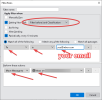
I need a way to automate this process

Basically I just need a way to get the junk e-mails to move to the inbox folder every 20 - 30 seconds or so

Example of the process:

Can this be done using some sort of Plugin or a program somewhere?

I just need it to 1. select all emails in junk and

2. move to inbox
 
Not a big fan of email, but I think you can do this with "Filtering rules".

Check Gmail Filtering rules on Youtube, other major email providers must have some sort of filter rules as well.
Filter rules don't work for Outlook

All emails get sent to spam pretty much

I need to manually move them to inbox

And gmail won't work for what I'm doing, this task has to be automated in Outlook web mail

Who ever can help me solve this problem I will send you $25 ETH
 
What are you talking about, mate?
Here's how to set filters (aka rules) with Outlook: https://it.cornell.edu/outlook-web/rules-filters-outlook-web
I've set rules and spoken to Outlook support mate, the e-mails still go to the junk mail folder

Other's have the same issue:

Capture.PNG from
Code:
https://www.blackhatworld.com/seo/does-anyone-know-how-to-really-disable-outlook-spam-junk-filter.1459197/#post-15910006

There's no way to prevent them from going to the junk mail folder, do you understand that?

I need a way to manually move them from junk --> inbox

That's what we're looking to achieve.

Is there some sort of tool, or plugin, or something else that you know of that can move those e-mails from junk to inbox every so often?
 
Last edited:
Are you ok if it takes control of your mouse to do it or do you need it running completely in the background?
 
i dont' use outlook. but it should be possible to filter those. or just add those email to whitelist.
you can also automate it manually with win automation software, python script , list goes on. basicly record the mouse movement and keep clicking . problem that mean you need to have one pc spesific for this.
 
filters
if outlook won't do it, use thunderbird
be sure to tick "before junk specification"
and simple filter will do
IF --> TO --> IS --> "[email protected]" --> THEN --> PUT IN INBOX
an alterative is if --> from --> is --> * --> then --> put in inbox
now it's says "set to run every 10m". but its just for show. i have 100+ filters and they are ran the second the mail hits my inbox
QplzdBqInS.png
 
Are you ok if it takes control of your mouse to do it or do you need it running completely in the background?

100% cool if it takes control of the mouse but it would be nicer if it did it in the background (if possible and not too difficult)

i dont' use outlook. but it should be possible to filter those. or just add those email to whitelist.
you can also automate it manually with win automation software, python script , list goes on. basicly record the mouse movement and keep clicking . problem that mean you need to have one pc spesific for this.
I would have to manually add every senders e-mail to the junk filter and I don't know who's sending the e-mails
 
I've set rules and spoken to Outlook support mate, the e-mails still go to the junk mail folder

Other's have the same issue:

from
Code:
https://www.blackhatworld.com/seo/does-anyone-know-how-to-really-disable-outlook-spam-junk-filter.1459197/#post-15910006

There's no way to prevent them from going to the junk mail folder, do you understand that?

I need a way to manually move them from junk --> inbox

That's what we're looking to achieve.

Is there some sort of tool, or plugin, or something else that you know of that can move those e-mails from junk to inbox every so often?

Sounds really strange as email filters are primitive functions that all email providers support.

Worst case scenario, you can just install Thunderbird or some other email client and set the filter in there.
The emails will then be filtered automatically and instantly as long as you have Thunderbird open.

But again, it's extremely strange that Outlook which is a huge service provided by Microsoft doesn't support email filters.
 
filters
if outlook won't do it, use thunderbird
be sure to tick "before junk specification"
and simple filter will do
IF --> TO --> IS --> "[email protected]" --> THEN --> PUT IN INBOX
now it's says "set to run every 10m". but its just for show. i have 100+ filters and they are ran the second the mail hits my inbox

You beat me to it and you should just uncheck that rule and you'll be good to go.
 
Will try thunderbird and report back

Edit: not working. This has to be done in the outlook web browser it looks like.
 
Last edited:
100% cool if it takes control of the mouse but it would be nicer if it did it in the background (if possible and not too difficult)


I would have to manually add every senders e-mail to the junk filter and I don't know who's sending the e-mails
@unctu seems to have a good solution. If you want a low-tech dumb solution, just record a mouse macro of you selecting all emails in your junk folder and moving to inbox.
 
You beat me to it and you should just uncheck that rule and you'll be good to go.
youre right. may just need to untick that "periodically 10 min" option. or tick it on. i dont know. like i said.100+ filters. all work fine. i whitelist a few things that always seem to always get classified as spam. with filers they go into inbox and even get starred.

if u want filters on crack look into "ritlabs the bat" email client. with them you can set up tiered auto responders and smart tokens eg "hello {recipient-name}". it's nulled on the usual places or buy a license.
 
@unctu seems to have a good solution. If you want a low-tech dumb solution, just record a mouse macro of you selecting all emails in your junk folder and moving to inbox.
Do you got a guide on how to do that? I'm a newbie when it comes to these mouse macro's
 
one thing to note about the thunderbird filter
if you want to test it
go into the main filter panel
select your filter
click "RUN NOW"
it should move whatever in spam into inbox after that
if not it's potentially configured improperly.

regarding keyboard macros
AHK autohotkey is the most popular
but requires some scripting to learn
there's other tools with a gui -- i'm partial to https://download.cnet.com/Automatic-Mouse-and-Keyboard/3000-2084_4-75324350.html
it's retard-proof however a bit limited on a free license.
the main downside is you cannot do anything else while the macro is running. unless you run inside a VM. at that point you need to consider are all these computing resources worth the trade off VS properly configuring a thunderbird filter.
 
I need a way to automate this process

Basically I just need a way to get the junk e-mails to move to the inbox folder every 20 - 30 seconds or so

Example of the process:

Can this be done using some sort of Plugin or a program somewhere?

I just need it to 1. select all emails in junk and

2. move to inbox
Try another email provider. I'm sure there are plenty that will work with your programs and can filter I'm just too lazy personally to test any since outlook works for 90% of what I need minus the filtering not working.
 
Write a vba script in outlook, pretty sure its possible. Gonna cost more than 25 tho.
 
Can confirm, VBA would be pretty easy. Let me know if you are interested.
 
I need a way to automate this process

Basically I just need a way to get the junk e-mails to move to the inbox folder every 20 - 30 seconds or so

Example of the process:

Can this be done using some sort of Plugin or a program somewhere?

I just need it to 1. select all emails in junk and

2. move to inbox
Hello @DJPaulyD

The above process can be automated using selenium and python. I have created a script and attached a video link below. Pm me when you come online, So I can send the instructions and script for running in local machine. Link:
 
Back
Top