

thelaptopbucks
BANNED
- May 24, 2020
- 430
- 382
Can't get your BM verified? It's very common these days to get a new (rented/farmed) FB profile and be unable to verify it. The button is unclickable, like in the image below
.Lucky for you, I know a way around it...

1. Go to http://developers.facebook.com
2. Press 'Get Started' in the top right corner.
3. A pop up will come up, press 'Next'.
4. Select 'Developer' Then click 'Create First App
I'll attach the photos below for each step.

5. Click 'Manage Business Integrations'
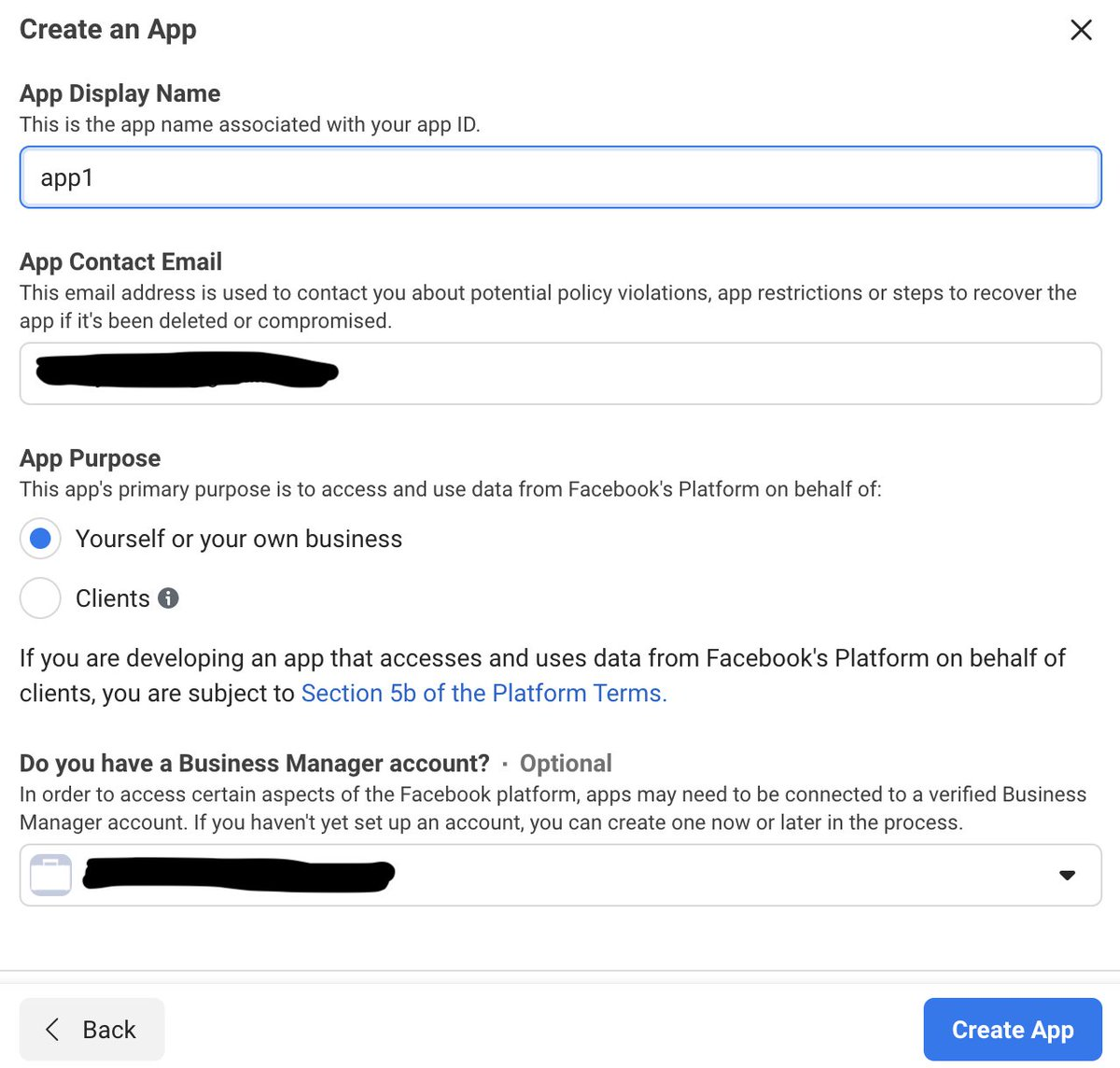
6. Name the app whatever you want, write in your email, and select your BM. Then click 'Create App'
7. You should be directed to the app dashboard page. If so click on 'Basic' under the 'Settings' dropdown.
8. Scroll down until you see the 'Business Verification' section.
9. Click 'Go to Verification'

10. You should get directed to the first step in the verification process. So, all you have to do from here is fill out the info for the business associated with the BM as you normally would.
After that you'll just have to wait for FB to review and verify your info.

Hope this helps some of you guys!
.Lucky for you, I know a way around it...
1. Go to http://developers.facebook.com
2. Press 'Get Started' in the top right corner.
3. A pop up will come up, press 'Next'.
4. Select 'Developer' Then click 'Create First App
I'll attach the photos below for each step.
5. Click 'Manage Business Integrations'
6. Name the app whatever you want, write in your email, and select your BM. Then click 'Create App'
7. You should be directed to the app dashboard page. If so click on 'Basic' under the 'Settings' dropdown.
8. Scroll down until you see the 'Business Verification' section.
9. Click 'Go to Verification'
10. You should get directed to the first step in the verification process. So, all you have to do from here is fill out the info for the business associated with the BM as you normally would.
After that you'll just have to wait for FB to review and verify your info.
Hope this helps some of you guys!


