How to upload file to VPS?

ORM

Power Member
Joined
Oct 16, 2013
Messages
756
Reaction score
703
Good day bros and sistas,

Does anyone know how to seed files in VPS? I mean I want my files to be stored in my VPS like on those rapidshare, mediafire etc websites but with possibility to direct download then needed. Tried setting up Filezilla FTP but I am the worst sys admin on the planet. Is there any smart folks willing to share their wisdom? :)
 
VPS Mostly means empty OS on remote machine ..
first you need to install all other staff to make it works ..
an easy solution install CPanel First (if you on Linux) ..
about file sharing you need to look for free file sharing script .
 
  • Like
Reactions: ORM
What OS are you running on your VPS?
 
  • Like
Reactions: ORM
IF you have Windows as OS you can try simply copy-paste via RDP, install FTP server and transfer with FTP client or via file transfer services as dropbox and etc.

If you have Linux as OS you can try via SSH

Thank
Teo
 
  • Like
Reactions: ORM
You can also use flashfxp and connect with it in mode SFTP over SSH then you can connect to your site with flashfxp (ftp client) like normal but it runs over the SSH port (if its a linux box). The port normally is 22 .

And if you want a homepage upload you need to find a script for that, but before that you need to install a webserver like NGINX or apache and PHP etc.
 
  • Like
Reactions: ORM
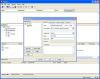
If this is a Linux VPS all you need to do is to create the connection as SFTP - SSH File Transfer Protocol in FileZilla

filezilla03.png
 
What OS are you running on your VPS?

forgot to mention its Windows VPS (2008). I thought there is simple solution for this simple task but all these sys admin terms looks like rocket science to me. Gonna need to familiarize myself with all this new stuff
 
forgot to mention its Windows VPS (2008). I thought there is simple solution for this simple task but all these sys admin terms looks like rocket science to me. Gonna need to familiarize myself with all this new stuff

what about dropbox to transfer your files ?
 
  • Like
Reactions: ORM
forgot to mention its Windows VPS (2008). I thought there is simple solution for this simple task but all these sys admin terms looks like rocket science to me. Gonna need to familiarize myself with all this new stuff

You can copy paste between your server and home PC.
But you can upload your files to dropbox and access them whenever/where ever you need.
 
  • Like
Reactions: ORM
If you want to setup a filesharing site you have to have any linux OS's installed on the vps rather than windows. Rather if its for your private use then there are ways to do that in windows using apps like lamp or wamp. Moreover the linux way is for setting up a file sharing script which is prolly written in php or perl. But that requires more manageable skills and experience which u obviously lack at this point.
 
Dropbox works like a charm, cheers! :drinking2
 
If your vps has a linux OS try intalling webmin on the sectin called Other you can find a java based file manager after that you can search a guide on "how to install vsftpd on (yourvpslinuxOS). to access with filezilla but for uploading files like a wordpress intall etc just useb the webmin file manager.
 
In your VPS you can also install control panel. You can contact your Hosting provider for installation of control panel.
 
Back
Top