How to insert MASSIVE Fake comment on my own WP article?

SelenaQuintanilla

Regular Member
Joined
Feb 12, 2023
Messages
201
Reaction score
54
Hi Friend of the dark side,

I am looking for the best & easy way to integrate some comment after my article in wordpress?


The idea is to post 1 to 5 comment generate by ChatGPT, i cant do it in front end for sure but i am pretty sure there is better way...
So i have to manage :
email, time of the comment...

Any idea to optimise this?

Thank a lot by advance
 
Well, doing it via the front end is going to be the easiest way if it's only a couple of comments on one article. If you want to do it in bulk though, you probably want to get familiar with Wordpress' mysql tables, specifically the wp_comments table. If you take a look at it, it's a simple structure; a comment id that auto increments, the post id of the post you want the comment to be on, then several fields for the comment information. If you have the post ids of the articles you want to comment on, you can just use sql to add them all there.

If you're not familiar with mysql, there might be a plugin that does it for you but I'm not aware of one, someone else would have to chime in.
 
8.40 am in Paris, i just start my laptop without eating my croissant,
than you already made my day, thank a lot @Steptoe :)

i will look in the direction you told asap!
The only plugin i found was :
https://fr.wordpress.org/plugins/fakerpress/but it generate random comment and no possibility to "customise" the comment.
 
You can post comments on your website with the Wordpress API.

https://developer.wordpress.org/rest-api/reference/comments/#create-a-comment
I've done this for myself in a project and it works great. I created fake users, I defined fake names and emails to these users. I also defined a different user agent information for each user. I make sure that every comment is made with a different ip address with vpn.
 
Hello,
It is my first day and contribution in BHW so pardon me if I say some BS
I think WordPress has some API, so why don't you use them?
By doing so you could automate the stuff, and use openAI to give more context to the comments for example.
If you are interested you can contact me. I have some bots I could likely configure to do it.
And we can exchange in French if needed
 
Thank @Silverfish980 for your help,
it will be great,)
And to be honest i never used the Wordpress api...

For info in made a simple solution i share to you ( for sure there is better/faster way but i am beginner)
first by insert in the the function :
PHP:
function insert_chatgpt_comment_acf($post_id) {
    // Check if the post is of type 'post'
    if (get_post_type($post_id) != 'post') {
        return;
    }

    // Check if there are rows in the 'chatgpt_comments' field
    if (have_rows('chatgpt_comments', $post_id)) {
        // Loop through the rows
        while (have_rows('chatgpt_comments', $post_id)) {
            the_row();

            // Retrieve the values of the subfields
            $name = get_sub_field('name');
            $email = get_sub_field('email');
            $text = get_sub_field('comment_text');

            // Insert the comment
            $data = array(
                'comment_post_ID' => $post_id,
                'comment_author' => $name,
                'comment_author_email' => $email,
                'comment_content' => $text,
                'comment_type' => '',
                'comment_parent' => 0,
                'user_id' => 1,
                'comment_author_IP' => '127.0.0.1',
                'comment_agent' => 'Mozilla/5.0 (Macintosh; Intel Mac OS X 10.6; rv:2.0.1) Gecko/20100101 Firefox/4.0.1',
                'comment_date' => date('Y-m-d H:i:s'),
                'comment_approved' => 1,
            );

            $comment_id = wp_insert_comment($data);
        }
    }
}

// Add the function to the 'acf/save_post' action so it is executed when you publish an article
add_action('acf/save_post', 'insert_chatgpt_comment_acf', 20);

1688635565053.png
and the front end result

1688635686460.png


Here are the steps to implement :

  1. Install and activate Advanced Custom Fields (ACF) Pro: You can download ACF Pro from the WordPress plugin directory and install it on your site.
  2. Create a new Repeater field in ACF: In your WordPress dashboard, go to "Custom Fields" > "Field Groups" > "Add New". Add a new field and choose the type "Repeater". Name the field "chatgpt_comments".
  3. Add subfields to your Repeater field: In the settings of your Repeater field, add three subfields: "name", "email", and "comment_text". For each subfield, choose the field type "Text".
  4. Add the PHP code to your theme's functions.php file or a custom plugin: This code defines a function that inserts a comment for each row in your Repeater field when you publish a post. Make sure to replace 'chatgpt_comments', 'name', 'email', and 'comment_text' with the actual names of your ACF fields.
  5. Publish your post: When you publish a post, you can add comments in the "chatgpt_comments" field in the Gutenberg editor. Each comment will be inserted into the WordPress database when you publish the post.


I never used acf before, if you need the pro version i can send by pm ( to use repeter function you will need)
 
Hi,
It sounds quite easy to set up thanks.
Do you have the option to schedule the comments or change the dates? It seems a bit weird to have all the comments published at the same time.
 
I have a very nice web application that does this automatically, but after 100 messages, I can buy a seller account and make an announcement. You can add your wordpress sites to the system, print articles, customize the article, add comments and reply to comments. You can also upload products to your wordpress site, which is woocommerce. :) Please do not private message about this. I want to proceed according to forum rules. Until then, I will be happy to assist you with all my experience with this project.

On throwing WordPress comments on specific date:

In order to do this, it is necessary to make this comment job a task and process it as a queue in the database. You can set the date information by adding the information of when the comment will be published to the job record.

In addition, create fake users to provide different information for each user. SEE:

1688640688429.png
 
Last edited:
Comments are not specific, only user information is specific, but there are thousands. It is possible to increase. Each comment is generated to chatgpt in relation to the relevant wordpress content. You can do this using the GPT 3.5 turbo API. The most affordable cost is in this model. You can even print a simple code to chatgpt that will do the job!
 
Thank all for your reply,

i updated my code now i can modify a comment from gutemberg without creating a new one
PHP:
function insert_chatgpt_comment_acf($post_id) {
    // Check if the post is of type 'post'
    if (get_post_type($post_id) != 'post') {
        return;
    }

    // Check if there are rows in the 'chatgpt_comments' field
    if (have_rows('chatgpt_comments', $post_id)) {
        // Loop through the rows
        while (have_rows('chatgpt_comments', $post_id)) {
            the_row();

            // Retrieve the values of the subfields
            $name = get_sub_field('name');
            $email = get_sub_field('email');
            $text = get_sub_field('comment_text');
            $comment_id = get_sub_field('comment_id'); // Retrieve the comment ID
            $date_acf = get_sub_field('comment_date'); // Retrieve the comment date

            // Convert the date from the ACF format to 'F j, Y g:i a'
            $date = DateTime::createFromFormat('F j, Y g:i a', $date_acf);
            $date = $date->format('Y-m-d H:i:s');

            // Convert local date and time to GMT date and time
            $date_gmt = get_gmt_from_date($date);

            // Prepare the comment data
            $data = array(
                'comment_post_ID' => $post_id,
                'comment_author' => $name,
                'comment_author_email' => $email,
                'comment_content' => $text,
                'comment_type' => '',
                'comment_parent' => 0,
                'user_id' => 1,
                'comment_author_IP' => '127.0.0.1',
                'comment_agent' => 'Mozilla/5.0 (Macintosh; Intel Mac OS X 10.6; rv:2.0.1) Gecko/20100101 Firefox/4.0.1',
                'comment_date' => $date_gmt, // Use the GMT date
                'comment_approved' => 1,
            );

            // If a comment ID is provided, update the existing comment
            if ($comment_id) {
                $data['comment_ID'] = $comment_id;
                wp_update_comment($data);
            } else {
                // Otherwise, insert a new comment
                $comment_id = wp_insert_comment($data);

                // Update the 'comment_id' field with the ID of the new comment
                update_sub_field('comment_id', $comment_id);
            }
        }
    }
}

// Add the function to the 'acf/save_post' action so it is executed when you publish an article
add_action('acf/save_post', 'insert_chatgpt_comment_acf', 20);


But for the date i don't find how to update it and chose the time i want,
it is always the time of the update of the article....

1688646315103.png
the date is wrong :
1688646376226.png


1688646340841.png


it's work if change the date by the "official" wordpress for instance :
/wp-admin/edit-comments.php?paged=1#comment-49
 
Have you tried this?

For example:

'comment_date' => "2022-05-17 22:11:37";
Sorry but i don't understant it,
you propose i change it in php by a fixe date?

like :


Code:
                'comment_agent' => 'Mozilla/5.0 (Macintosh; Intel Mac OS X 10.6; rv:2.0.1) Gecko/20100101 Firefox/4.0.1',
                'comment_date' => "2022-05-17 22:11:37";
                'comment_approved' => 1,
when i put this it is always the same date now...
 
Update with this code,
i can chose the good date & if i put it in the future is not appear in the comment section yet
but i guess i still have to digs because i know nothing about Cron to be sure its work good...


PHP:
function insert_chatgpt_comment_acf($post_id) {
    // Check if the post is of type 'post'
    if (get_post_type($post_id) != 'post') {
        return;
    }

    // Check if there are rows in the field 'chatgpt_comments'
    if (have_rows('chatgpt_comments', $post_id)) {
        // Loop through the rows
        while (have_rows('chatgpt_comments', $post_id)) {
            the_row();

            // Get the values of the sub-fields
            $name = get_sub_field('name');
            $email = get_sub_field('email');
            $text = get_sub_field('comment_text');
            $comment_id = get_sub_field('comment_id'); // Get the comment ID
            $comment_date = get_sub_field('comment_date'); // Get the comment date

            // Prepare the comment data
            $data = array(
                'comment_post_ID' => $post_id,
                'comment_author' => $name,
                'comment_author_email' => $email,
                'comment_content' => $text,
                'comment_type' => '',
                'comment_parent' => 0,
                'user_id' => 1,
                'comment_author_IP' => '127.0.0.1',
                'comment_agent' => 'Mozilla/5.0 (Macintosh; Intel Mac OS X 10.6; rv:2.0.1) Gecko/20100101 Firefox/4.0.1',
                'comment_date' => $comment_date, // Use the chosen comment date
                'comment_approved' => 1,
            );

            // If a comment ID is provided, update the existing comment
            if ($comment_id) {
                $data['comment_ID'] = $comment_id;
                wp_update_comment($data);
            } else {
                // If the comment date is in the future, schedule the comment to be inserted at that time
                if (strtotime($comment_date) > time()) {
                    wp_schedule_single_event(strtotime($comment_date), 'insert_chatgpt_comment', array($data));
                } else {
                    // Otherwise, insert the comment immediately
                    $comment_id = wp_insert_comment($data);

                    // Update the 'comment_id' field with the ID of the new comment
                    update_sub_field('comment_id', $comment_id);
                }
            }
        }
    }
}

// Add the function to the 'acf/save_post' action so it is run when you publish or update a post
add_action('acf/save_post', 'insert_chatgpt_comment_acf', 20);

function insert_chatgpt_comment($data) {
    // Insert the comment
    $comment_id = wp_insert_comment($data);

    // Update the 'comment_id' field with the ID of the new comment
    update_sub_field('comment_id', $comment_id);
}
add_action('insert_chatgpt_comment', 'insert_chatgpt_comment', 10, 1);
 
Can you write how you want to date it? Random dates can also be thrown, but it's fine to specify a range.
 
Last edited:
Günaydın,
my Turkish is limited I will answer you to you in English,)
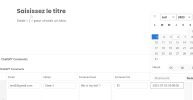
I added a field in the extension ACF to choose the date I want

1688655023348.png
 
Sorry for the Turkish answer, I made a mistake.

For this, you need to edit your function, you must give the field you selected the date to the function.

function insert_chatgpt_comment_acf($post_id, $date) {
// Check if the post is of type 'post'
if (get_post_type($post_id) != 'post') {
return;
}

// Check if there are rows in the field 'chatgpt_comments'
if (have_rows('chatgpt_comments', $post_id)) {
// Loop through the rows
while (have_rows('chatgpt_comments', $post_id)) {
the_row();

// Get the values of the sub-fields
$name = get_sub_field('name');
$email = get_sub_field('email');
$text = get_sub_field('comment_text');
$comment_id = get_sub_field('comment_id'); // Get the comment ID
$comment_date = get_sub_field('comment_date'); // Get the comment date

// Prepare the comment data
$data = array(
'comment_post_ID' => $post_id,
'comment_author' => $name,
'comment_author_email' => $email,
'comment_content' => $text,
'comment_type' => '',
'comment_parent' => 0,
'user_id' => 1,
'comment_author_IP' => '127.0.0.1',
'comment_agent' => 'Mozilla/5.0 (Macintosh; Intel Mac OS X 10.6; rv:2.0.1) Gecko/20100101 Firefox/4.0.1',
'comment_date' => $date
'comment_approved' => 1,
);

// If a comment ID is provided, update the existing comment
if ($comment_id) {
$data['comment_ID'] = $comment_id;
wp_update_comment($data);
} else {
// If the comment date is in the future, schedule the comment to be inserted at that time
if (strtotime($comment_date) > time()) {
wp_schedule_single_event(strtotime($comment_date), 'insert_chatgpt_comment', array($data));
} else {
// Otherwise, insert the comment immediately
$comment_id = wp_insert_comment($data);

// Update the 'comment_id' field with the ID of the new comment
update_sub_field('comment_id', $comment_id);
}
}
}
}
}
 
Thank for your code,
The main difference between these two pieces of code is how the comment date is set.

In the first code, the comment date is passed as a parameter to the insert_chatgpt_comment_acf function. This means that every time you call this function, you need to provide the comment date as the second argument. For example:


insert_chatgpt_comment_acf($post_id, '2023-07-06 12:00:00');

In the second code, the comment date is retrieved from the ACF field 'comment_date'. This means that the comment date is set in the ACF interface when you create or edit the comment.
 
The thing is, I'm starting to get confused. :)

Couldn't you try to do this with wordpress api instead of this function?
 
Back
Top