

MrOusho
Regular Member
- Jan 18, 2019
- 228
- 135
Hello! This is my first thread. I hope that it'll be useful for BHW community.
What is catch-all? A catch-all filter will "catch all" of the emails addressed to the domain that do not exist in the mail server - this can help avoid losing emails due to misspelling. (source wikipedia)
What do you need? A shared hosting with cPanel. One domain
Steps:
-Login to your cPanel account.
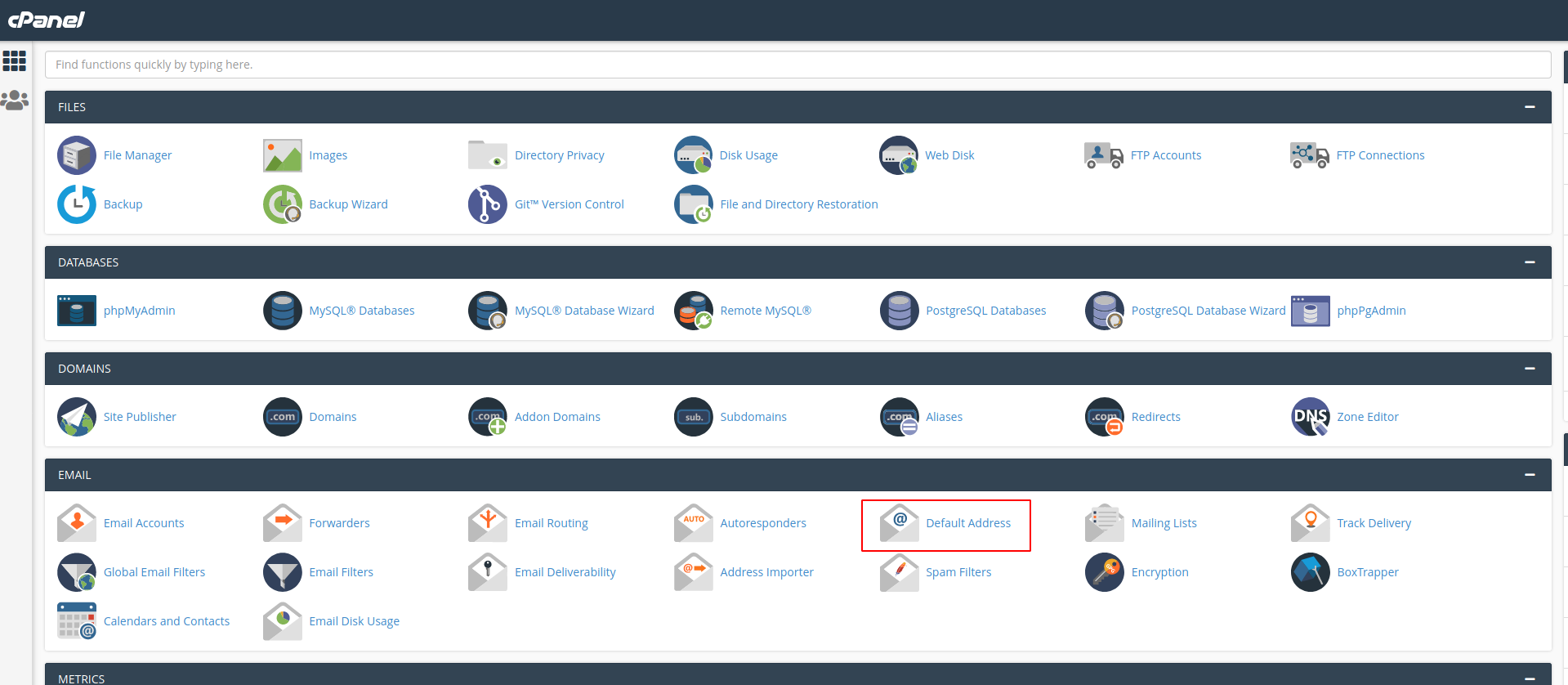
-Click on "Default address" button in email section.
-Select your domain in first combo. (1)
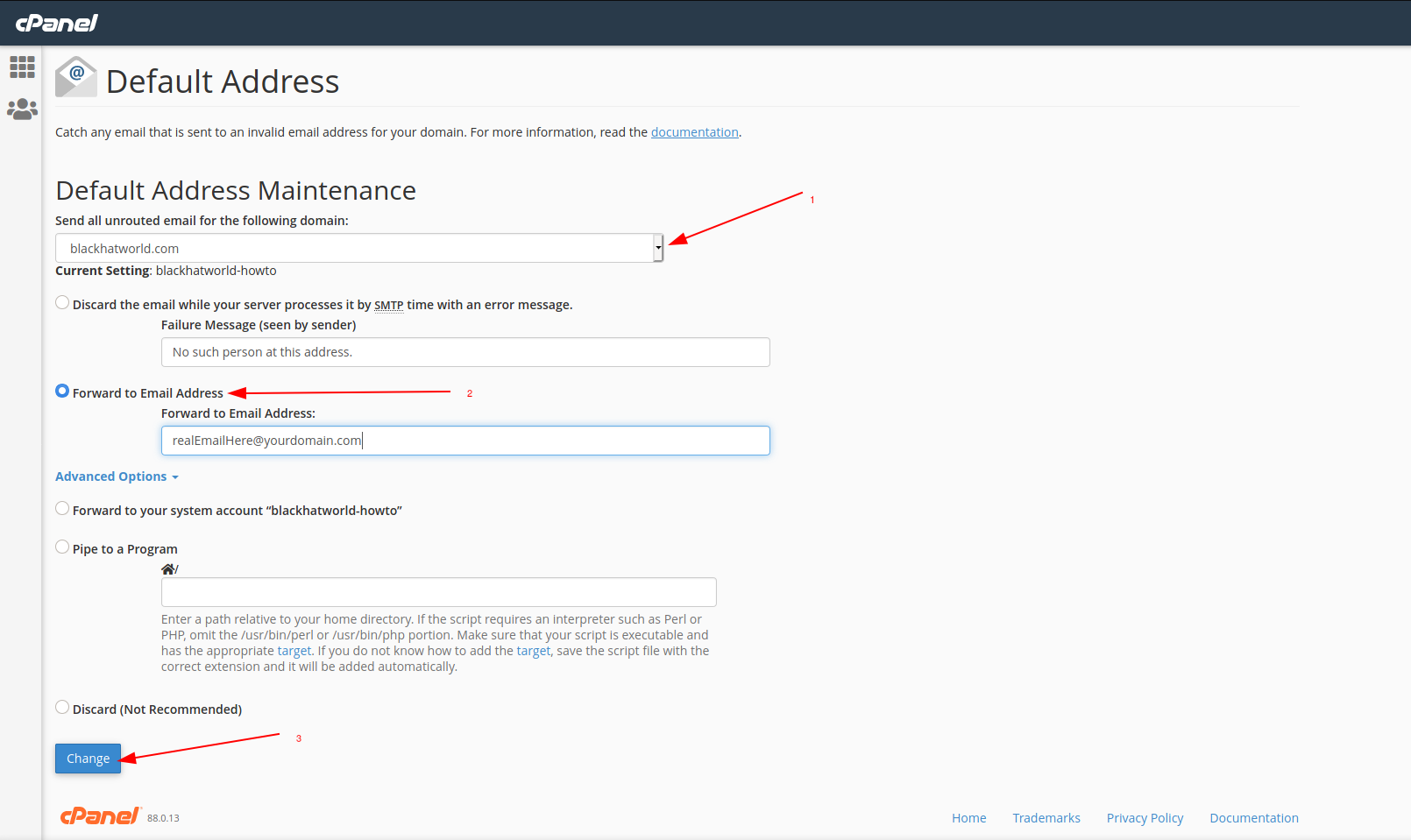
-Chose the option "Forward to Email Address" (2)
-Enter the email address that you want to receive all emails in "Forward to Email Address". (I use a email account in the same hosting account).
-Click in "Change" button. (3)
Well this is all. Sorry for my english. Feel free to ask any questions.
What is catch-all? A catch-all filter will "catch all" of the emails addressed to the domain that do not exist in the mail server - this can help avoid losing emails due to misspelling. (source wikipedia)
What do you need? A shared hosting with cPanel. One domain
Steps:
-Login to your cPanel account.
-Click on "Default address" button in email section.
-Select your domain in first combo. (1)
-Chose the option "Forward to Email Address" (2)
-Enter the email address that you want to receive all emails in "Forward to Email Address". (I use a email account in the same hosting account).
-Click in "Change" button. (3)
Well this is all. Sorry for my english. Feel free to ask any questions.

