
You are using an out of date browser. It may not display this or other websites correctly.
You should upgrade or use an alternative browser.
You should upgrade or use an alternative browser.
How I ranked a Customer under 4 weeks ! [FULL METHOD INSIDE]
- Thread starter HostStage
- Start date


HostStage
Elite Member
- May 20, 2010
- 2,083
- 1,836
Its okay .., Explained good.But those dont work good to rank in google.Now the design is new to get rank.
I'm a bit confused by your comment
 .
.If you mean that the method isn't working with Panda, well it actually is.
As said within the thread, the content has been well written.

xenoxen
Senior Member
- Jul 22, 2009
- 939
- 234
While it's true that I've also seen irrelevant content pages ranking well, on page SEO does matter. I've ranked a site in a low-medium(ish) competitive niche purely through on page optimization.
Same here. On-site SEO and site is now #1 in Google Maps / #3

W9go
Elite Member
- May 16, 2011
- 5,841
- 1,308
the best post i found here since extreme gave his chrismas present
which program you use to find out this?
of the whole website (90/100) main competitor has 85/100
PatMiller : Not easy everyday but thanks a lot for your Bot !
Can you explain what the bot is doing?
stealing wikispace links ....
sounds great. this would be a great share
which program you use to find out this?
of the whole website (90/100) main competitor has 85/100
PatMiller : Not easy everyday but thanks a lot for your Bot !
Can you explain what the bot is doing?
stealing wikispace links ....
sounds great. this would be a great share
HostStage
Elite Member
- May 20, 2010
- 2,083
- 1,836
the best post i found here since extreme gave his chrismas present
which program you use to find out this?
of the whole website (90/100) main competitor has 85/100
PatMiller : Not easy everyday but thanks a lot for your Bot !
Can you explain what the bot is doing?
stealing wikispace links ....
sounds great. this would be a great share
I found the page speed numbers through the page speed plugin :
I made a thread about it :
Well the bot was changing links on wikispace pages toward some keywords.
It isn't working anymore though.
chenxiaofan
Newbie
- Sep 30, 2009
- 36
- 8
nice post...where to find detailed on-page SEO guide ?
the best post i found here since extreme gave his chrismas present
which program you use to find out this?
of the whole website (90/100) main competitor has 85/100
PatMiller : Not easy everyday but thanks a lot for your Bot !
Can you explain what the bot is doing?
stealing wikispace links ....
sounds great. this would be a great share
Check http://builtwith.com/ - it will show you the stat for your website, click to SEO Tab to see more.

thedarkest12
Regular Member
- Nov 23, 2009
- 476
- 127
What a fantastic post this is. Truly revealing.

Risaharada
Junior Member
- Oct 27, 2010
- 105
- 30
on site seo is very cost-effective work for ranking a site.
Thank you for interest and your time abysse
I paid for my WP premium theme 35$ and I see now how poorly its coded for ON-side SEO.
How to add caching system? By plugin?
How to differ Javascript code? Also by plugin? Or there is another way?
I would like to avoid installing the plugins to every fix which must be done on my website..

I am not sure of one thing as you can see I have two options on the bottom - I can save it to the post (normal way of adding pictures to post) or USE it as a featured image which is not visible in the editing window of the post, but once Published, its playing the role of featured image you can see in "home" page. My question is how make sure this images will get Alt rule - is it enough I just fill these yellow fields/naming the picture by content relevant to post and/or keyword?
What are you mean by this? Using anchor links e.g.
?
According to the footer you are talking about - so for example instead of "About Us", "Policy Privacy" etc. you had "Best Valentine Gift" (example) with link to another part of the website? Why you didn't add it to the header menu (main menu)?
I think thats all question regarding to on-side SEO you posted. My website is still new so before I start to linking etc. I want to concentrate on on-side SEO.
And one more - I didn't expect that you will send me the PM and write that you will try to help me in this topic.
Guys, abysse want to genuinely help us, BIG respect for him and for his work.
I paid for my WP premium theme 35$ and I see now how poorly its coded for ON-side SEO.
I have done adding expiration time to elements by simply copy your .htaccess file and pasting to my one. Now:1) Page Speed Optimisation of the whole website (90/100) main competitor has 85/100
Page Speed = Reduce Images Size, add a caching system (gzip), differ JS code, add an expiration time to web elements through htacess and so on.
How to add caching system? By plugin?
How to differ Javascript code? Also by plugin? Or there is another way?
I would like to avoid installing the plugins to every fix which must be done on my website..
Usually I am adding the pictures through the manager built in Wordpress like this:3) Images Titles - ALt : relevant with the content of the image + keyword and sitemap regeneration
I am not sure of one thing as you can see I have two options on the bottom - I can save it to the post (normal way of adding pictures to post) or USE it as a featured image which is not visible in the editing window of the post, but once Published, its playing the role of featured image you can see in "home" page. My question is how make sure this images will get Alt rule - is it enough I just fill these yellow fields/naming the picture by content relevant to post and/or keyword?
4) CRITICAL POINT : If you guys have to remember something from this thread it is this pecualiar aspect :
NET LINKING IS CRITICAL : Net linking is how your inner pages are linked together with a title.
When i study a website, i see too much people who are not even using title neither alt on their "a href" tag. Well this is an epic mistake !
As a matter of fact, for another website, i noticed that i ranked 9th for keyword (hosting related so kindda hard) and i didn't even mention it on the whole website, not even once ! Once i looked further over it, i noticed that i used it in all a href title which target the inner page ranked, instead of the real keyword i was targetting.
So, i have added a footer, with most of the links of the website with the keyword in titles and a variance in alt.
And i have added the critical KW on the main menu. It wasn't relevant at the time i added it (valentines related) but it was good for SEO.
What are you mean by this? Using anchor links e.g.
Code:
<a href=http://www.bestFPSgames.com>FPSgames</a>According to the footer you are talking about - so for example instead of "About Us", "Policy Privacy" etc. you had "Best Valentine Gift" (example) with link to another part of the website? Why you didn't add it to the header menu (main menu)?
I think thats all question regarding to on-side SEO you posted. My website is still new so before I start to linking etc. I want to concentrate on on-side SEO.
And one more - I didn't expect that you will send me the PM and write that you will try to help me in this topic.
Guys, abysse want to genuinely help us, BIG respect for him and for his work.
Last edited:
HostStage
Elite Member
- May 20, 2010
- 2,083
- 1,836
Thanks for your kind words, it is the least i can do.
Ok, let's sort this out point by point :
1) For the caching system there is a plugin for it.
If i remember proprely you need to chmod the cache folder in wp-content/plugin/supercache/cache to 777 or 755 it will be written in your admin area. With filezilla you right click on the folder and select permission and write 777 or 755 as required.
Differ javascript in WP is doable, you need to go in editor and modifying the header.php files and place those <script> </script> in the footer.php, but i would recommand doing it only for what you have added such as analytic for exemple. It won't be as accurate as in the header as maybe some visitors are leaving before the full page has been loaded.
Or you can add a few lines in the htaccess file in order to allow the loading the page without the JS (i forgot those lines :/)
Run a page speed test first to see if modifications are required.
2) Images tags : To be sure you can right click on your website when you see the image, and display the source code, and go for your image to see if you see this
Or you can download Opera the browser which has a really cool feature named dragonfly. It allows you to browse the source code in clicking element of your website. Firebug plugin on firefox allows you to do it, but i find it a bit laggy.
Dealing with the KW, yes you should place your articles keywords in it and some variance of it. But you should also know that images are a source of traffic so be sure to add a part relevant to the image itself.
3) Nope i meant this :
4) Well at first the anchor "best valentines gift" was only on the footer of the website, which is good to let google see it. But, on the top of it, i asked the customer to allow me to place the link in the header to emphasize the visibility of the link for google. It wasn't relevant at first as it was a month before valentines but it helped a lot.
Ok, let's sort this out point by point :
1) For the caching system there is a plugin for it.
If i remember proprely you need to chmod the cache folder in wp-content/plugin/supercache/cache to 777 or 755 it will be written in your admin area. With filezilla you right click on the folder and select permission and write 777 or 755 as required.
Differ javascript in WP is doable, you need to go in editor and modifying the header.php files and place those <script> </script> in the footer.php, but i would recommand doing it only for what you have added such as analytic for exemple. It won't be as accurate as in the header as maybe some visitors are leaving before the full page has been loaded.
Or you can add a few lines in the htaccess file in order to allow the loading the page without the JS (i forgot those lines :/)
Run a page speed test first to see if modifications are required.
2) Images tags : To be sure you can right click on your website when you see the image, and display the source code, and go for your image to see if you see this
PHP:
<img src="" title="" alt="" />Or you can download Opera the browser which has a really cool feature named dragonfly. It allows you to browse the source code in clicking element of your website. Firebug plugin on firefox allows you to do it, but i find it a bit laggy.
Dealing with the KW, yes you should place your articles keywords in it and some variance of it. But you should also know that images are a source of traffic so be sure to add a part relevant to the image itself.
3) Nope i meant this :
PHP:
<a href="" title="" alt="">Your Anchor</a>4) Well at first the anchor "best valentines gift" was only on the footer of the website, which is good to let google see it. But, on the top of it, i asked the customer to allow me to place the link in the header to emphasize the visibility of the link for google. It wasn't relevant at first as it was a month before valentines but it helped a lot.
I don't have this folder after installation of this plugin. However, I think it seems to work...hmm just think, there is any way to check it? I didnt change chmod for any files of this plugin.1) For the caching system there is a plugin for it.
If i remember proprely you need to chmod the cache folder in wp-content/plugin/supercache/cache to 777 or 755 it will be written in your admin area. With filezilla you right click on the folder and select permission and write 777 or 755 as required.
I have done the test by https://developers.google.com/pagespeed/ and got Page Speed Score of 86 (out of 100).Differ javascript in WP is doable, you need to go in editor and modifying the header.php files and place those <script> </script> in the footer.php, but i would recommand doing it only for what you have added such as analytic for exemple. It won't be as accurate as in the header as maybe some visitors are leaving before the full page has been loaded.
Or you can add a few lines in the htaccess file in order to allow the loading the page without the JS (i forgot those lines :/)
Run a page speed test first to see if modifications are required.
I will leave Javascript and concentrate on what Google PS sugest me, here is the screen what should be done:

I guess its not that bad but could be improved (my another website Google gave 88/100 points.
2) Images tags : To be sure you can right click on your website when you see the image, and display the source code, and go for your image to see if you see this
PHP:<img src="" title="" alt="" />
Or you can download Opera the browser which has a really cool feature named dragonfly. It allows you to browse the source code in clicking element of your website. Firebug plugin on firefox allows you to do it, but i find it a bit laggy.
Dealing with the KW, yes you should place your articles keywords in it and some variance of it. But you should also know that images are a source of traffic so be sure to add a part relevant to the image itself.
Yes, I know Dragonfly/Firebug, both are pretty cool. I just get "show source code" in Opera and after scanning the website I see different styles of links (I listed some of them):
PHP:
<a href="http://www.MYDOMAIN.com"><img src="http://www.MYDOMAIN.com/wp-content/uploads/logo_wp1.png" alt="" /></a>
PHP:
<div class="news-thumb-wrapper">
<a href="http://www.MYDOMAIN.com/XXXXXX-X-XXXX/" rel="bookmark" title="Permanent Link: XXXXXXX X: X XX XXXX"><img width="600" height="300" src="http://www.MYDOMAIN.com/wp-content/uploads/www.MYDOMAIN.com-XXXXX-X-XXXX.jpg" class="attachment-post-thumbnail wp-post-image" alt="www.MYDOMAIN.com-XXXXXXX-X-XXXX" title="www.MYDOMAIN.com-XXXX-X-XXXX" /></a>
..and more and more...so as you see some of them has alt="" empty, some got text inside.
So inside of " " in alt="" should I have ALWAYS my keyword/stuff related to picture like for example:
PHP:
<img src="SOURCE_OF_IMAGE" title="TITLE" alt="KEYWORD ETC" />I send you PW with link to my website so you can have a look
4) Well at first the anchor "best valentines gift" was only on the footer of the website, which is good to let google see it. But, on the top of it, i asked the customer to allow me to place the link in the header to emphasize the visibility of the link for google. It wasn't relevant at first as it was a month before valentines but it helped a lot.
In my footer I don't have any pages/links with keyword as a title. Should I create one linking with alt and anchor to something relevant on my website?

latinofever
Junior Member
- Mar 27, 2011
- 198
- 34
A question. I thought it was bad practice to blast trackbacks with links directly back to money pages. Isnt there a risk of sandboxing. I tend to blast one tier above the money site
Sent from my GT-I9100 using Tapatalk
Sent from my GT-I9100 using Tapatalk
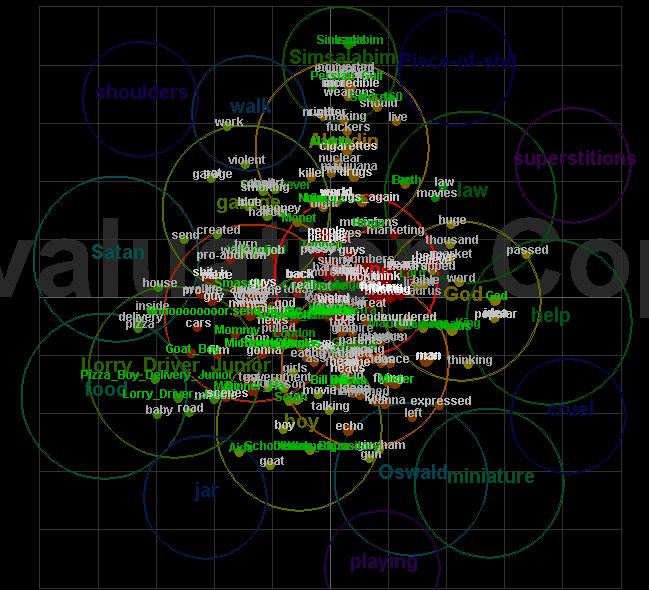
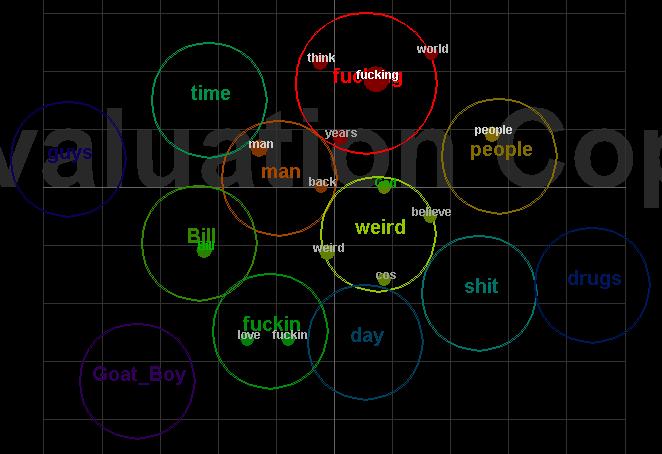
Ok, i actually couldn't launch my program today... but here is a screenshot of a semantic map produced by Leximancer :
And here is a simplier map :
whoaaaaaaaa - that image is fucking awesome!
id never even heard of semantic mapping before reading this post and i was already struggling with some of the concepts in the thread itself as they were getting beyond my abilities (that code you shated with us for your page speed was a bridge too far for me as ive only really ever looked at utilising plugins to improve my sites rather than actual coding.
serious kudos to you for your knowledge in this field and respect freely given for the amazing insights youre sharing with with us about the way that you work with a client - sounds like you had a lot on your hands during january.
how did you settle on a $ price for the work you did for them - not an easy task i wouldnt have thought?
would also like to think that youve already got plans in motion to extract a killer written letter of reference from them as well as recommendations to several of their business contacts and as you've been providing the equivalent of a frontal labotomy on their website.
very few people will be qualified to do that level of complex work - dont get me wrong, im sure there are plenty of blaggers around who would tell the client they could do the work stipulated, but when it came down to it, the level of knowledge required would have been beyond them.
really impressed with your knowledge.