High CPU Usage on My VPS (Help)

I was able to connect with Putty and I am checking. On the other hand Cloudways support replied as follows:

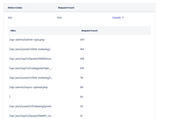
I hope this message finds you well. We have again thoroughly investigated the issue, monitoring traffic statistics and reviewing slow page loads and database queries over the past few hours. While traffic statistics appear normal, we've identified some slow MySQL queries that may intermittently stress the server's resources. Please refer to the screenshot below for details:


To address this issue, we recommend optimizing your database. You may find plugins such as Breeze, WP-Optimize, or WP-Sweep useful for this purpose. Should you require further assistance, please don't hesitate to reach out to us again.

As I have Ezoic I don't know if I can use one of those Plugins, now I will check with Ezoic who makes use Leap. Any recommendation?
This is strange. Looks like your wp_options table is huge, which shouldn’t really be unless you are using some kind of plugin to write to that table.

Perhaps try putting an index on option_name column if it is not there. That might require a little more ram but those queries should become a lot faster.

Same goes for the post meta table. I suspect your db is not setup properly. These db queries should not take more than a second or two.

Also make sure your mysql db is not acting up strange, like getting restarted frequently. This would also mean that the db setup has problems or cannot handle the current setup.
 
This is strange. Looks like your wp_options table is huge, which shouldn’t really be unless you are using some kind of plugin to write to that table.

Perhaps try putting an index on option_name column if it is not there. That might require a little more ram but those queries should become a lot faster.

Same goes for the post meta table. I suspect your db is not setup properly. These db queries should not take more than a second or two.

Also make sure your mysql db is not acting up strange, like getting restarted frequently. This would also mean that the db setup has problems or cannot handle the current setup.
Any tutorial to learn how to apply the index you mention?
 
Any tutorial to learn how to apply the index you mention?
Try this may be


But please don’t do it on the live site. Make a clone of the db locally, or in some staging environment first.

Besides, there should already be a unique index for the column I mentioned earlier. Try looking into mysql log first and make sure the db is stable.
 
Try this may be


But please don’t do it on the live site. Make a clone of the db locally, or in some staging environment first.

Besides, there should already be a unique index for the column I mentioned earlier. Try looking into mysql log first and make sure the db is stable.
Thank you, I will check locally.
 
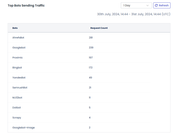
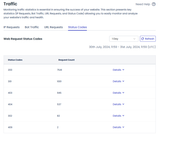
From Cloudways they say I have a lot of pageviews.


The images above are from a single day, but according to Google Analytics or Microsoft Clarity report that this site has approximately 31,000 views in a month.
 
I also see all this bot traffic. Can I block Ahref and Semrush? They don't really add anything and I think they consume a lot of CPU.

 
Have you tried installing Code Profiler?
https://wordpress.org/plugins/code-profiler/

It will definitely help you with troubleshooting the issue.
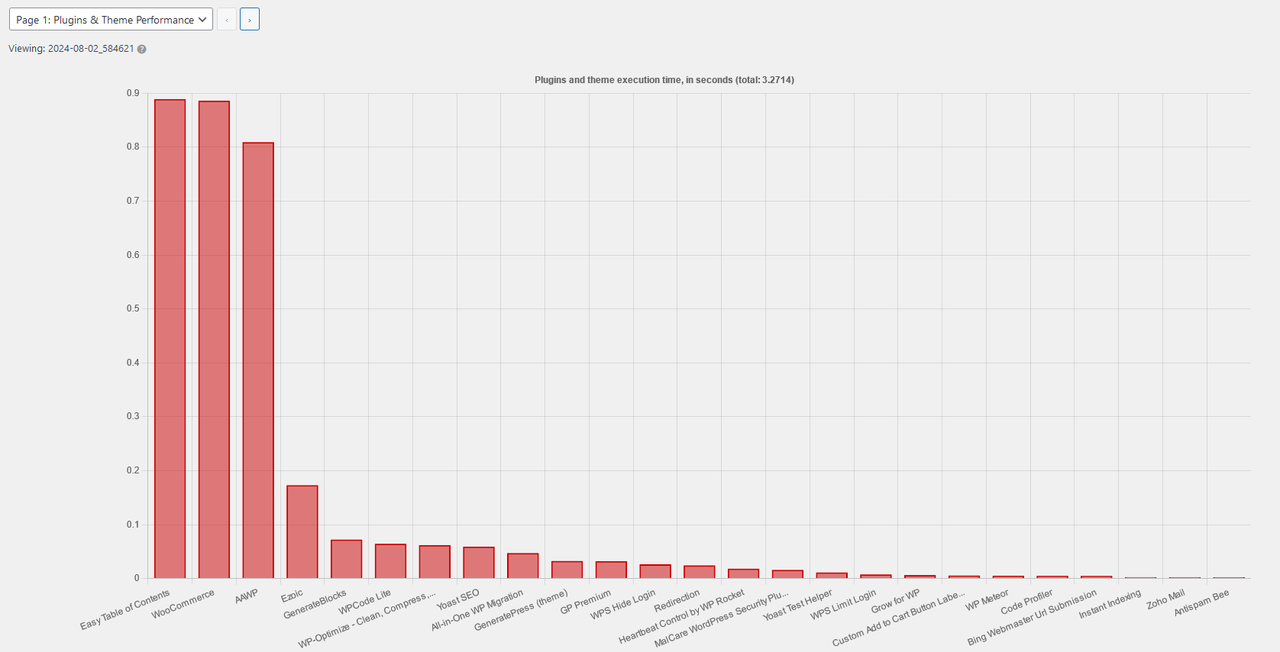
I installed it and tested it on a page I have 40 pictures and this is what I got:

000000000.png


2.png


I use AAWP and I need it. I am surprised by the consumption of the table of contents or I am misinterpreting the graph.

On the other hand, WooCommerce I installed it once and placed no more than 20 products and I could remove it if that would relieve the server because I am not currently selling through WooCommerce.
 
Another server on Cloudways with 0 traffic is having problems as well. It all started since the last server updates they made. The support is totally incompetent. Where can I migrate my sites to?
 
Are you hosting one website?
What all on the server are you hosting?
 
Are you hosting one website?
What all on the server are you hosting?
On that server I have 3 wordpress sites. One only has about 30,000 monthly visits, another 4000 and the other nothing. According to them that type of server supports about 70,000 monthly visits. Also before the Google update I had many more visits than now and everything was working fine.
 
Make sure you don't have any default passwords for database or wordpress. I've seen many crypto miners get on vps through default passwords and inject rootkits and miners that max out cpu. Ssh and running htop might should the high cpu process if it's in tmp for example.
 
Make sure you don't have any default passwords for database or wordpress. I've seen many crypto miners get on vps through default passwords and inject rootkits and miners that max out cpu. Ssh and running htop might should the high cpu process if it's in tmp for example.
I don't think so because I set a password myself, but that was in 2020 (I should check). I use Malcare, so I would think it would detect that kind of problem.

On the other hand, I deactivated WooCommerce which I didn't use anymore and everything started to work better. Does WooCommerce consume a lot of resources?
 
I don't think so because I set a password myself, but that was in 2020 (I should check). I use Malcare, so I would think it would detect that kind of problem.

On the other hand, I deactivated WooCommerce which I didn't use anymore and everything started to work better. Does WooCommerce consume a lot of resources?
It could be, if you have a definite difference then I think you are on to your problem. If you needed to get it working I would check to see if you need to update it but if you don't need it leave it disabled or remove it. I would make sure you have a backup of everything before removing incase something is damaged on it and you end up with more problems trying to uninstall it.
 
In post where I have several Amazon products with AAWP I see many duplicate queries. Is this normal?
 
Back
Top