

- Jun 10, 2010
- 2,400
- 1,676
Here's a handy way to test scraping content from a web page.
For example, let's say we want to grab the titles and links to all of the threads on the BHW homepage.
Once you have jQuery loaded, then you can write your javascript code that performs your web scraping or anything else you need to test. Enter the following code snippet and execute it as in step 7 and you will get a list of all thread titles and their links.
What's great about this approach is you don't need to constantly run your scripts locally just to make sure your web scraping code is correct. Plus, you can build a nice collection of snippets stored in your browser for reuse because chances are you will find some sites structured similarly.
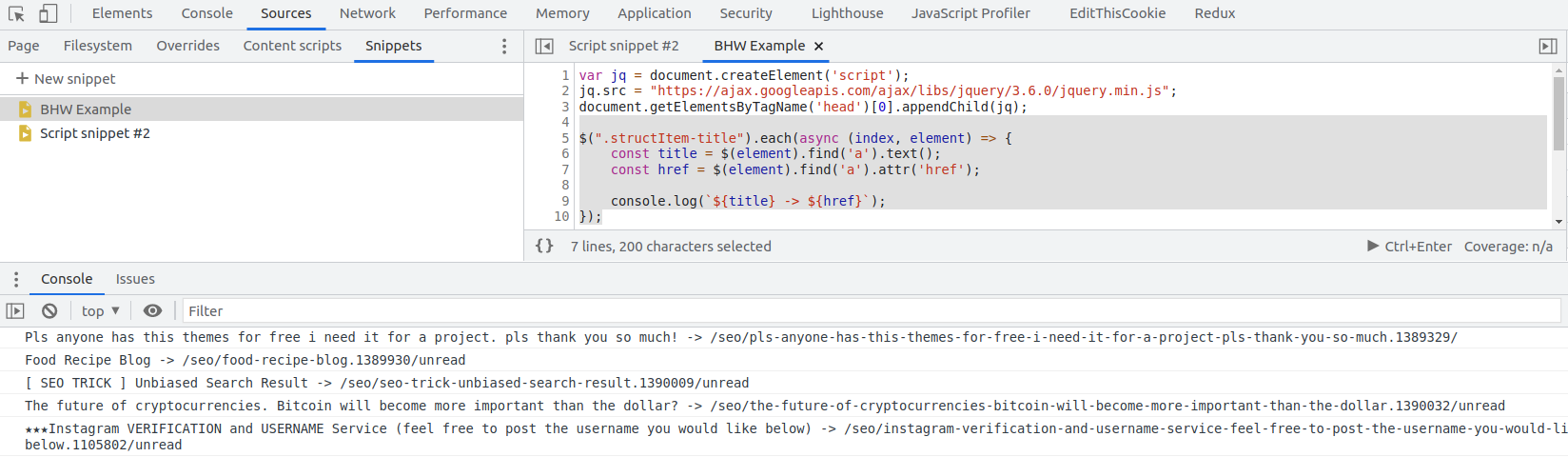
For example, let's say we want to grab the titles and links to all of the threads on the BHW homepage.
- Open Chrome browser.
- Go to https://www.blackhatworld.com/
- Open your dev tools, by pressing F12.
- Click on the "Sources" tab.
- Click on "+ New Snippet".
- Enter your javascript code.
- Press the "> Ctrl+Enter" button below
JavaScript:
var jq = document.createElement('script');
jq.src = "https://ajax.googleapis.com/ajax/libs/jquery/3.6.0/jquery.min.js";
document.getElementsByTagName('head')[0].appendChild(jq);
Once you have jQuery loaded, then you can write your javascript code that performs your web scraping or anything else you need to test. Enter the following code snippet and execute it as in step 7 and you will get a list of all thread titles and their links.
JavaScript:
$(".structItem-title").each(async (index, element) => {
    const title = $(element).find('a').text();
    const href = $(element).find('a').attr('href');

    console.log(`${title} -> ${href}`);
});
What's great about this approach is you don't need to constantly run your scripts locally just to make sure your web scraping code is correct. Plus, you can build a nice collection of snippets stored in your browser for reuse because chances are you will find some sites structured similarly.
Last edited:

