LemonAcid
Senior Member
- Jun 22, 2014
- 1,146
- 1,154
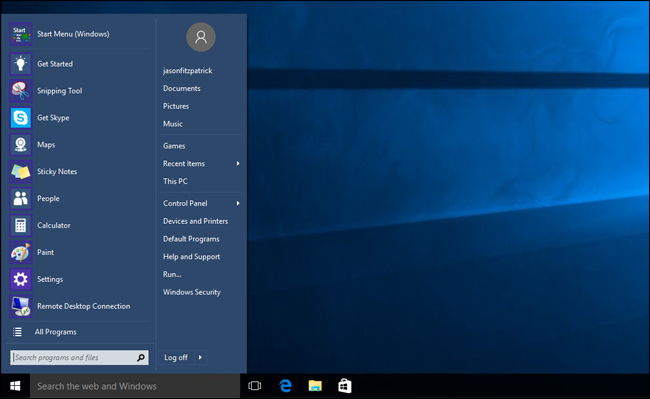
How Can i remove these apps on the left side that are in the list view... its very annoying to me
After update this list of apps appeared... earlier I had like 6 apps in block in left side of search bar...
I tried searching on google and youtube but there are no clear solutions
Here is screenshot please help... How do i remove that list view and make it look like it used to earlier??

After update this list of apps appeared... earlier I had like 6 apps in block in left side of search bar...
I tried searching on google and youtube but there are no clear solutions
Here is screenshot please help... How do i remove that list view and make it look like it used to earlier??