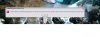
help to solve>> c:\windows\system32\fservice.exe

leorina

Newbie
Joined
Jun 15, 2010
Messages
1
Reaction score
0
I had encounter this pop up error during login to the computer at the desktop.I had this problem after I using the pro rat server bind file and open the trojan file.How to solve this problem?
 

Attachments

  • untitled.jpg
    untitled.jpg
    25.3 KB · Views: 119
First: fservice.exe Is a Backdoor.Prorat Trojan

Some Of This File Names:

FSERVICE.EXE, FFSERVICE.EXE, DSERVICE.EXE, LSERVICE.EXE, SSERVICE.EXE ,WSERVICE.EXE

Read Here:
HTML:
http://www.processlibrary.com/directory/files/fservice/

The problem of the message Windows Cannot Find fservice.exe
Cause Your Antivirus Delete it But Still In Registery :(

This Virus Will Effect:
System%\Main.exe
%System%\Loader.exe
%System%\Msmsg.exe
%System%\Winserv.dll
%System%\Fservice.exe
%System%\Sservice.exe
%Windir%\Winlogon.exe

How To Remove it?

Download FreeFixer It Free & Scan
HTML:
http://www.freefixer.com/


If You Find fservice.exe ? check on it then clean it and restart...


Option 2"

Restrat Your Computer And Enter As Safemode f8

Start Your Computer> F8> Safe mode with Command Prompt

Regedit

Then Find:

HKEY_LOCAL_MACHINE\SOFTWARE\Microsoft\Windows\Curr entVersion\Run

HKEY_LOCAL_MACHINE\SOFTWARE\Microsoft\Windows\Curr entVersion\Policies\Explorer\Run

HKEY_LOCAL_MACHINE\SOFTWARE\Microsoft\Active Setup\Installed Components\{5Y99AE78-58TT-11dW-BE53-Y67078979Y}

HKEY_CURRENT_USER\SOFTWARE\Microsoft\Windows\CurrentVersion\Run


And In Each Reg Above Find:

MSNMESENGER"="%System%\Main.exe"

"DirectX for Microsoft Windows"="%System%\Fservice.exe"

"DirectX for Microsoft Windows"="%System%\Sservice.exe"

"StubPath"="C:\Windows\system\Sservice.exe"


And Remove
Them

Then Search And Find:

"HKEY_LOCAL_MACHINE\Software\Microsoft\Windows NT\CurrentVersion\Winlogon"

Then Change

Shell"="explorer.exe %System%\Fservice.exe"

To

"Shell"="explorer.exe"

Then Exit The Reg.

Then Restart Your Computer To VGA Mode


You'll See That All Troj/Prorat-D Has Been Removed :)


Good Luck


Back
Top