[HELP] Remove Footer Link Theme from ThemPix

cubluwt

Newbie
Joined
Nov 30, 2014
Messages
4
Reaction score
0
Hi,
I know I'm new here, but since 2011 I always looking answered in this forum, and now I really need help from you guys.

I just bought a theme from ThemePix, since Wordpress 3.3.1, I still have it till now with my own modification's. But when I was using this theme again, suddenly the ThemePix and Wordpress showed again. I asked the support, they said the site's sponsoredthemes_net were closed long time ago. They told me to buy new theme's, I like my theme now and all it's modification. I tried one of their theme, but I wondered they still sell theme's with dead license and locked it.

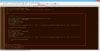
I try to crack their license but no result's, and I've found these code that connected with 'The License', screen capture's below:
sgrbww.jpg
2.jpg
3.jpg

These script's are connected between header, footer, and functions file's. I need help here guys...please..Thank you very much.
 

Attachments

  • 2qukfte.jpg
    2qukfte.jpg
    60.3 KB · Views: 17
  • 5kk9r7.jpg
    5kk9r7.jpg
    45.5 KB · Views: 9
  • 16axgrd.jpg
    16axgrd.jpg
    59.6 KB · Views: 8
  • j6gxsh.jpg
    j6gxsh.jpg
    53.3 KB · Views: 9
  • header-pixmix.jpg
    header-pixmix.jpg
    6.1 KB · Views: 6
Last edited:
These images are too small for us to see :)
 
These images are too small for us to see :)
I'm so sorry, but I was uploaded to tinypic with high resolution, 1366x684, but I'm new member here and I can't add any external links on my post, because less than 100, 200 post's something like that, and I've tried uploaded with bigger resolution but when I read my edited post, the size is still the same. It seem's the forum has automatic script to make any image's smaller in the post.

But you can click the image, and when the pop-up show's up, click again and it will opened in a new tab, and press Ctrl+ '+' without quote. I'm very sorry...hope you still can help me... :)
 
These images are too small for us to see :)
I'm so sorry, but I was uploaded to tinypic with high resolution, 1366x684, but I'm new member here and I can't add any external links on my post, because less than 100, 200 post's something like that, and I've tried uploaded with bigger resolution but when I read my edited post, the size is still the same. It seem's the forum has automatic script to make any image's smaller in the post.

But you can click the image, and when the pop-up show's up, click again and it will opened in a new tab, and press Ctrl+ '+' without quote. I'm very sorry...hope you still can help me... :)
I'm so sorry, there's nothing I can do, I've tried everything, and tried to put my tinypic url like this: bladotbladotcom. But still the site's knows I want to put a link/url and I was forbid to do that, or my post will be deleted.

I'm sorry...
 
Last edited:
search through code in footer and functions for "eval" - there is likely some stuff encoded with various functions.
use this link to descramble it, it's the best online tool, very easy and can deal with nested functions
http://www.mobilefish.com/services/eval_gzinflate_base64/eval_gzinflate_base64.php


What I usually do is descramble - change the link it's searching for to a non-breaking space (  ) and then rescramble it and paste it back in, that way you don't need to mess with finding and breaking their checks, because then in the footer you can just replace the links with a non-breaking space too which doesn't muck with your presentation usually.
 
Back
Top