

StoneDB
Registered Member
- Nov 20, 2016
- 55
- 29
Hi all,
Someone can help me with OneSignal WebPush ?
I explain, currently i use this javascript code on my website:
And notification permission message are show like this:
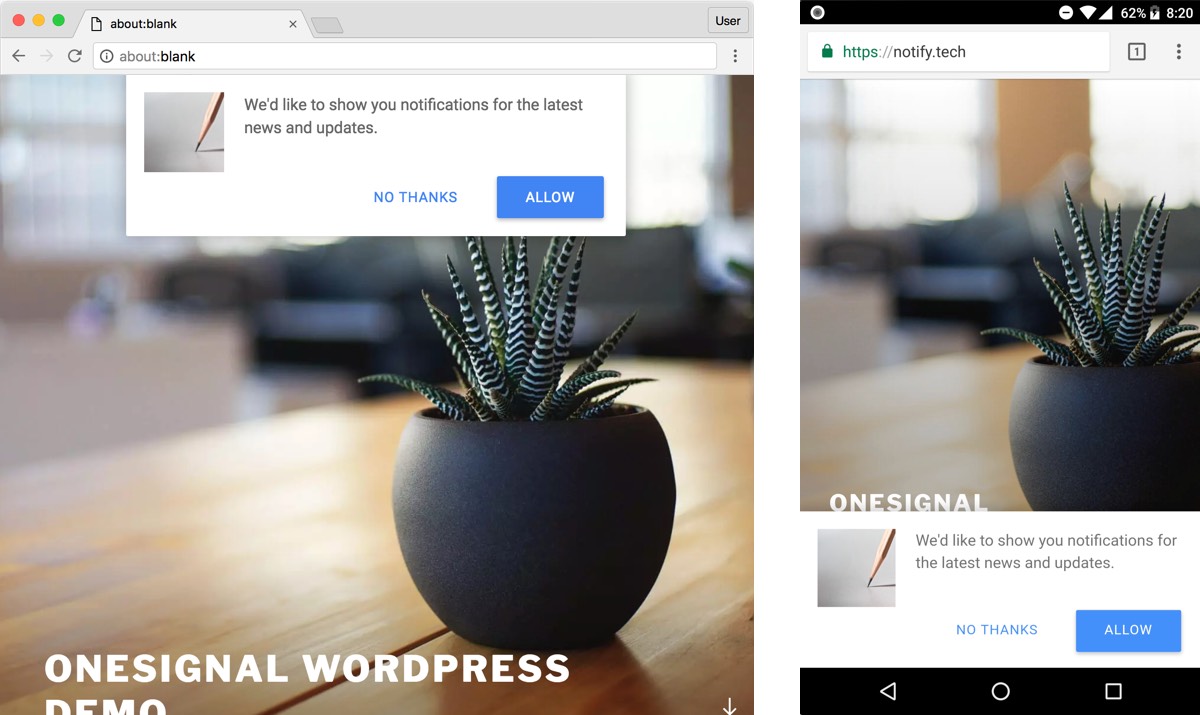
But i don't want custom message for permission, i want native browser permission, like this:

Can you modify my javascript code please ? I understand nothing with Javacript.
Documentation can be found here: https://documentation.onesignal.com/docs/web-push-custom-code-examples
Thanks in advance
Someone can help me with OneSignal WebPush ?
I explain, currently i use this javascript code on my website:
HTML:
<script src="https://cdn.onesignal.com/sdks/OneSignalSDK.js" async=""></script>
<script>
  var OneSignal = window.OneSignal || [];
  OneSignal.push(function() {
    OneSignal.init({
      appId: "myappid",
      autoRegister: false,
      notifyButton: {
        enable: false,
      },
    });
  });
</script>
And notification permission message are show like this:
But i don't want custom message for permission, i want native browser permission, like this:
Can you modify my javascript code please ? I understand nothing with Javacript.
Documentation can be found here: https://documentation.onesignal.com/docs/web-push-custom-code-examples
Thanks in advance
