Help me to solve this

KanishkaSEO

Regular Member
Joined
Nov 18, 2016
Messages
212
Reaction score
40
Hello Guys,
I am developing a WordPress website with this free template.
http://tallythemesdemo.com/wp2/doctors/

But I have an issue.
bR0JIr4.png


Please tell me how can I replace a slider with this huge "Home" bar.
Thanks in advance.

 
Did you try reading the documentation for the theme, first?
http://tallythemes.com/doc-item/doctors-wordpress-theme-documentation/


At 0:45 in the video, they show you that you can enable and disable the various homepage sections, which in your case is the slideshow.
Please tell me how can I replace a slider with this huge "Home" bar.
So do you want to replace the slider with a homepage bar, or replace the homepage bar with a slider? Because the way you wrote that suggests the former, but I'm guessing you meant the latter.
 
Did you try reading the documentation for theme, first?
http://tallythemes.com/doc-item/doctors-wordpress-theme-documentation/


At 0:45 in the video, they show you that you can enable and disable the various homepage sections, which in your case is the slideshow.

So do you want to replace the slider with homepage bar, or replace the homepage bar with a slider? Because the way you wrote that suggests the former, but I'm guessing you meant the latter.
Thank you very much for this,
But I didn't buy the theme.
I am using the free version.
:(
 
Thank you very much for this,
But I didn't buy the theme.
I am using the free version.
:(
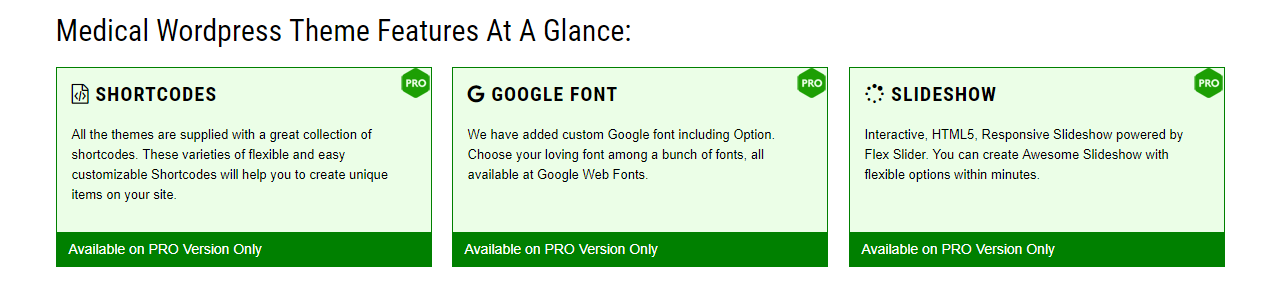
According to the "features" section of their website for the "Doctors Lite" theme, the slideshow in only available in the pro version.
60f7af8913459b7b6203014be6044058.png


If you want to go the easy route, there are some homepage slider plugins you can download.

Examples:
https://wordpress.org/plugins/cyclone-slider-2/
https://wordpress.org/plugins/home-page-slideshow/
https://wordpress.org/plugins/smooth-slider/

It's also possible to modify the free theme you have right now without the use of plugins, but you would need to create a child theme first.
 
Also if you need a slider try searching for slider themes there are a lot of free versions with fully unlocked options. Also search by top 10 free slider themes etc
 
Hi

Try to install the any free slider and get the sort code from the slider and in the place of menu you can replace it wit the sort code
 
According to the "features" section of their website for the "Doctors Lite" theme, the slideshow in only available in the pro version.
60f7af8913459b7b6203014be6044058.png


If you want to go the easy route, there are some homepage slider plugins you can download.

Examples:
https://wordpress.org/plugins/cyclone-slider-2/
https://wordpress.org/plugins/home-page-slideshow/
https://wordpress.org/plugins/smooth-slider/

It's also possible to modify the free theme you have right now without the use of plugins, but you would need to create a child theme first.
Thank you.
But I am new to this
 
Thank you.
But I am new to this
Dont worry we will help you . There are two ways buddy . Either with a theme with preinstalled slider or a plugin.

For a plugin you will get a shortcode which you need to paste in page where you need the slider.
 
Dont worry we will help you . There are two ways buddy . Either with a theme with preinstalled slider or a plugin.

For a plugin you will get a shortcode which you need to paste in page where you need the slider.
Thank you very much,
Yes I can use a slider plugin,
But the problem is there isn't a way to replace "home" with a slide,
o_O
 
You mean you want that home bar to disappear ? For this theme its lite so you cant as its a page. But you can remove static page option. Or create a custom page.

Is the site online ?
 
You mean you want that home bar to disappear ? For this theme its lite so you cant as its a page. But you can remove static page option. Or create a custom page.

Is the site online ?
Yes,
How can I do that?
Can you please help?
 
Can someone give me a similar kind of theme?
 
Back
Top