[Help] Hard code error for ssl - How can I solved this problem

alice252293

Elite Member
Joined
Nov 21, 2017
Messages
1,536
Reaction score
700
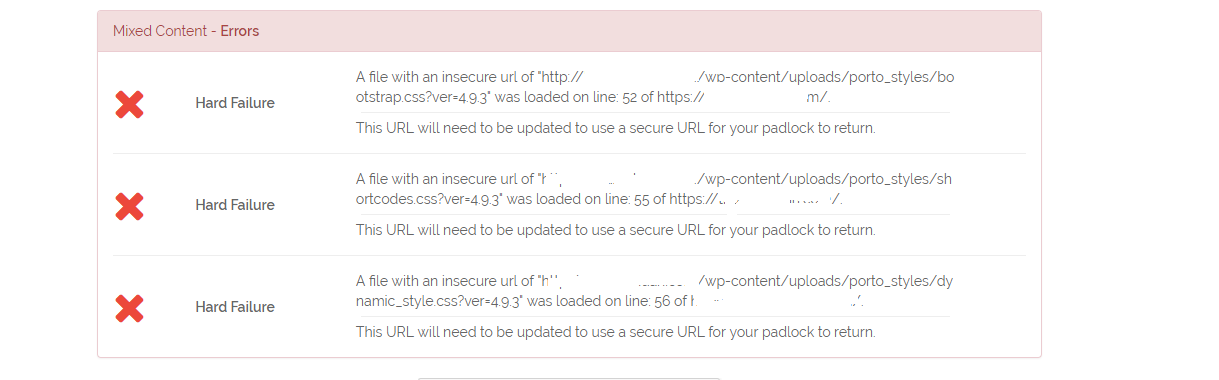
I tried to install ssl cerfificate but I still got "not secured". I checked with whynopadlock and I got this
ssl.png


What does it mean? And How can I solve this problem?
Thanks.
 
Seems like some of your css are on absolute path and not on relative, so you are using SLL but in your code you got a call to a HTTP
 
If you are using wordpWord you can use any insecure content fixer, make sure you use options to change CSS paths too.
Or, you can go and put change http line in your code with https
 
Seems like some of your css are on absolute path and not on relative, so you are using SLL but in your code you got a call to a HTTP
So I should contact the theme developer to fix that for me?
 
Guys, it works now but I got another problem after forcing from http to https my homepage is broken, there's something wrong with css.
 
Thank you guys I fixed the problem. I just installed the plugin "SSL Insecure Content Fixer". I dont know how it works but the problem fixed.
 
Next time you install SSL use "Really Simple SSL" plugin, works great. Just activate and your complete website will load over SSL.
 
Back
Top