Rachmaninoff
Elite Member
- Jan 19, 2011
- 3,634
- 5,427
I don't think I need to explain why I'm on sharing spree this lately since the fact that I'm bored af at home, and I'm pretty sure you're feeling the same way too. So let's just kill it, shall we? 
Froont DR73

Signup at
Select one of the Featured Projects you like then press Clone.
Edit the page as you wish. To see the result, remove /-edit from the address bar.
Ignore the 14-days trial. Your projects will remain live.
Here is what it looks like.

Link indexed on google

Thread Reader App DR72

This one is one of my favorites since Twitter doesn't allow you to get a do-follow link, while this site will turn it into one. It's a lil bit tricky, so make sure you follow my instructions carefully.
Login with Twitter at
Go to twitter.com and follow @ThreadReaderApp
Make a series of tweets or twitter threads by placing your article, image and naked link into several tweets.

Once you’re done, reply your last tweet with ‘@ThreadReaderApp unroll’

Then go back to the site, go to Threads menu and refresh your page. Click your thread to see the result.
Here is what it looks like

(this is just some lorem ipsum gibberish and throw away links I made, please don’t take it seriously lol)
You can add unlimited content there, just make sure you DO NOT delete your tweets on twitter afterwards.
Link indexed on google.

Quibblo DR71

You can add zillion content here.
Signup at
Under Create menu, select Create a story, then choose Single-author story.
Add your title, add an image, add a description into Introduction field. Place your content into html editor, then hit Continue twice.
Add tags and select your category based on your niche. Hit Preview my story then Create my story.
To see the result, click Go to your story.
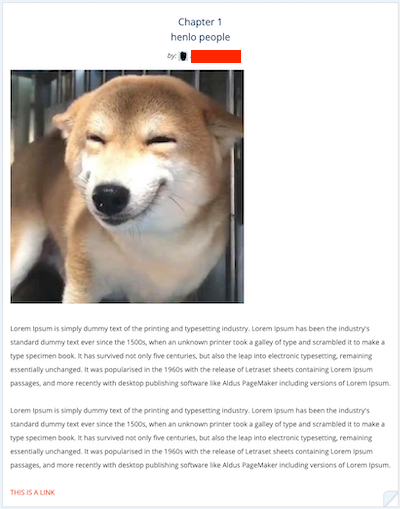
Link indexed on google.

Dive Photo Guide DR71

Not a web2.0, but still contextual.
Signup at
Under my Profile tab, click Edit biography. Place your content into My bio field. Use hyperlink to create a link. Save Changes.
Here is what it looks like

Link indexed on google.

Himalaya DR66

Signup at
Under your profile, select Go to Studio. Click Upload Episode.
Upload any audio file on your computer. Once it’s done uploaded click Edit.
Edit the title. Place your content into html editor. Set Rating as Clean. Upload an image profile. Leave the rest in default. Then hit the Save button and then Publish all button.
Your project will put on queue, just wait for a seconds until it turns Published.
To see the result, under Actions, select Share and Copy link (the red icon). That’s it.

Here is the result.

Link indexed on google.

BONUS
Central Methodist EDU DR57

I would personally use this as Tier2 judging by the fact that you can only publish there as a guest (unregistered account).
Go to this link below
Add a title into Subject. Add your content into the html editor. Hit the Preview button to see the result as it's not editable once you hit the Submit button.

STAY HOME and enjoy the share!
Froont DR73
Signup at
Code:
https://froont.com/-user/registerSelect one of the Featured Projects you like then press Clone.
Edit the page as you wish. To see the result, remove /-edit from the address bar.
Ignore the 14-days trial. Your projects will remain live.
Here is what it looks like.
Link indexed on google
Thread Reader App DR72
This one is one of my favorites since Twitter doesn't allow you to get a do-follow link, while this site will turn it into one. It's a lil bit tricky, so make sure you follow my instructions carefully.
Login with Twitter at
Code:
https://threadreaderapp.comGo to twitter.com and follow @ThreadReaderApp
Make a series of tweets or twitter threads by placing your article, image and naked link into several tweets.
Once you’re done, reply your last tweet with ‘@ThreadReaderApp unroll’
Then go back to the site, go to Threads menu and refresh your page. Click your thread to see the result.
Here is what it looks like
(this is just some lorem ipsum gibberish and throw away links I made, please don’t take it seriously lol)
You can add unlimited content there, just make sure you DO NOT delete your tweets on twitter afterwards.
Link indexed on google.
Quibblo DR71
You can add zillion content here.
Signup at
Code:
https://www.quibblo.com/Under Create menu, select Create a story, then choose Single-author story.
Add your title, add an image, add a description into Introduction field. Place your content into html editor, then hit Continue twice.
Add tags and select your category based on your niche. Hit Preview my story then Create my story.
To see the result, click Go to your story.
Link indexed on google.
Dive Photo Guide DR71
Not a web2.0, but still contextual.
Signup at
Code:
http://www.divephotoguide.com/register-diver/Under my Profile tab, click Edit biography. Place your content into My bio field. Use hyperlink to create a link. Save Changes.
Here is what it looks like
Link indexed on google.
Himalaya DR66
Signup at
Code:
https://www.himalaya.com/registerUnder your profile, select Go to Studio. Click Upload Episode.
Upload any audio file on your computer. Once it’s done uploaded click Edit.
Edit the title. Place your content into html editor. Set Rating as Clean. Upload an image profile. Leave the rest in default. Then hit the Save button and then Publish all button.
Your project will put on queue, just wait for a seconds until it turns Published.
To see the result, under Actions, select Share and Copy link (the red icon). That’s it.
Here is the result.
Link indexed on google.
BONUS
Central Methodist EDU DR57
I would personally use this as Tier2 judging by the fact that you can only publish there as a guest (unregistered account).
Go to this link below
Code:
https://compass.centralmethodist.edu/ICS/Campus_Life/Campus_Groups/Enactus/Discussion.jnz?portlet=Forums&screen=AddPost&screenType=change&tId=3133c65a-e51f-40db-8522-04a5a8534415Add a title into Subject. Add your content into the html editor. Hit the Preview button to see the result as it's not editable once you hit the Submit button.
STAY HOME and enjoy the share!