
zerofoxtrot
Senior Member
- Dec 17, 2011
- 810
- 539
Images explain better than words, so check out this. Basically after putting a custom thumbnail on my YouTube video my traffic has doubled.
So how to get the ability to upload custom thumbnails on YouTube?
Just a notice that not everybody is eligible, it's most likely to be based on luck.
1. http://www.youtube.com/account_features your YouTube account as a partner, make sure that your account is phone verified too.
2. Monetize any video you want, doesn't matter if it's the one you want to put custom thumbnails on or not, if you don't want any advertisements on your videos like I did setup monetization and try to untick all possible advertisements. You need to have at least one video which has been monetized, but you can deselect all advertisements and it should still count as monetized.

3. Now you have to wait at least 1 month, according to Google. Basically just become a YouTube partner and monetize at least one video, then wait 1 month. It might take longer than 1 month, by the way.
4. After one month (most likely) you should have a green light on the ability to upload custom thumbnails. Make an attractive thumbnail, possibly with professional tools like Adobe Photoshop or something! I have some tips regarding on optimizing custom thumbnails for the best results:
5. Now when you're done with the custom thumbnail, upload it to your video, and expect a nice raise in traffic!
Again, this doesn't work for everybody. I'm simply explaining on how I got the ability to upload custom thumbnails, you can follow my exact steps above and hope for the best. Good luck!
Before
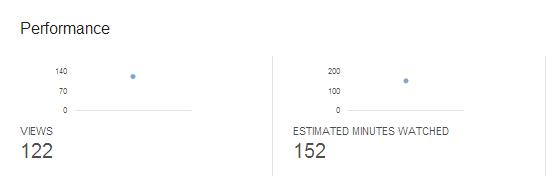
After

Nice spike in my ClickBank hops graph!

After
Nice spike in my ClickBank hops graph!
So how to get the ability to upload custom thumbnails on YouTube?
Just a notice that not everybody is eligible, it's most likely to be based on luck.
1. http://www.youtube.com/account_features your YouTube account as a partner, make sure that your account is phone verified too.
2. Monetize any video you want, doesn't matter if it's the one you want to put custom thumbnails on or not, if you don't want any advertisements on your videos like I did setup monetization and try to untick all possible advertisements. You need to have at least one video which has been monetized, but you can deselect all advertisements and it should still count as monetized.
3. Now you have to wait at least 1 month, according to Google. Basically just become a YouTube partner and monetize at least one video, then wait 1 month. It might take longer than 1 month, by the way.
4. After one month (most likely) you should have a green light on the ability to upload custom thumbnails. Make an attractive thumbnail, possibly with professional tools like Adobe Photoshop or something! I have some tips regarding on optimizing custom thumbnails for the best results:
- Optimal image resolution is 1280x720.
- Make it stand out! The background of both YouTube and Google's SERPs are white, try to have a nice saturation of different colors!
- Put some clear and bold text on it, I have my keyword in Helvetica Neue Bold shown on my custom thumbnail.
- Possibly have a person in your thumbnail, I don't have one because it doesn't fit with my niche, but if it does for yours, by all means go ahead!
5. Now when you're done with the custom thumbnail, upload it to your video, and expect a nice raise in traffic!
Again, this doesn't work for everybody. I'm simply explaining on how I got the ability to upload custom thumbnails, you can follow my exact steps above and hope for the best. Good luck!


