

It's Friday
Failed to resolve a dispute resolution thread.
- Sep 6, 2023
- 308
- 156
Hi BHW Communities,
This is my first time creating a thread on BHW to share some knowledge to everyone. Hope you liked it. So let's get started.
The site is called: techcommunity.microsoft.com
Stats:
DR: 96
Backlinks: 16M
Linking websites: 55k
Traffic: 4.1M Monthly
(This stats are based only on free ahrefs checker)
Step 1:
Go to this site: techcommunity.microsoft.com and click the signin/signup button.
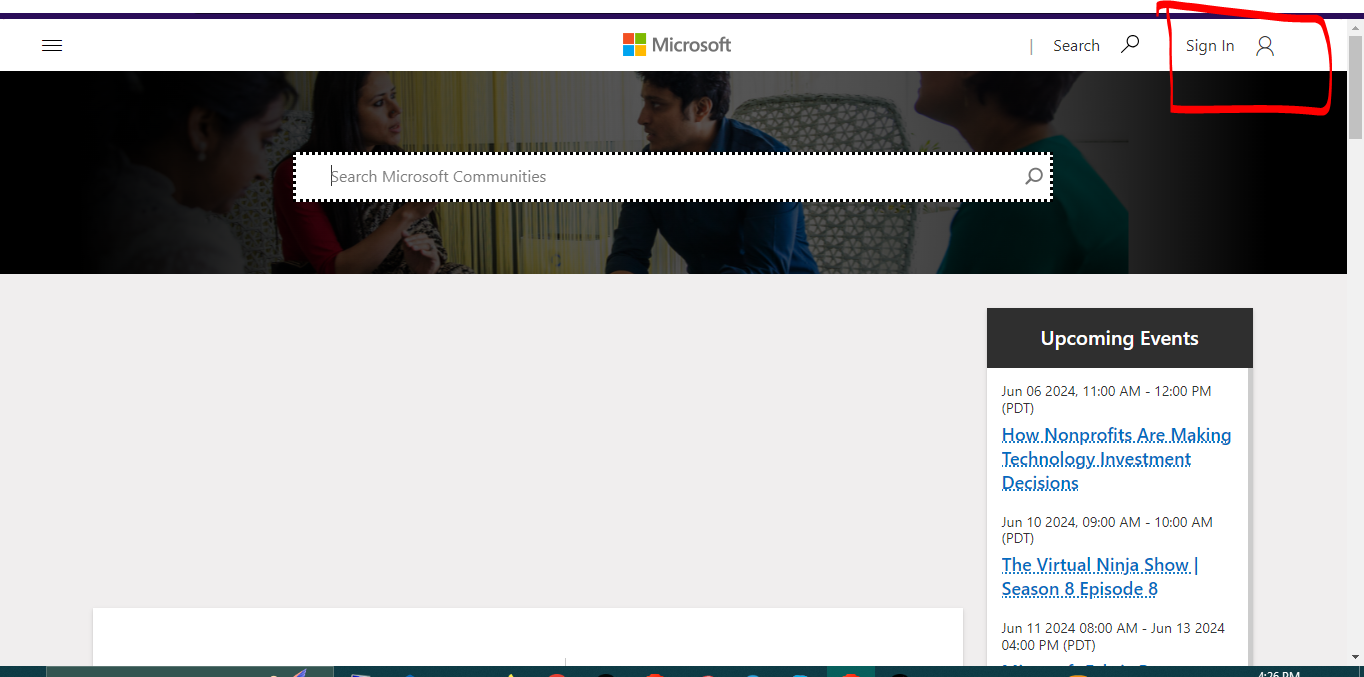
2. Click, and signin your microsoft account. (If you don't have microsoft account, you can easily signup there. You can use fake details too)
3, Once you signin your microsoft account. You will setup your profile.
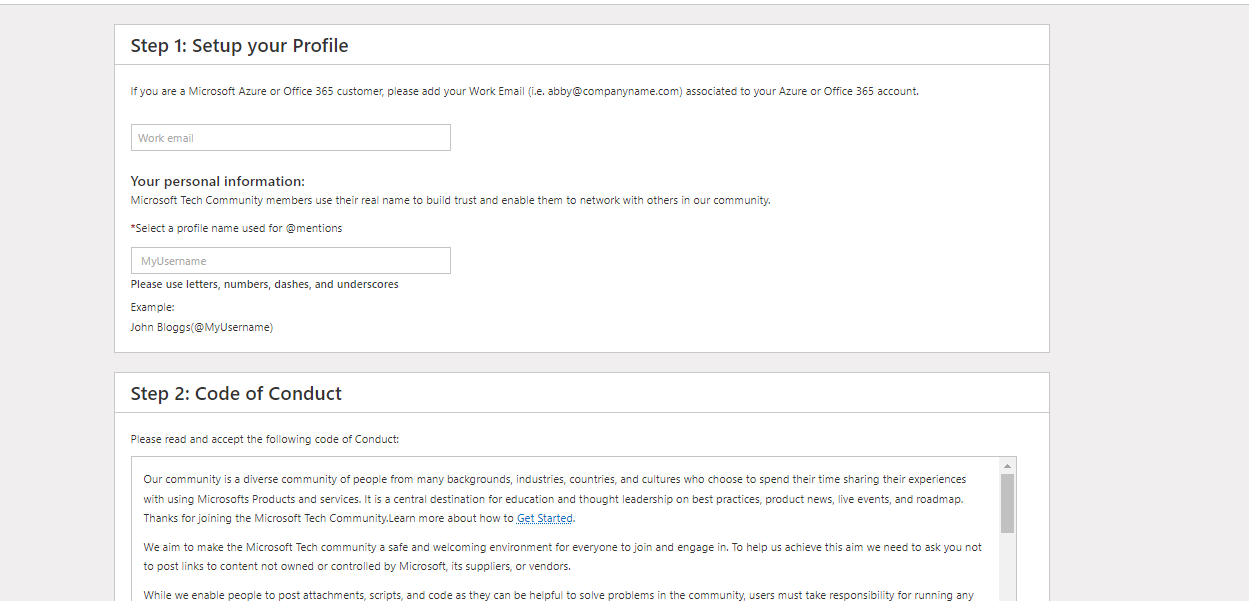
Just use your Microsoft email. Then put any username.
4. After you login in, Go to the lounge area section.

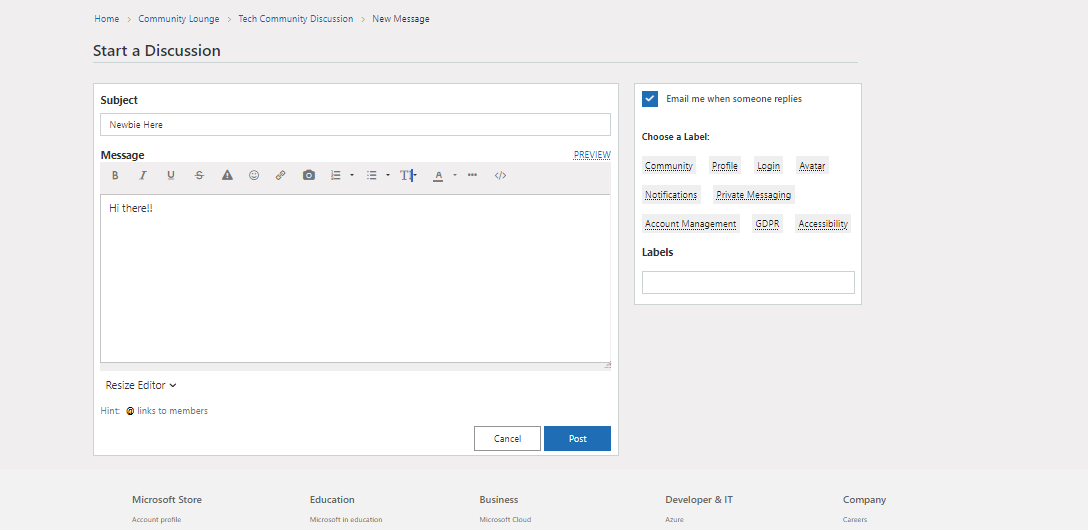
5. Click the "Start a Discussion"
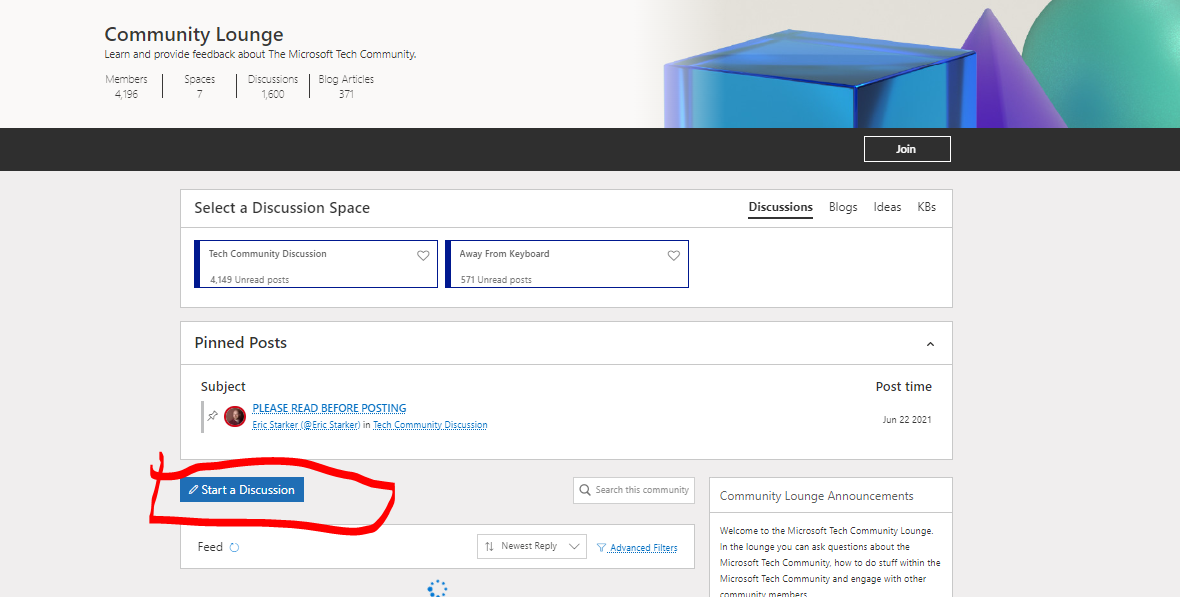
6. Choose ethier post on community lounge or community hubs.
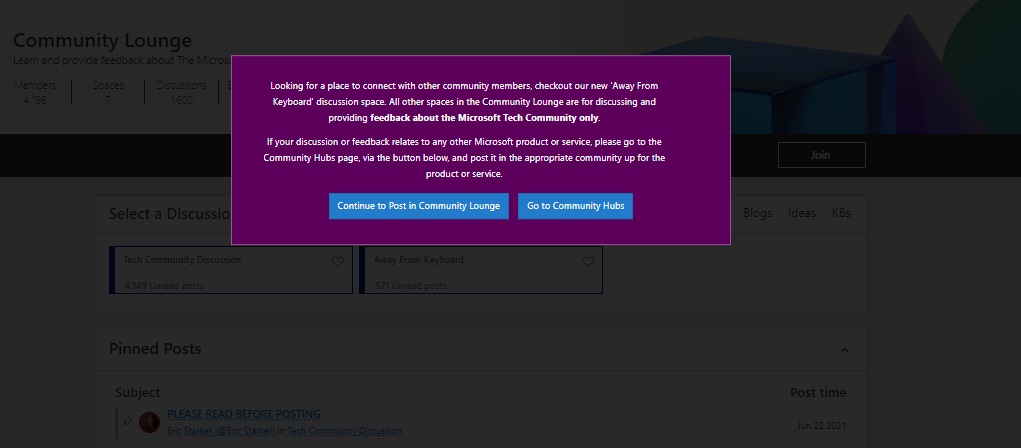
7. Choose the available board.

8. Now, you can enter whatever you want here.
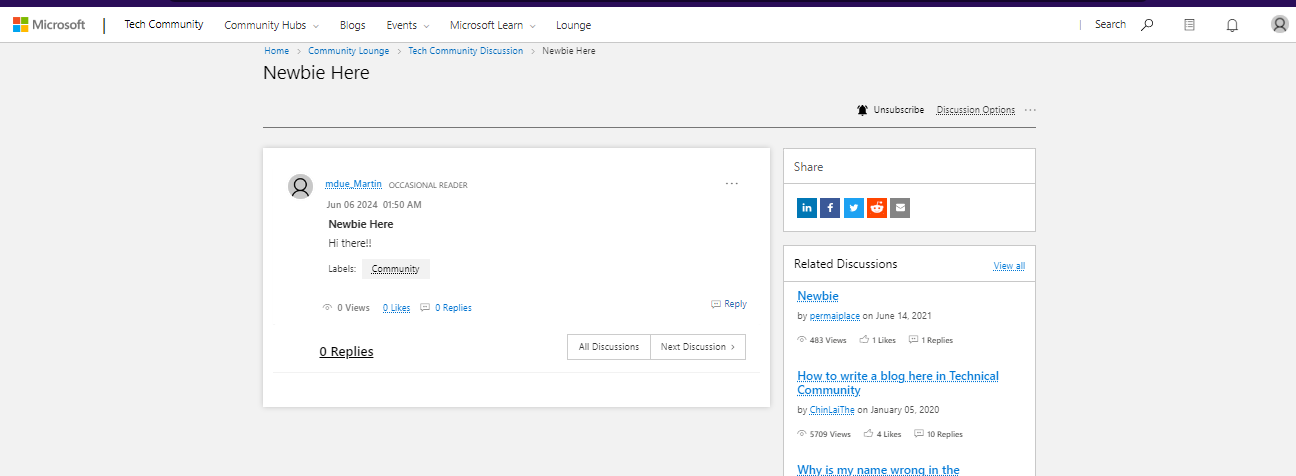
Result: https://techcommunity.microsoft.com/t5/tech-community-discussion/newbie-here/m-p/4161389#M7565
Ps: There are 2 other ways to make a backlink on this.
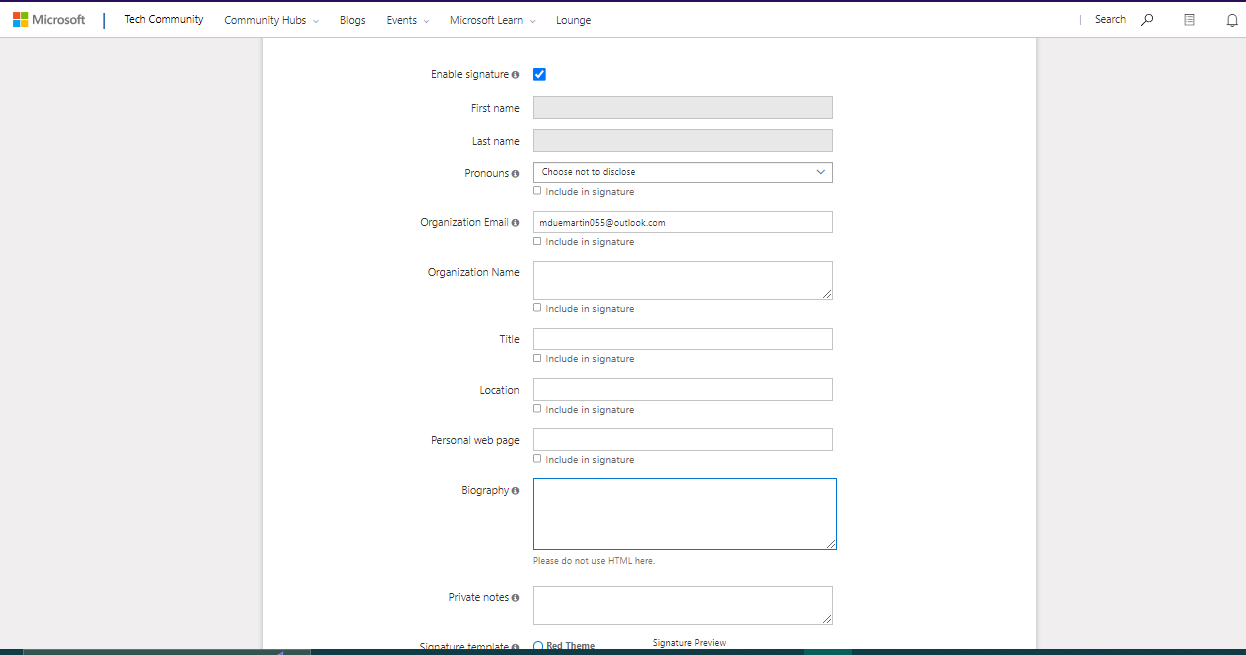
* 1st Option: Go to your profile and click "add a bio" and fillup on those.
* 2nd option is to comment/reply someone's post.
So that's it. Hope you like it.
**If you are facing problem with my guide, you can comment below and i will help you asap.
SHARING IS CARING!
This is my first time creating a thread on BHW to share some knowledge to everyone. Hope you liked it. So let's get started.
The site is called: techcommunity.microsoft.com
Stats:
DR: 96
Backlinks: 16M
Linking websites: 55k
Traffic: 4.1M Monthly
(This stats are based only on free ahrefs checker)
Step 1:
Go to this site: techcommunity.microsoft.com and click the signin/signup button.
2. Click, and signin your microsoft account. (If you don't have microsoft account, you can easily signup there. You can use fake details too)
3, Once you signin your microsoft account. You will setup your profile.
Just use your Microsoft email. Then put any username.
4. After you login in, Go to the lounge area section.
5. Click the "Start a Discussion"
6. Choose ethier post on community lounge or community hubs.
7. Choose the available board.
8. Now, you can enter whatever you want here.
Result: https://techcommunity.microsoft.com/t5/tech-community-discussion/newbie-here/m-p/4161389#M7565
Ps: There are 2 other ways to make a backlink on this.
* 1st Option: Go to your profile and click "add a bio" and fillup on those.
* 2nd option is to comment/reply someone's post.
So that's it. Hope you like it.
**If you are facing problem with my guide, you can comment below and i will help you asap.
SHARING IS CARING!


