

- Nov 29, 2022
- 2,569
- 287

In 2025, the launch of a new neural network is hardly surprising. Yet the arrival of an AI assistant developed by one of Silicon Valley’s leading companies is a remarkable step forward. Google introduced AI Studio — a platform that goes beyond being a simple AI tool. It is a full-fledged assistant that supports professional tasks while also enabling the generation of photo and video content.
This article explores the educational and workplace applications of AI Studio, with a closer look at its image and video generation features.
AI Studio and Its Capabilities
The core purpose of AI Studio is to support both learning and work.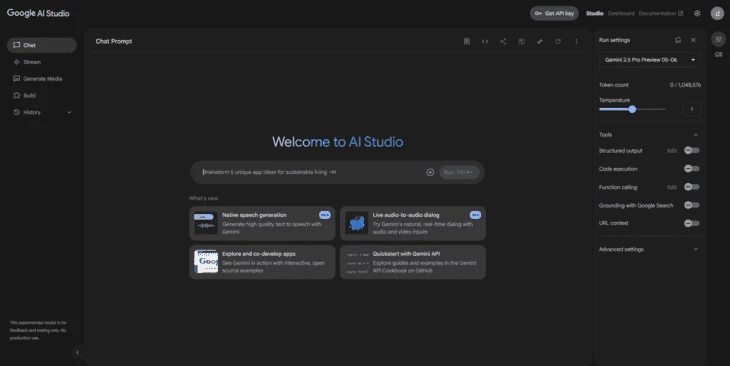
The system can be configured for real-time interaction. A user grants access to a microphone, camera, or screen, and the assistant observes, comments, and provides recommendations for improvement.
The key functionality for study and collaboration is found in the Stream tab.
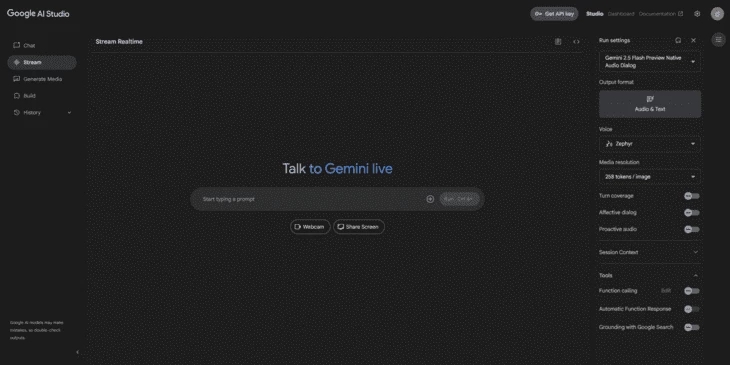
- The microphone can be used for voice input or direct conversation, enabling real-time responses.
- The camera allows the AI to analyze visual input such as a drawing or gestures.
- Screen sharing enables the assistant to analyze a user’s activity and provide support. For instance, when watching a film, the AI can comment on specific scenes in real time.
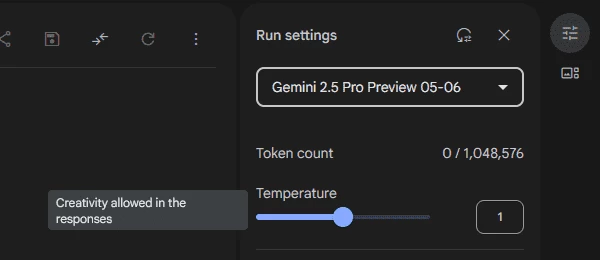
Text-based interaction also allows users to choose a model and adjust generation parameters. One of these is “temperature,” which controls how creative or precise the responses are. A lower temperature produces concise, direct answers, while a higher temperature allows for more creative and open-ended responses.
Communication with the AI requires tokens through a subscription model. While much of the platform remains free (at least for now), subscription access is necessary for certain advanced functions.
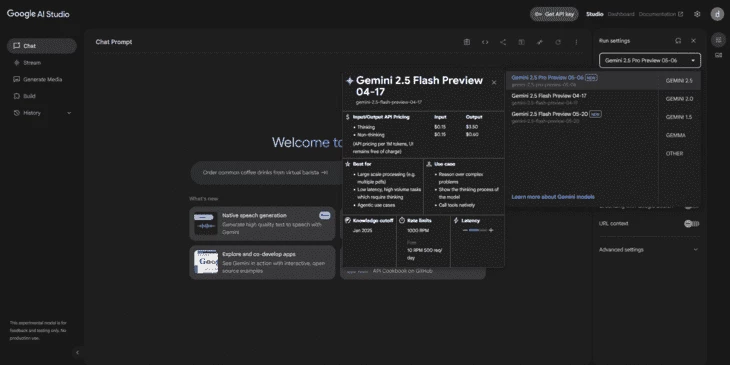
For marketers and creators, the most compelling feature is content generation. Here the platform shows promise, though with limitations. At times, Google’s servers may become overloaded, causing delays or errors. Usually, these can be resolved with repeated attempts or by refreshing the page.
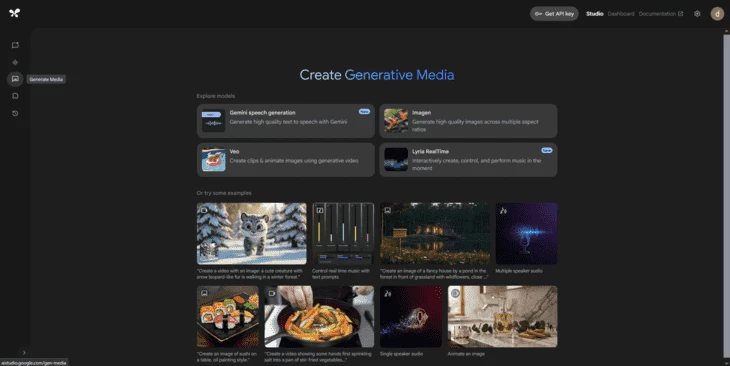
AI Studio currently offers four areas of content generation, though only two are fully functional: image generation and video generation. The other two — dialogue and music generation — are still in early testing stages.
- Image generation, available under the Imagen tab, is straightforward, fast, and produces realistic results. Users can select the number of images, aspect ratio (9:16, 1:1, 4:3, 16:9, 3:4), and provide a prompt. For example, here is an illustration generated from the prompt “drawing of Anakin Skywalker.”

- Video generation allows users to create short clips up to 8 seconds long, based on either a text prompt or an image. The results can be inconsistent: sometimes the AI struggles to interpret the request correctly. To refine outcomes, a “negative prompt” can be applied to exclude unwanted elements. Below is a sample frame from an 8-second video featuring Darth Vader.

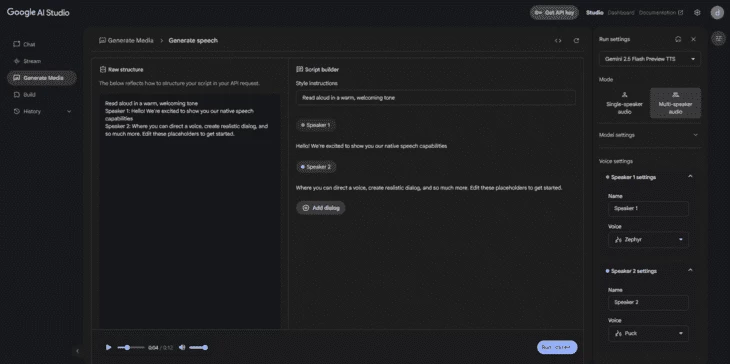
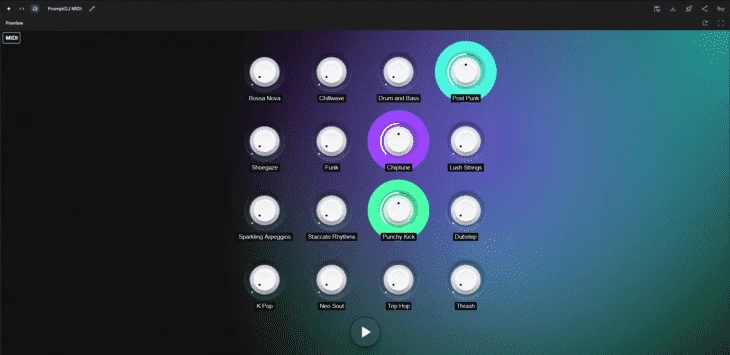
The remaining two areas — Gemini speech generation (dialogues) and Lyria RealTime (music) — are still experimental. While they offer the potential to generate dialogue for dubbing or short scenes, and to create basic musical content, the features remain in early development.
How to Use AI Studio
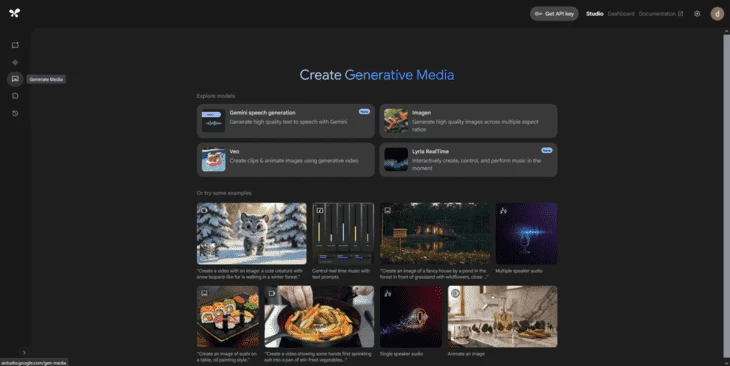
The process is similar to other AI platforms.- Sign in with a Google account
- Select the desired feature, such as image or video generation
- Enter a prompt and wait for the system to process it
When generating images, prompts must be entered in English. If the generation does not complete, refreshing the page and trying again usually resolves the issue. This is related to server capacity rather than user error.

The platform demonstrates solid contextual understanding, though the overall quality of images can feel intentionally blurred in less important areas.
If a 4K image is requested, the resolution remains the same, but the visual clarity improves noticeably. It is important to specify “4K” in the prompt to achieve higher-quality results.

For video generation, outputs are limited but usable. For instance, when asked to create an underwater octopus, the platform produced a short clip with acceptable 720p quality. While simple prompts work well, complex requests often result in errors or incomplete outputs.
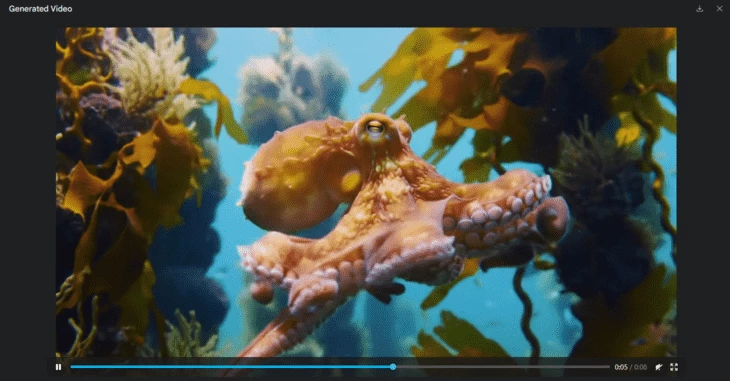
The key advice for video generation is to keep prompts simple, add detail to guide the model, and whenever possible, provide an image for the AI to animate.
Conclusion
Google AI Studio is a multifunctional platform that combines the role of an AI assistant with image and video generation tools still in development. While image generation is generally reliable and sometimes impressive, video generation remains more limited. Its main advantages lie in simplicity, usability, and access to a wide range of free features.For those seeking a partially free and practical tool for experimenting with AI-generated content, AI Studio’s Generate Media capabilities are worth exploring.