Get this DA 38 do-follow link (no subdomain)

Aniket Roy

Regular Member
Joined
Oct 17, 2019
Messages
279
Reaction score
376
The steps are rather simple.

Go to:
Code:
https://www.jobzella.com/

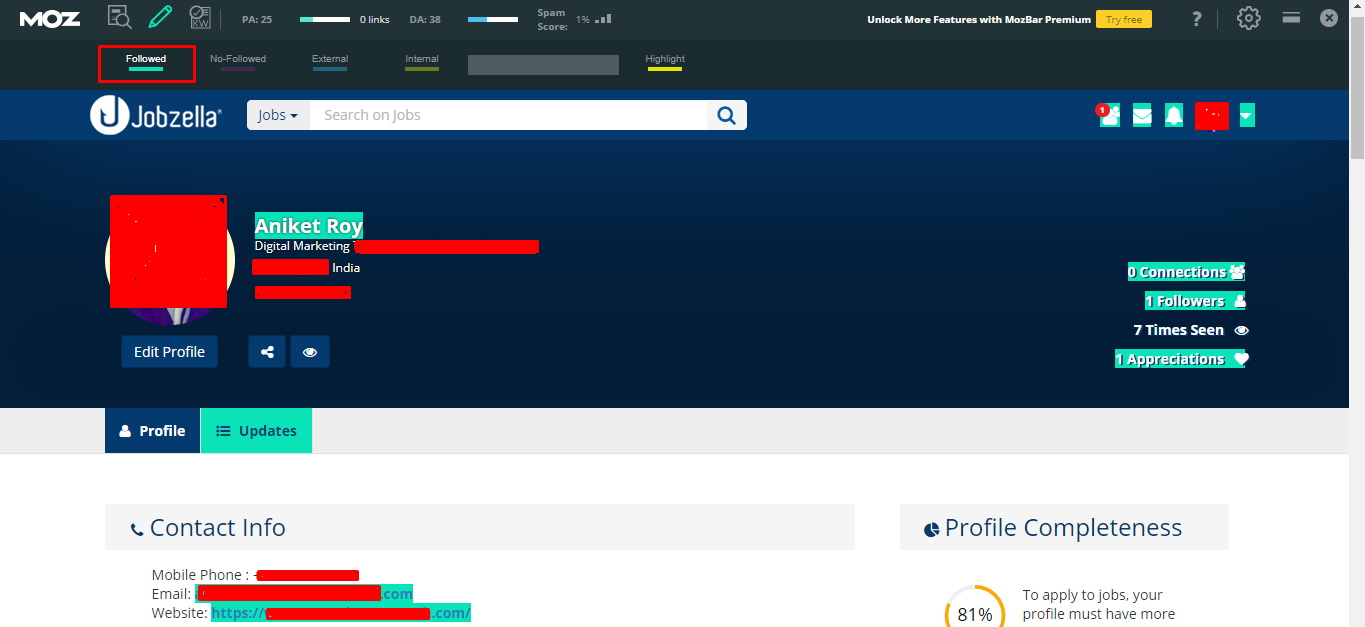
Sign Up > Edit your profile > Add some basic details > add contact details > add website

here is some proof:
1597059596983.png


and

1597059765082.png


my previous post was completely useless and for some reason i cannot delete it idk. This one is unique because i did not find any results when i searched the forum for this.
Hope this helps :)
 
Reasonable effort for a do-follow. Much appreciated.
 
Thanks. I have created an account there and put my website.
BUT,
The contact information is not showing at my profile page.
 
Guys there's one slight change regarding the procedure. no further edits i promise. @DigitalFreaky pointed this out to me actually that the links are not visible once we logout.

So, here's an alternative:

after signing in, you go to Business Solutions > Create a company page and add your details there. instead of adding your website in your profile details, add the website here:

1597064611968.png


This also gives a do-follow link and is accessible without the need to login.

here's an example link:
Code:
https://www.jobzella.com/xeed

and this:

1597064941639.png


please see the correction
@TheVigilante @Ravzar @YouBug @Visual Eagle @Olivia grace @HustleTong Deleted member 1095690
( damn, there are 84 views on this thread already. the rest will think i'm a bluff and know nothing about link building :weep: )
 
May i ask what app you use to check the crawable and indexable?
I'm curious, too.

I use this:
Code:
https://technicalseo.com/tools/fetch-render/
and this takes in consideration all the factors like blocking by robots.txt, presence of noindex, presence of a different canonical URL and the likes. fairly reliable
 
Guys there's one slight change regarding the procedure. no further edits i promise. @DigitalFreaky pointed this out to me actually that the links are not visible once we logout.

So, here's an alternative:

after signing in, you go to Business Solutions > Create a company page and add your details there. instead of adding your website in your profile details, add the website here:

View attachment 142276

This also gives a do-follow link and is accessible without the need to login.

here's an example link:
Code:
https://www.jobzella.com/xeed

and this:

View attachment 142277


please see the correction
@TheVigilante @Ravzar @YouBug @Visual Eagle @Olivia grace @HustleTong Deleted member 1095690
( damn, there are 84 views on this thread already. the rest will think i'm a bluff and know nothing about link building :weep: )
Thanks, will add this site to my list.
 
Back
Top
