Hi everyone,
I have been recently testing a solution that allows me to use facebook ads with multiple facebook ads account.
It is not totally free, as you would still need to buy proxies, either Residential static IP or Mobile proxy.
On top of that, I have bought verified business managers, linked to FB accounts that I bought and warmed, as well as my friends & family accounts.
You will see below the exact methodology that I am using:
1) Multi-login alternative with Firefox
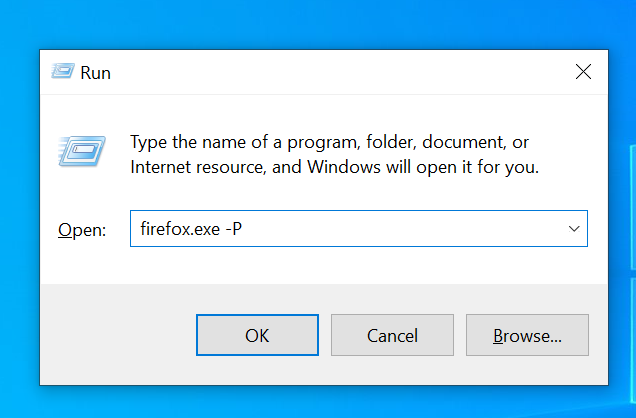
Firefox allows you to create and login into multiple profile. You would need to open the command firefox.exe -P (windows R) in order to do it:
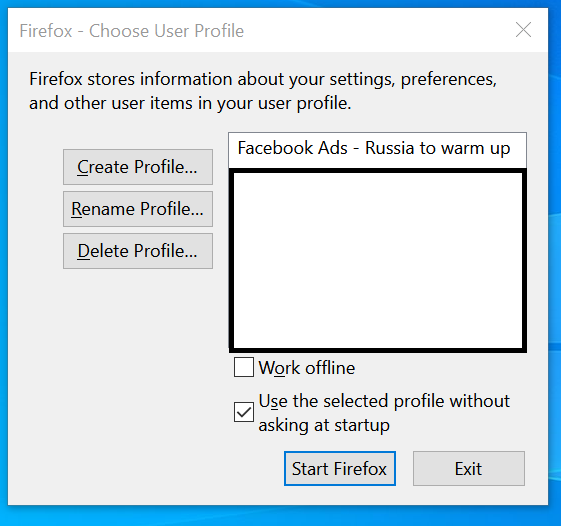
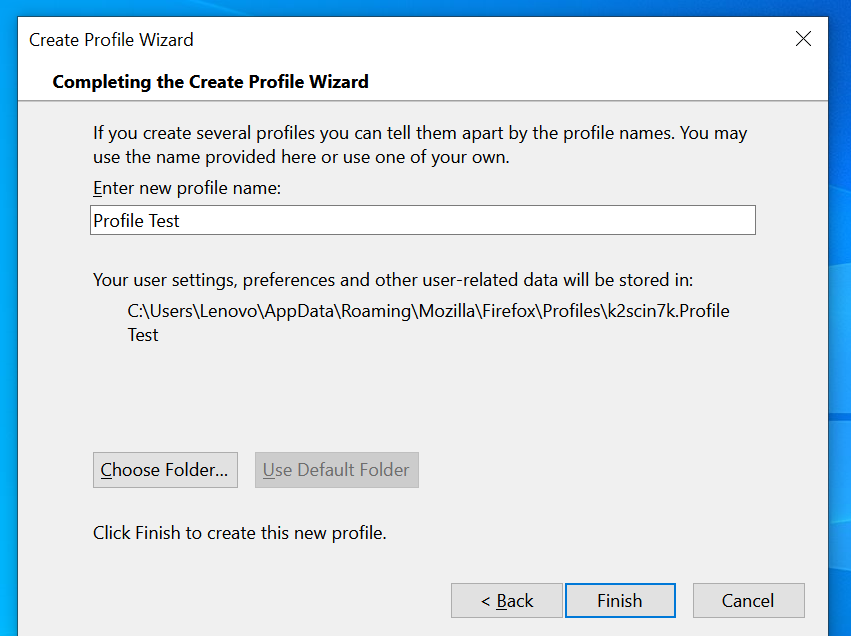
Once you create a new profile, you will be able to set-up a new Profile, with a dedicated proxy, as well as a new User-agent.
2) Set-up your proxy in firefox
In firefox Options, go to Network Settings, and configure your IP Address:

Make sure to use a static or mobile IP. You will have to use an IP Address that is matching the facebook account location.
3) Disable WebRTC
First, you can check that your IP is correctly changed by going to this website: whoer.net/
One thing to note is that by default, the WebRTC is enabled. In short, WebRTC feature must be deactivated to avoid that FB detects the real IP in addition to the proxy used.
To deactivate WebRTC in Firefox Browser, you need to do the following steps:
- Type about:config in your firefox Browser URL to go to the browser settings
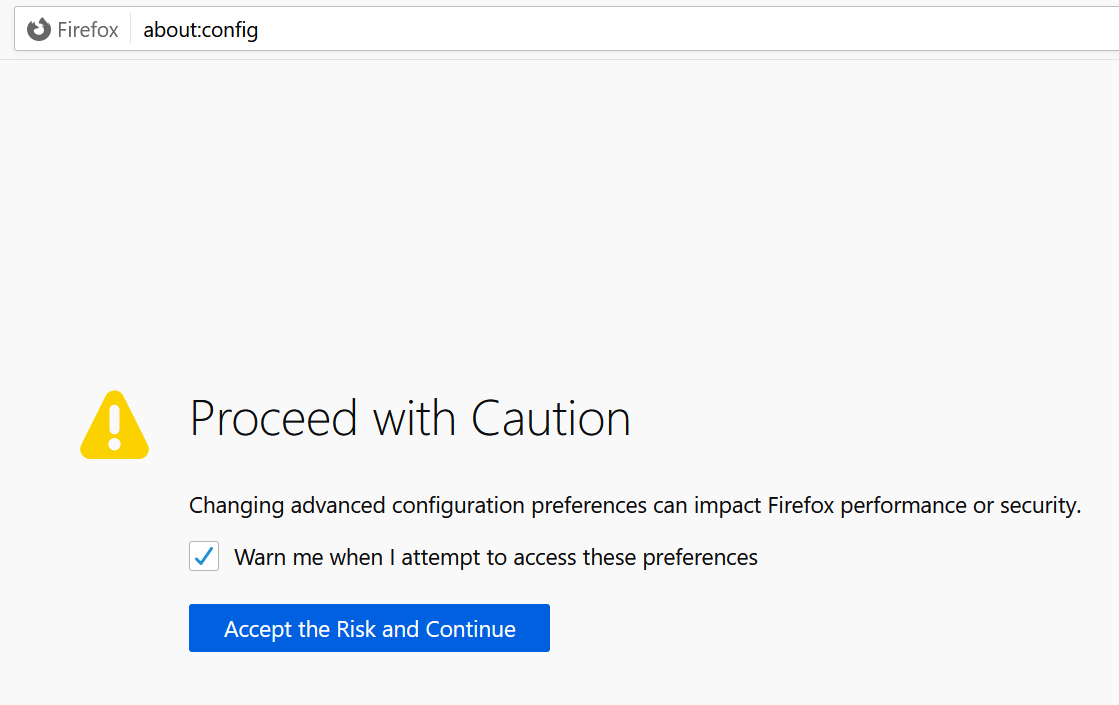
- Search for media.peerconnection.enabled, by default, the value is "True", switch off to "False"

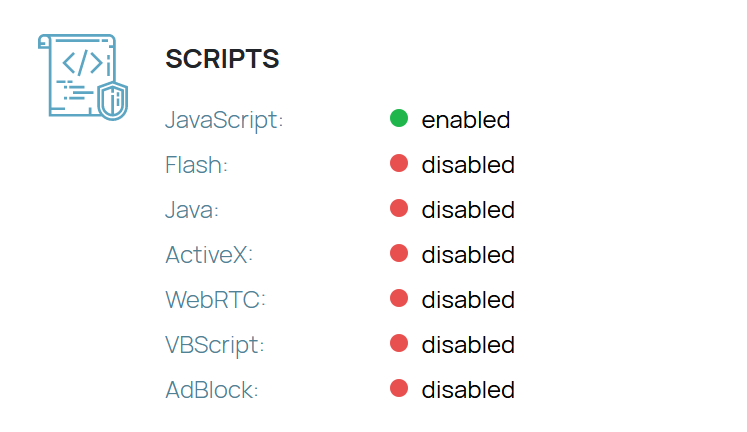
You can now go to whoer.net and check again that WebRTC is correctly disabled:
4) User-Agent
Now, you need to set-up a new User-Agent so Facebook will not detect your through your device
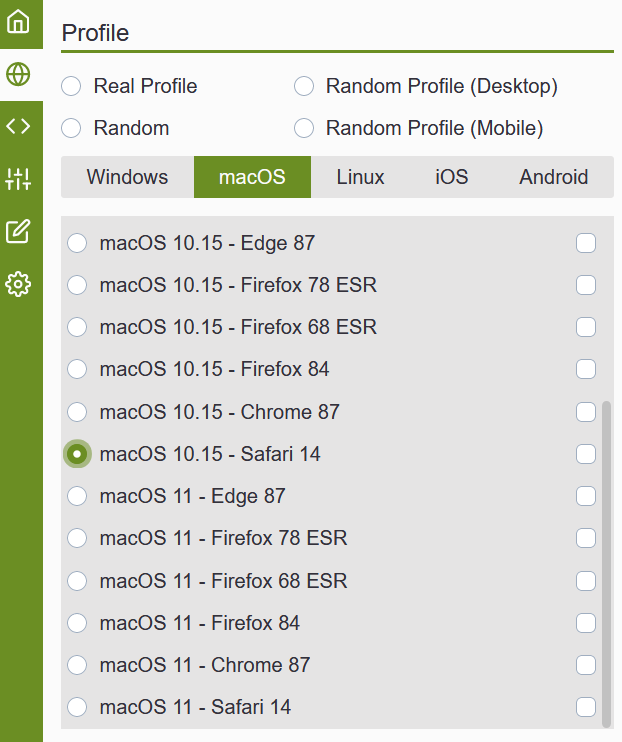
I am using the free Firefox extension Chameleon User agent in order to do that:
With this tool, you are able to change your device, browser, screen resolution:
4) 2FA and Authenticator
Unfortunately, it is possible that your account might still get suspicious to Facebook. I haven't found out the reasons, but they will ask you to verify to Account with SMS verification or email verification. In worst-case scenario, they will ask you to submit a photo ID.
In order to avoid that, you need to activate the 2FA in Facebook Settings.
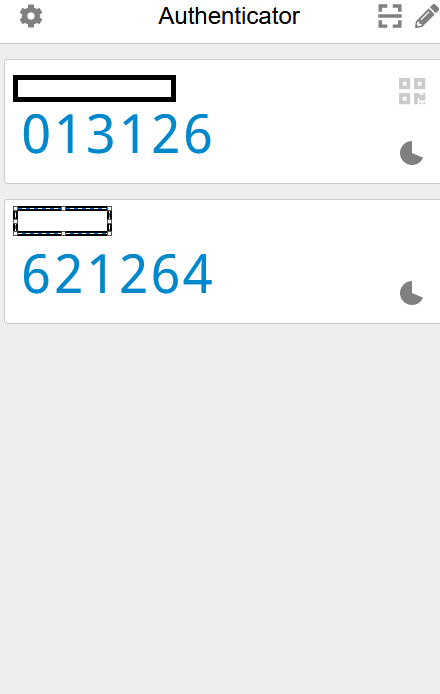
Then, find "Security and Login", and you need to activate Two-Factor Authentication. In case of suspicious activities, Facebook will request a 6-digits code that you can get with the free extension: Authenticator
5) Optional: Import cookies
Lastly, if you are using your friends/families Facebook accounts, or even a warmed-FB account that you purchased, it is often a good idea to export their Facebook activities (cookie export), and import it back in your firefox browser.
In order to do it, I am using the free firefox extension: cookiebro
Please note that I am still in testing phase, and I am not sure it can replace completely Multi-login, as there might be other elements that Facebook can detect in order to block your accounts. It is working well for me at the moment, and I am happy to share my experience.
Cheers!
I have been recently testing a solution that allows me to use facebook ads with multiple facebook ads account.
It is not totally free, as you would still need to buy proxies, either Residential static IP or Mobile proxy.
On top of that, I have bought verified business managers, linked to FB accounts that I bought and warmed, as well as my friends & family accounts.
You will see below the exact methodology that I am using:
1) Multi-login alternative with Firefox
Firefox allows you to create and login into multiple profile. You would need to open the command firefox.exe -P (windows R) in order to do it:
Once you create a new profile, you will be able to set-up a new Profile, with a dedicated proxy, as well as a new User-agent.
2) Set-up your proxy in firefox
In firefox Options, go to Network Settings, and configure your IP Address:
Make sure to use a static or mobile IP. You will have to use an IP Address that is matching the facebook account location.
3) Disable WebRTC
First, you can check that your IP is correctly changed by going to this website: whoer.net/
One thing to note is that by default, the WebRTC is enabled. In short, WebRTC feature must be deactivated to avoid that FB detects the real IP in addition to the proxy used.
To deactivate WebRTC in Firefox Browser, you need to do the following steps:
- Type about:config in your firefox Browser URL to go to the browser settings
- Search for media.peerconnection.enabled, by default, the value is "True", switch off to "False"
You can now go to whoer.net and check again that WebRTC is correctly disabled:
4) User-Agent
Now, you need to set-up a new User-Agent so Facebook will not detect your through your device
I am using the free Firefox extension Chameleon User agent in order to do that:
With this tool, you are able to change your device, browser, screen resolution:
4) 2FA and Authenticator
Unfortunately, it is possible that your account might still get suspicious to Facebook. I haven't found out the reasons, but they will ask you to verify to Account with SMS verification or email verification. In worst-case scenario, they will ask you to submit a photo ID.
In order to avoid that, you need to activate the 2FA in Facebook Settings.
Then, find "Security and Login", and you need to activate Two-Factor Authentication. In case of suspicious activities, Facebook will request a 6-digits code that you can get with the free extension: Authenticator
5) Optional: Import cookies
Lastly, if you are using your friends/families Facebook accounts, or even a warmed-FB account that you purchased, it is often a good idea to export their Facebook activities (cookie export), and import it back in your firefox browser.
In order to do it, I am using the free firefox extension: cookiebro
Please note that I am still in testing phase, and I am not sure it can replace completely Multi-login, as there might be other elements that Facebook can detect in order to block your accounts. It is working well for me at the moment, and I am happy to share my experience.
Cheers!