

nettacompany
Junior Member
- Dec 28, 2018
- 101
- 14
All websites need pictures. The texts you publish on your website are very important for good visitor experiences, and the things you will most often see along with these texts are your photos. According to the research …
All websites need pictures. The texts you publish on your website are very important for good visitor experiences, and the things you will most often see along with these texts are your photos. According to the research, 80% of people prefer to read visual content, and moreover, visual content is more than 64% in mind.
It is extremely important that you use the right images to clearly reflect the work you do on your website. However, creating the right image for each page or for each content can be quite challenging, or buying images for related pages and content can also undermine your budget.
If you need to view it and you do not have the time and budget you can spend on it, you can find or create free images with what we will describe below.
Where to Find Free Photos
When are you taking stock photos, are you getting paid photos? If your answer is "yes", the reason for this is obvious; you are not looking for the photos in the right place. There are many websites that will help you find the most relevant photos for you.
Below is a list of free photo sources for you. But there is one thing to note beforehand: You should not use images without knowing what photos are completely free and where your license rights are. So, first of all, we have prepared the meanings of the license types for you:
5 Tips for Creating Your Own Photos
All of the above resources are great options. But always make the most healthy and beautiful photo source. By creating your own photos, you can respond more clearly to people's wishes and make sure your photos are unique.
Creating your own photos can be costly. But it is only possible to do good work using your own mobile phone camera. Here are the best practices to help you create your own photos:
Use the crown light to see how you get images from the various angles. Do not invest immediately, take advantage of the natural light source. Find gaps in your office that have natural light, shoot in there. If you have time and are also suitable for your photos, consider shooting outdoors.
These kinds of experiments provide you with an idea of the best light and angle. So in time you will know which angle you need to approach before taking a picture.

Obtaining a tripod will be a good investment. Allows your camera to remain stationary while taking pictures and helps you take better pictures.
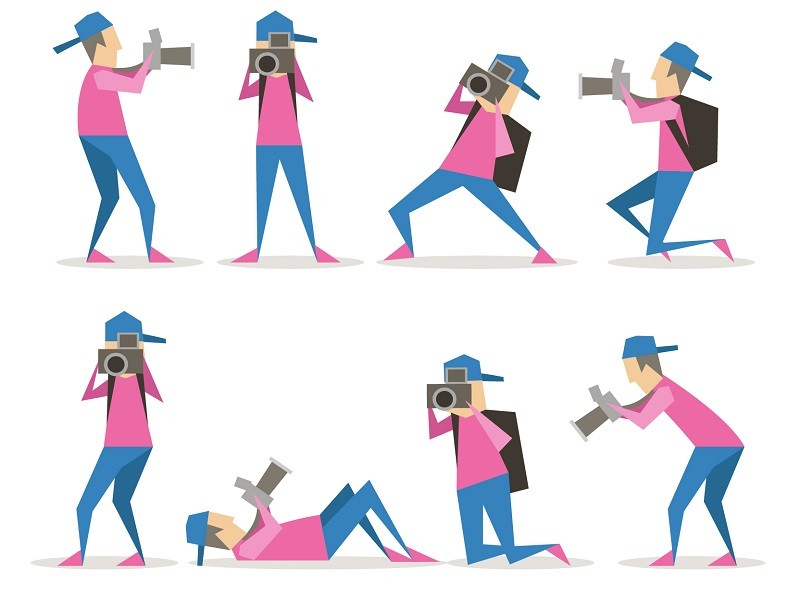
The more photos you have in your hand, the more chances you become selective. Take plenty of photos for each of the angles, elevations, lighting, or camera settings you've tried. Make some room for it in the storage area of your camera or phone. Then take these photos from there and see how they look on a bigger screen.
Result
It's an important ability to use images effectively on your website, in your social media accounts, and unfortunately this ability is not. If you do not have the money to pay for these talents, head to the free resources that are already designed for you. Learn how to use these images later. If you do not have a website, you can easily create a website with WordPress, and publish your images.
All websites need pictures. The texts you publish on your website are very important for good visitor experiences, and the things you will most often see along with these texts are your photos. According to the research, 80% of people prefer to read visual content, and moreover, visual content is more than 64% in mind.
It is extremely important that you use the right images to clearly reflect the work you do on your website. However, creating the right image for each page or for each content can be quite challenging, or buying images for related pages and content can also undermine your budget.
If you need to view it and you do not have the time and budget you can spend on it, you can find or create free images with what we will describe below.
Where to Find Free Photos
When are you taking stock photos, are you getting paid photos? If your answer is "yes", the reason for this is obvious; you are not looking for the photos in the right place. There are many websites that will help you find the most relevant photos for you.
Below is a list of free photo sources for you. But there is one thing to note beforehand: You should not use images without knowing what photos are completely free and where your license rights are. So, first of all, we have prepared the meanings of the license types for you:
- Public domain work : There is no restriction on the use of Resmin, you can do what you want with picture.
- CC0: There are no restrictions on the use of images that you see on this license, and you do not have any rights.
- Attribution : You can use it for free as long as you add information about who you received while using the image.
- NonCommercial : It is forbidden to use for commercial purposes.
- NoDerivatives : You may use these types of images for free, but you can not modify them.
- All rights reserved : It means you will not be able to use it without your permission. You can probably use a certain financial expense.
- Unsplash
- Gratisography
- Kaboompics
- Startup Stock Photos
- Splitshire
- Life of Pix
- Pexels
- Every Stock Photo
- Negative Space
- FancyCrave
- Morgue File
- Pixabay
- Totally Free Images
- Public Domain Pictures
- Free Range Stock
- 4 Free Photos
- Open Image Bank
- Public Domain Image
- Wikispaces Copyright Friendly Directory
- Flickr Commons
- Dreamstime
- New Old Stock
- Free Images
- Picjumbo
- Jay Mantri
- Little Visuals
- Pdpics
- Pickup Image
5 Tips for Creating Your Own Photos
All of the above resources are great options. But always make the most healthy and beautiful photo source. By creating your own photos, you can respond more clearly to people's wishes and make sure your photos are unique.
Creating your own photos can be costly. But it is only possible to do good work using your own mobile phone camera. Here are the best practices to help you create your own photos:
- Make Lighting Experiments
Use the crown light to see how you get images from the various angles. Do not invest immediately, take advantage of the natural light source. Find gaps in your office that have natural light, shoot in there. If you have time and are also suitable for your photos, consider shooting outdoors.
These kinds of experiments provide you with an idea of the best light and angle. So in time you will know which angle you need to approach before taking a picture.
- Get a Tripod
Obtaining a tripod will be a good investment. Allows your camera to remain stationary while taking pictures and helps you take better pictures.
- Create Monochrome Backgrounds
- Take a Photo of a Herd to Order the Best
The more photos you have in your hand, the more chances you become selective. Take plenty of photos for each of the angles, elevations, lighting, or camera settings you've tried. Make some room for it in the storage area of your camera or phone. Then take these photos from there and see how they look on a bigger screen.
Result
It's an important ability to use images effectively on your website, in your social media accounts, and unfortunately this ability is not. If you do not have the money to pay for these talents, head to the free resources that are already designed for you. Learn how to use these images later. If you do not have a website, you can easily create a website with WordPress, and publish your images.
Last edited by a moderator: