[FREE GUIDE] Get DR86 Do-Follow Link from tally.so

Status
Not open for further replies.

potah

Regular Member
Joined
Apr 14, 2022
Messages
248
Reaction score
258
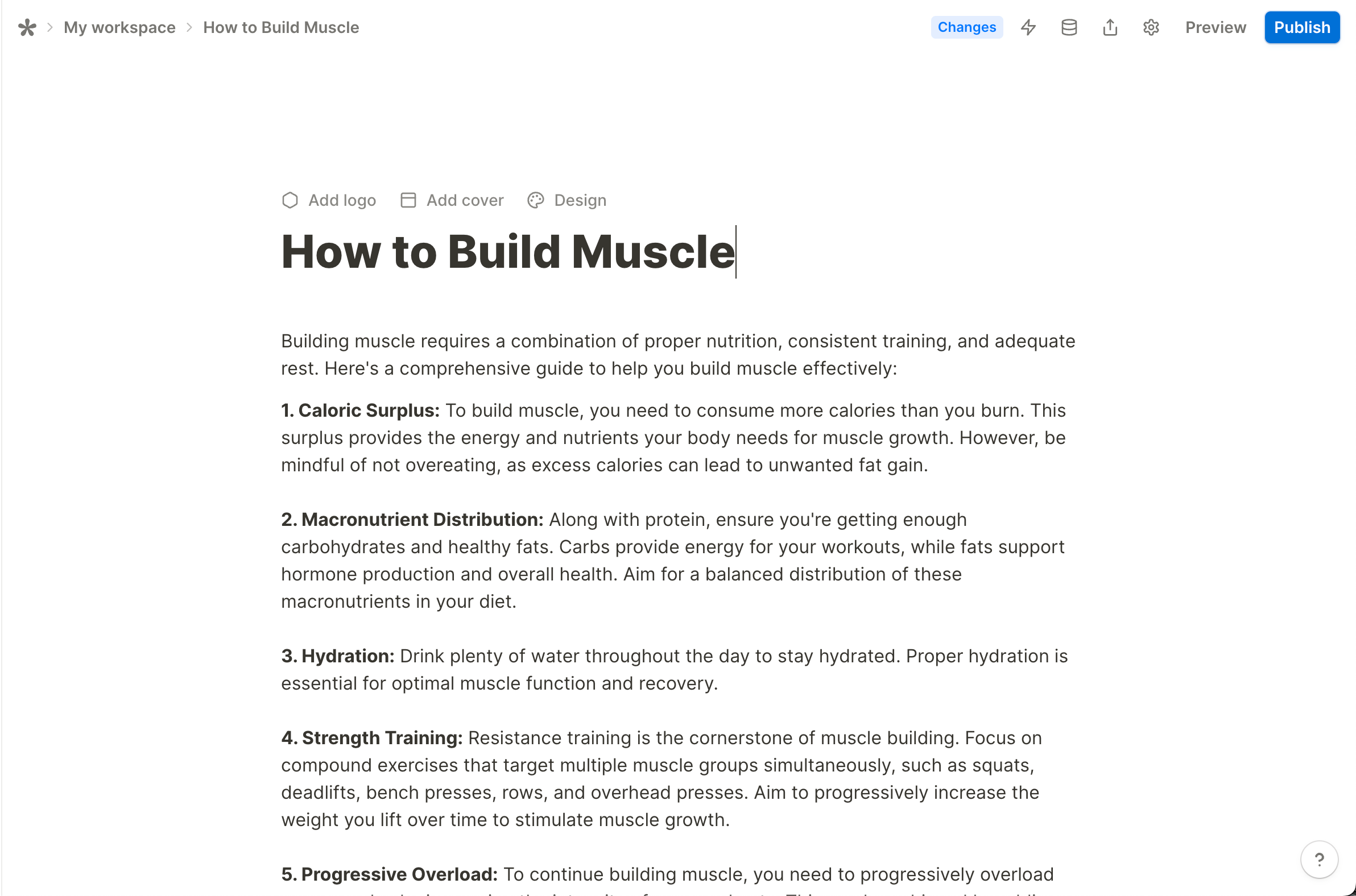
When I’m creating Envato downloader apps using Tally, I discovered that we can embed a do-follow link there.

Suprisingly the DR is quite good
Screenshot2024-05-11at10.20.20_480x480.png


Here are the step-by-step instructions to create a do-follow link from Tally:

Prerequisite​

  1. tally.so account

0. Signup to Tally

You know how to do it

1. Create Your First Form

The title of your form will become an <h1> tag.

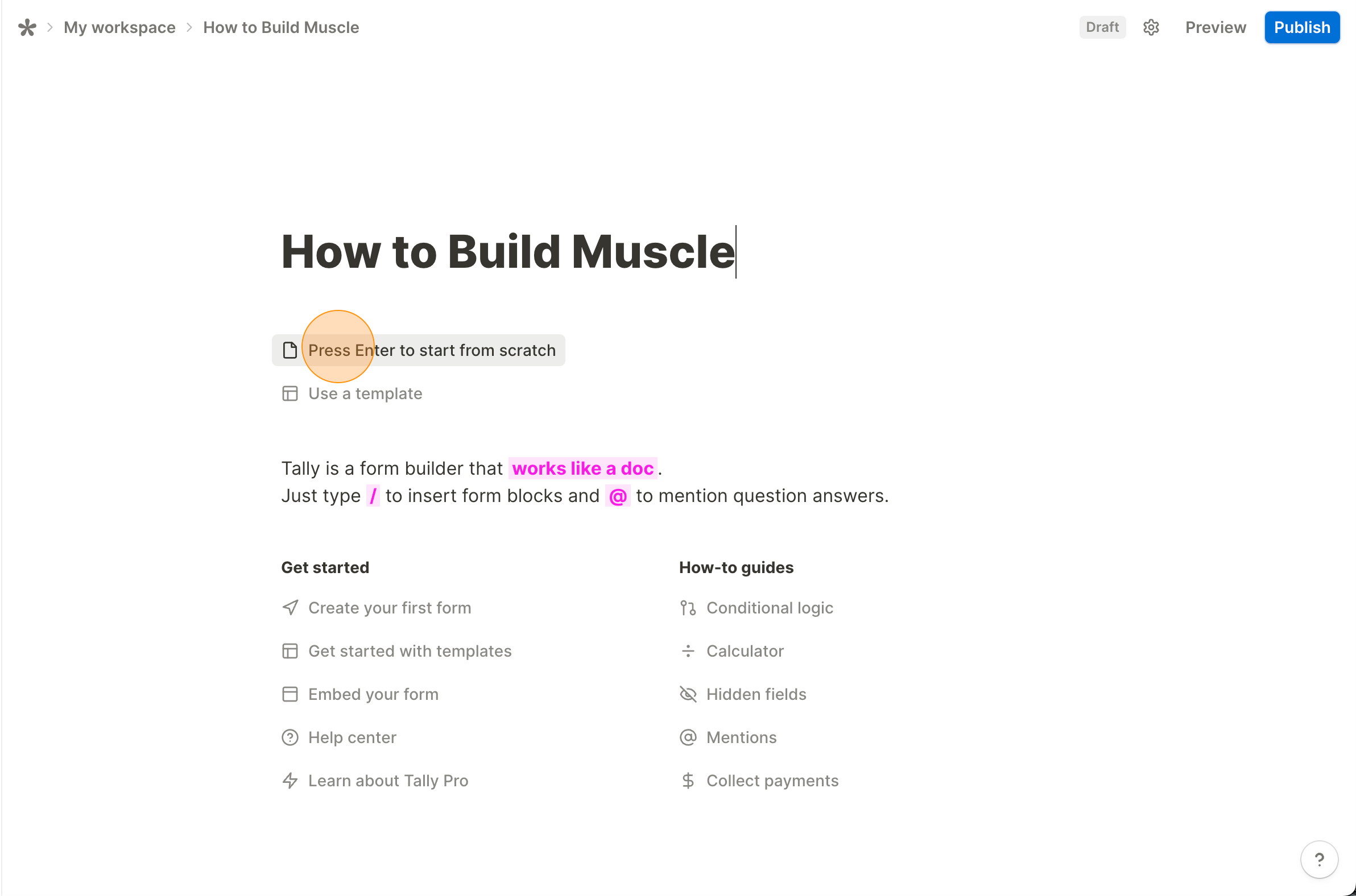
1.1 Click Press Enter to start from scratch. Put your content there.
1.1.1.png


Here’s my sample article:
1.1.2.png


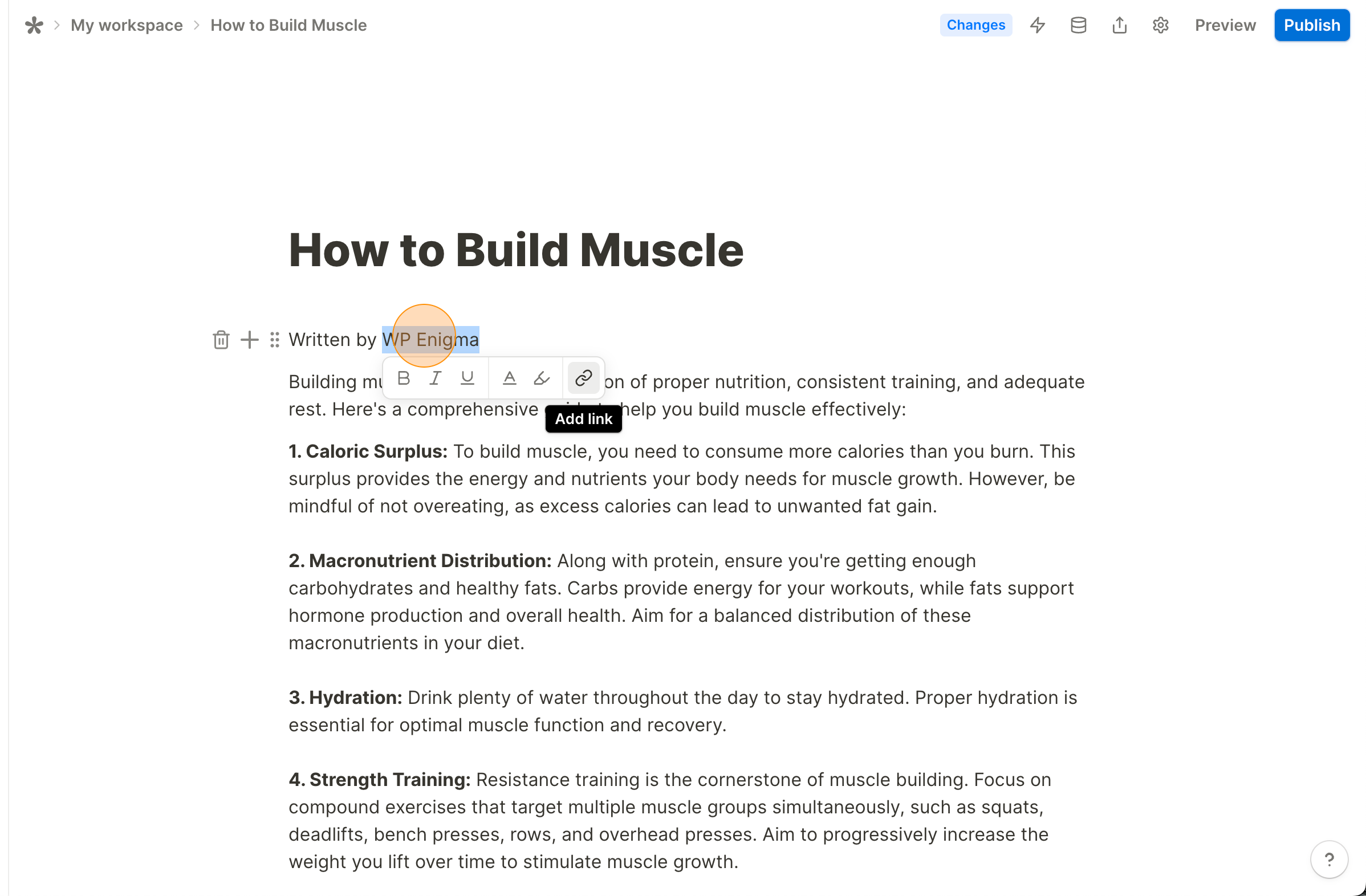
1.2 Block your text. Then, there will be an option to input your link like this: type your link, then hit Enter.
1.2.1.png


2. Publish Your Form

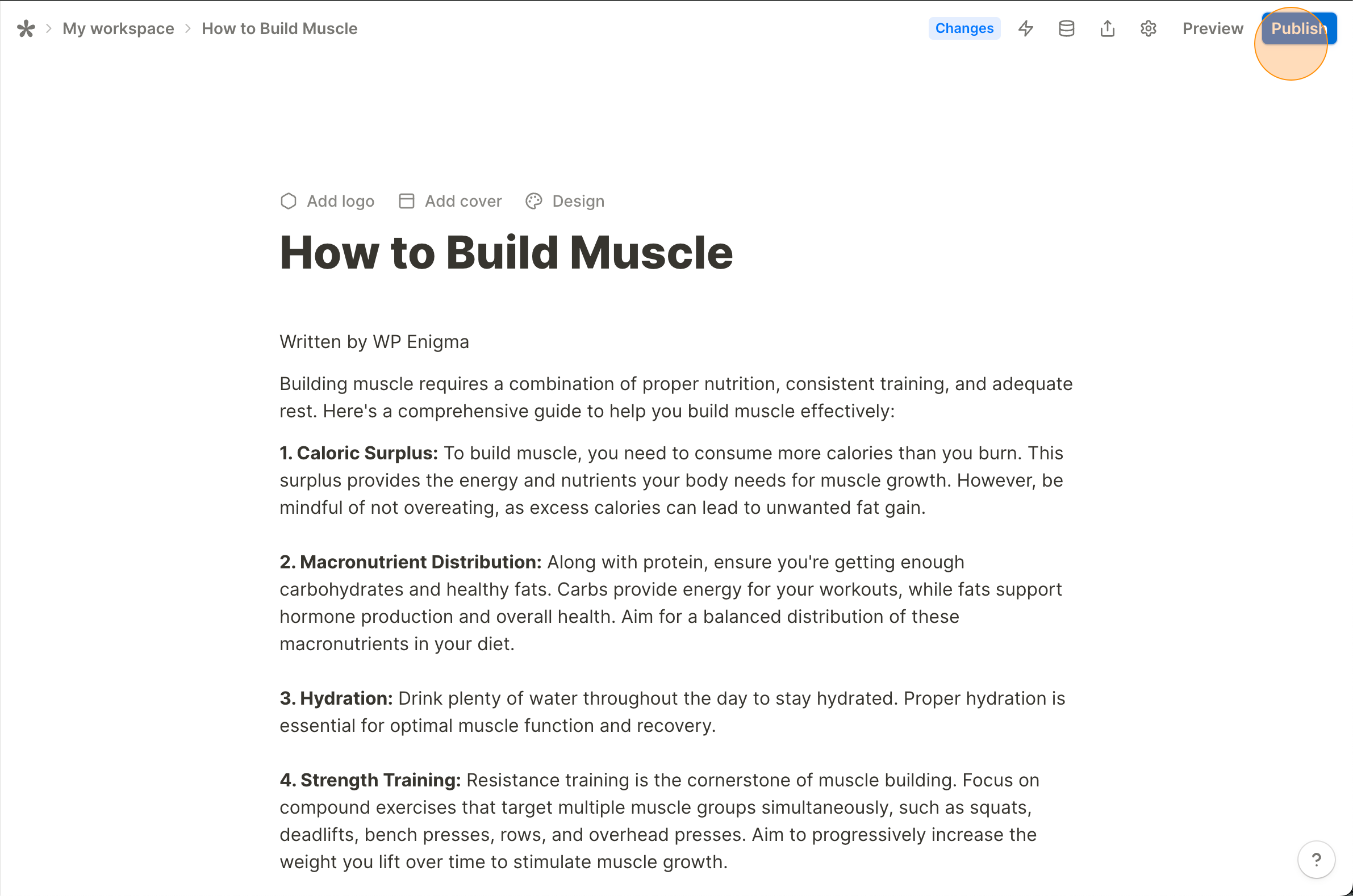
2.1 Hit Publish button located at the top right corner

1.2.2.png


2.2 Go back to the dashboard by visiting https://tally.so/dashboard. You will see the form you just created there.

2.3 Hover over one of your forms, then copy the link. Open the form to check it.


2.3.1.png


Voila! Enjoy your DR86 do follow link.
Likes are greatly appreciated!
2.3.2.png
 
When I’m creating Envato downloader apps using Tally, I discovered that we can embed a do-follow link there.

Suprisingly the DR is quite good
Screenshot2024-05-11at10.20.20_480x480.png


Here are the step-by-step instructions to create a do-follow link from Tally:

Prerequisite​

  1. tally.so account

0. Signup to Tally

You know how to do it

1. Create Your First Form

The title of your form will become an <h1> tag.

1.1 Click Press Enter to start from scratch. Put your content there.

1.1.1.png


Here’s my sample article:
1.1.2.png


1.2 Block your text. Then, there will be an option to input your link like this: type your link, then hit Enter.
1.2.1.png


2. Publish Your Form

2.1 Hit Publish button located at the top right corner

1.2.2.png


2.2 Go back to the dashboard by visiting https://tally.so/dashboard. You will see the form you just created there.

2.3 Hover over one of your forms, then copy the link. Open the form to check it.
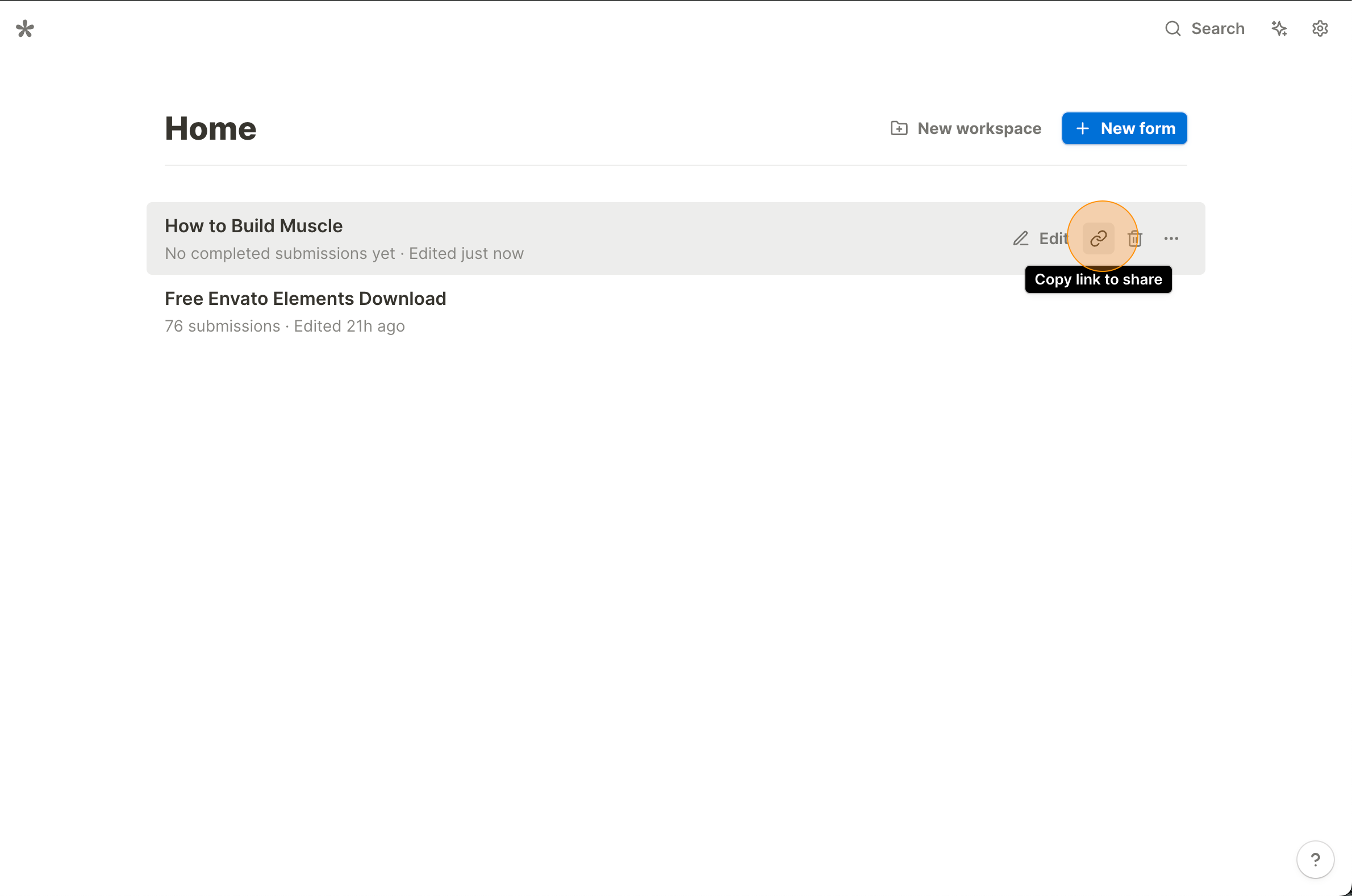

2.3.1.png


Voila! Enjoy your DR86 do follow link.
Likes are greatly appreciated!
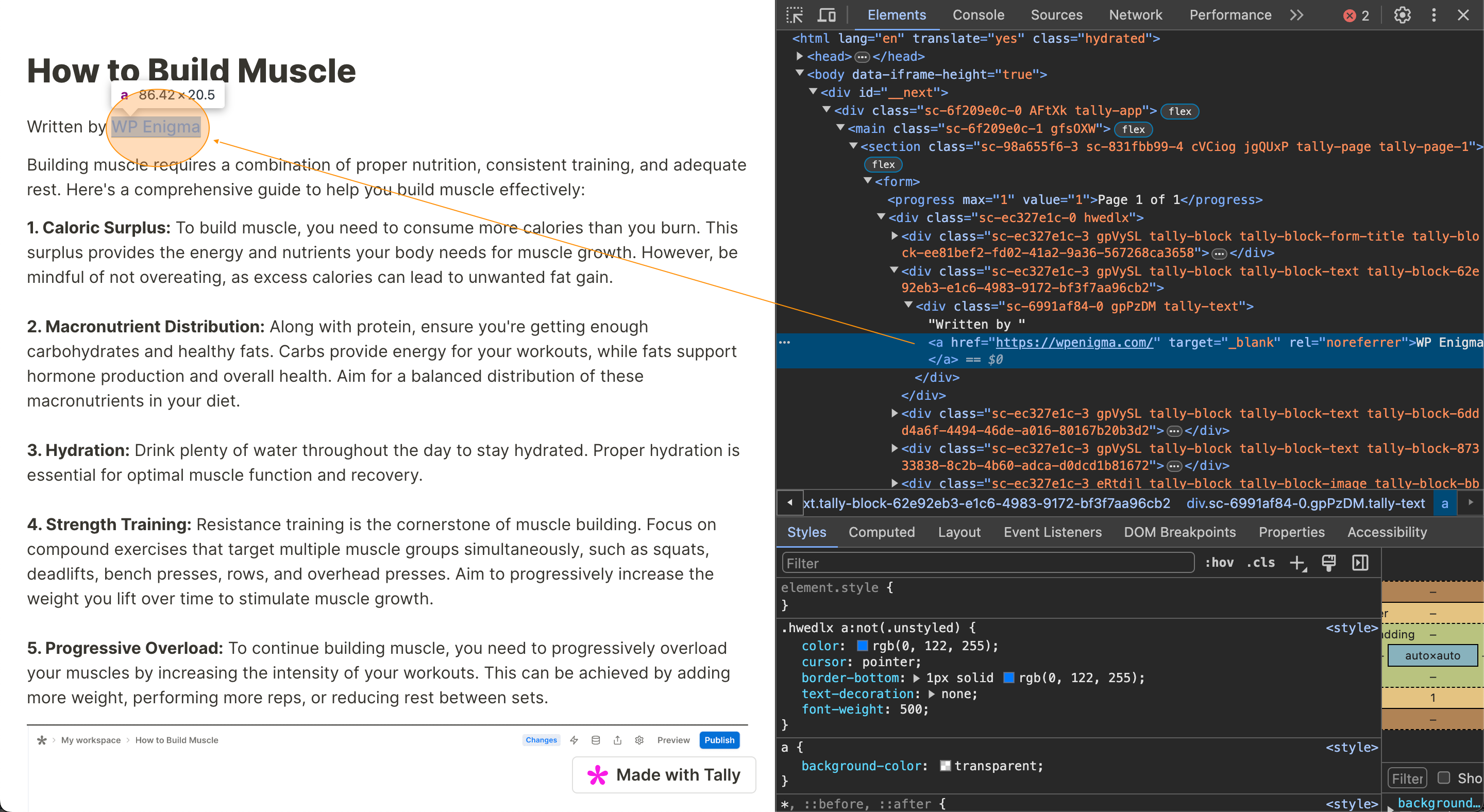
2.3.2.png
Thnaks for sharing, appreciated!
 
When I’m creating Envato downloader apps using Tally, I discovered that we can embed a do-follow link there.

Suprisingly the DR is quite good
Screenshot2024-05-11at10.20.20_480x480.png


Here are the step-by-step instructions to create a do-follow link from Tally:

Prerequisite​

  1. tally.so account

0. Signup to Tally

You know how to do it

1. Create Your First Form

The title of your form will become an <h1> tag.

1.1 Click Press Enter to start from scratch. Put your content there.

1.1.1.png


Here’s my sample article:
1.1.2.png


1.2 Block your text. Then, there will be an option to input your link like this: type your link, then hit Enter.
1.2.1.png


2. Publish Your Form

2.1 Hit Publish button located at the top right corner

1.2.2.png


2.2 Go back to the dashboard by visiting https://tally.so/dashboard. You will see the form you just created there.

2.3 Hover over one of your forms, then copy the link. Open the form to check it.


2.3.1.png


Voila! Enjoy your DR86 do follow link.
Likes are greatly appreciated!
2.3.2.png
did you get the link indexed ?
 
Status
Not open for further replies.
Back
Top