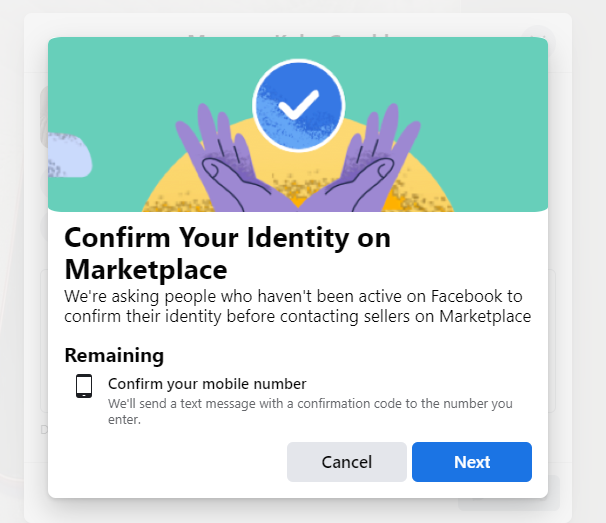
So I managed to buy a facebook account. I warmed that baby up, for a week. Then when I went to message someone on facebook marketplace, I got slapped in the face with a "please add a number". So, I went to a website that supplies sms. I input the number. And facebook tells me "something went wrong". before I could even press send the SMS. So, I thought ok lets try this another way. So I went into the settings of the account. And I tried adding a number this way. And to my supprise, it worked. The website generated me an SMS and facebook accepted it. I then went back to marketplace, and I was quickly slapped with the same message as before. Now I am stuck and don't know what to do. Any veterans on here who can suggest anything. Should I have bought a facebook account that already came with a verified number? Am I just out of luck what to do, what to do, I have not a clue.

You are using an out of date browser. It may not display this or other websites correctly.
You should upgrade or use an alternative browser.
You should upgrade or use an alternative browser.
Facebook Phone Verification For Marketplace Issue
- Thread starter zackorus
- Start date

Riobi
Junior Member
- Nov 15, 2022
- 102
- 22
Hello!
When buying a fb account, you already have email information to receive a code when your fb account is locked.
The phone number on the website that provides SMS is for one-time use only. It was a mistake to add this phone number to your profile.
If fb asks for confirmation, choose confirmation by email. After successful login, remove the phone number from the profile.
Good luck!
When buying a fb account, you already have email information to receive a code when your fb account is locked.
The phone number on the website that provides SMS is for one-time use only. It was a mistake to add this phone number to your profile.
If fb asks for confirmation, choose confirmation by email. After successful login, remove the phone number from the profile.
Good luck!
Hey Riobi, thanks for your feedback. I will make sure not to add a number next time. But, as far as facebook marketpalce goes. Which is the whole purpose in my using this particular account. How can I get around this message? Which pop's up the moment I try to message someone on marketplace? This was the message that initially prompted me to even do the sms verification.