Extract Images from Facebook, fastest way?

Galleta

Regular Member
Joined
Dec 7, 2015
Messages
269
Reaction score
92
Hello,

I got several fb accounts, from which I need to extract the pictures. I got them all set up in Massplanner with unique Proxies.
As for some reason the internal browser of massplanner does not download anything (?) what would be the fastest way to do this, without raising flags in facebook / causing IP conflict / or changing UserAgent.

regards
 
idk what you exactly mean but if you want to download all your images on your facebook acount. follow the steps below.

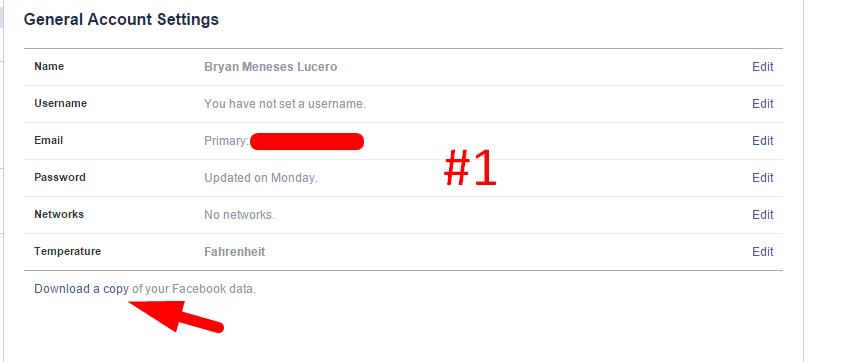
#1. Go to https://www.facebook.com/settings and click Download a copy of your Facebook data.
V0AtBLN


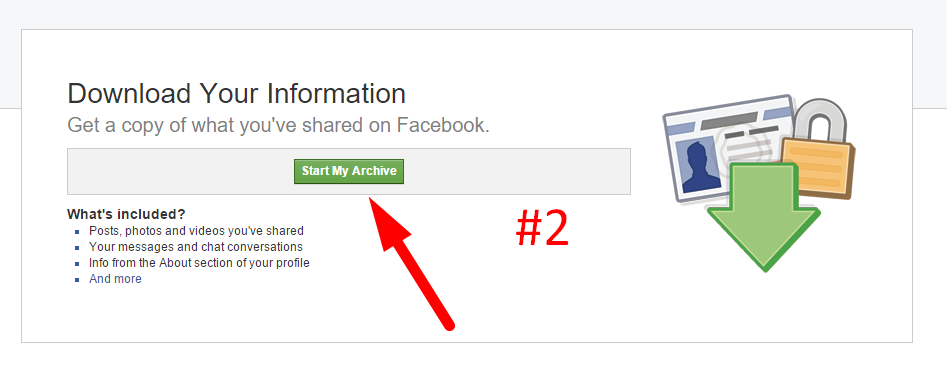
#2. after step #1 Click Start my Archive
D3t5j27


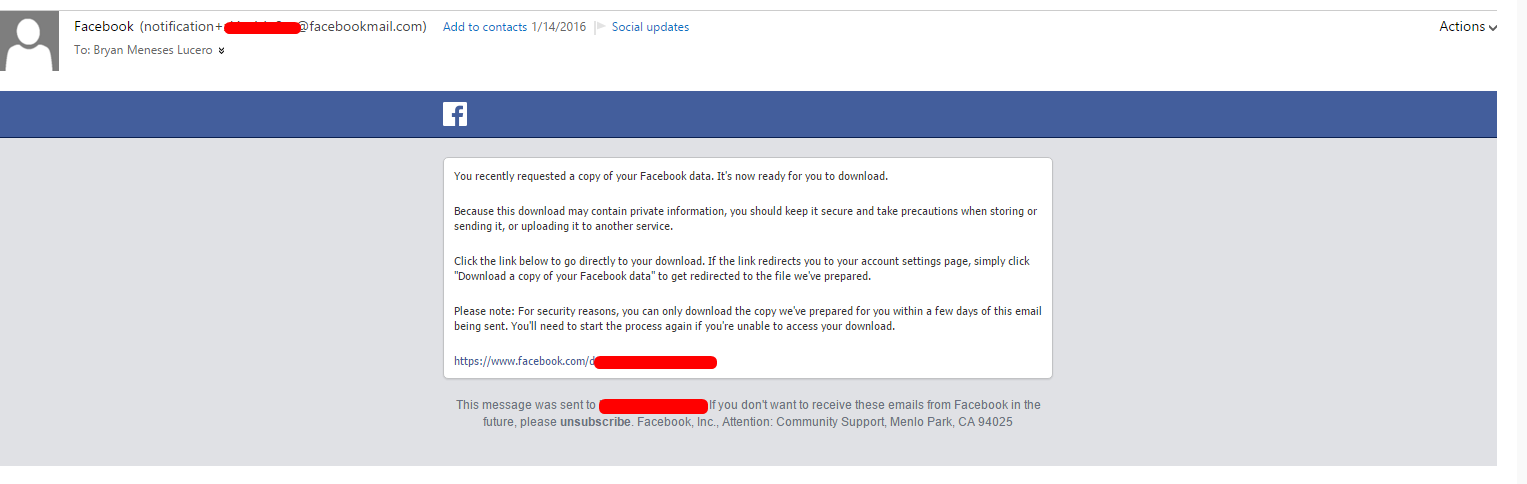
#3. Wait a few minuites / hours, then you will Recieve an Email from facebook...

I0wj1Ce


#4. click Download my Archive from the link provided by Facebook
8ec40d94f825416fa409b27ae26a53d4.png


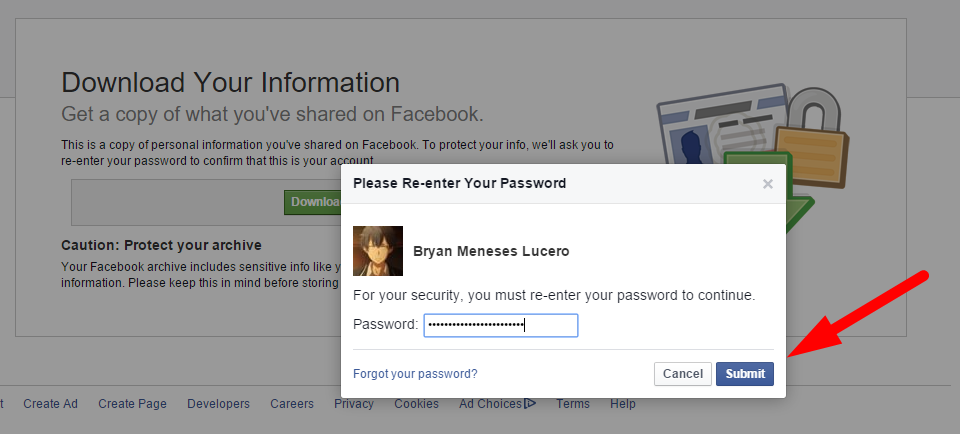
#5. Facebook will Ask for your Password...
6JpuDke


#6. the Download will start and after that You will See an Archive .zip file extract that Archive file using Winrar

PFCJchn


#7. after you have finnished all the steps. All your Photos / Albums will be stored here...

hhQk39c


i hope that helps. :)
 
Last edited:
Thanks for that, did not know about this method!

But honestly I am looking for a faster way, because to do this for 100+ accounts, I would have to login into each manually, change IP in browser each time, delete cookies, and for security also changing UserAgent to the one Massplanner uses.

Will take very long, I had hoped there is a faster method.

For example some tool/website where I put the account ID, and it gives me all images back.
 
Last edited:
Alright so here's the second method.

#1. Download this Chrome Extention and Install it to your Chrome Browser
rxTUYoe


#2. Go to the User's Album. https://www.facebook.com/fbusername/photos_albums
Yd1Q7TB


#3. Select an album, and click the FB icon at the top, then after that click the "Normal" Button
aO2yGRO


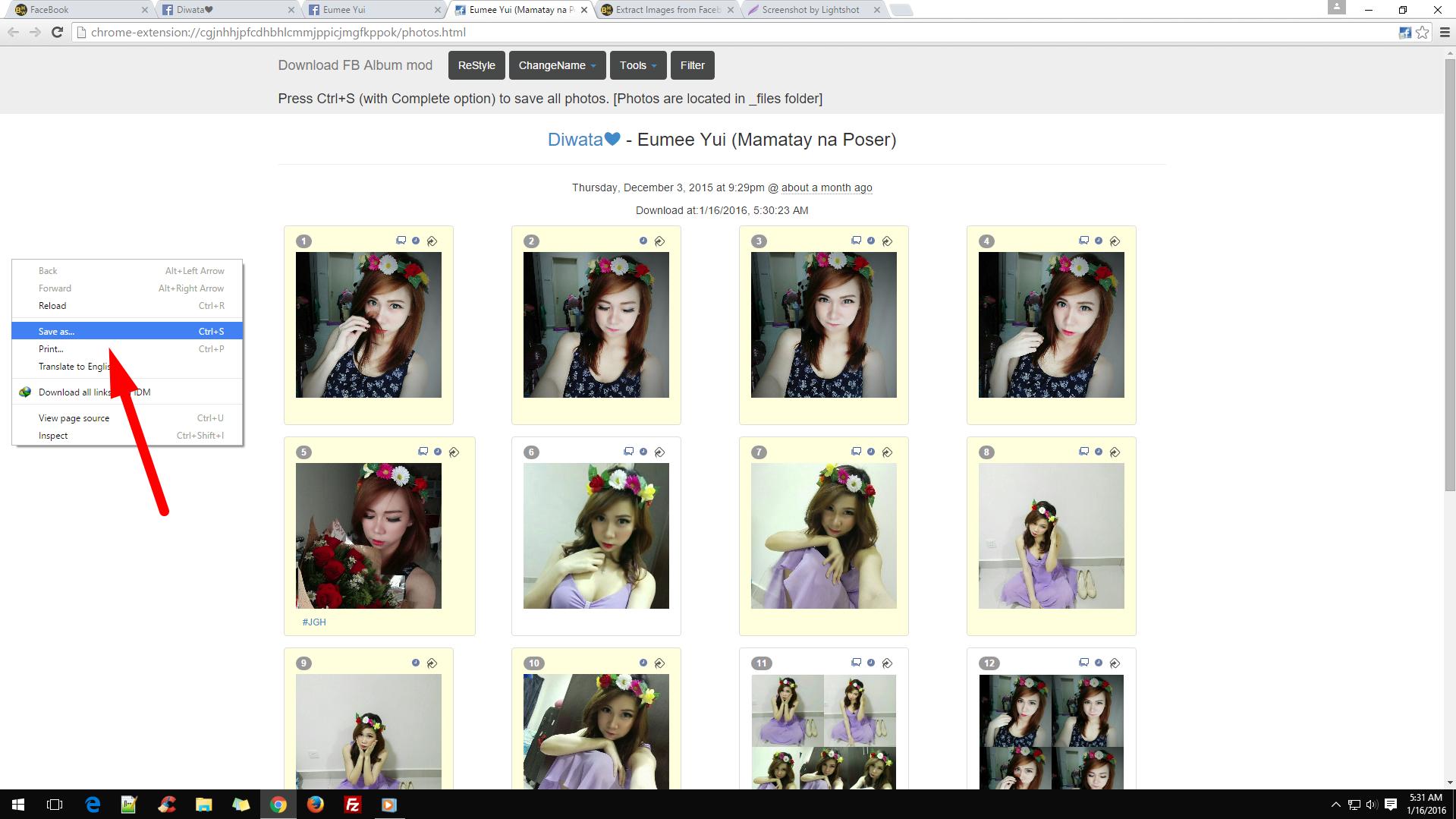
#4. after that, a new window will open. right click anywhere and click Save As...
C7pwXL2


#5. open the folder that has same name as the .html file
744af50311ca4e15b61933abba4458e3.png


#6. done.
NqzUQMS


Note: with this second method you don't need to login on them or change proxy etc... but still you need to do everything manually. if the 1st and 2nd method did'nt work for you, i think you need to hire a bot creator to do all the work.
 
Back
Top