
daibu
Junior Member
- Aug 7, 2020
- 101
- 64
No, I've been really busy. It might not be for awhile, but I'll get to it eventually.Any progress on that 4g proxy guide?

No, I've been really busy. It might not be for awhile, but I'll get to it eventually.Any progress on that 4g proxy guide?
Any update bro?No, I've been really busy. It might not be for awhile, but I'll get to it eventually.

Will the views stick and not drop?if you got a youtube view tool/bot + rotate the 4g proxy ip yes.

Where can i get mobile ips?Is it really worth that much effort to get a couple of mobile IPs from around the corner when you can get residential/mobile IPs from around the world for cheap money?

that means you got a old dongle buy a new one with web interface example e3372, e3351 or any higher number.My dongle detected as wwan0 instead of usb0 and it does not work. Anyone just like me?
yes it is still working and will forever worksuch a long process. Is this method still working in 2021?
good to know that. but i don't know how to startyes it is still working and will forever work
No, it's going to be awhile. I'm neck deep in projects right now.Any update bro?

No, it means they just use a different dev port.. Dongles that connects through wwan0 can be used as well without any issues.that means you got a old dongle buy a new one with web interface example e3372, e3351 or any higher number.
No, it means they just use a different dev port.. Dongles that connects through wwan0 can be used as well without any issues.
I have 5 dongles with wwan, they all have web UI and they work exactly the same as others.they can but you need to dial them like ppp0 dongles, i personally find that those are headache.
eth or usb are more easy and less headache but everything is possible.


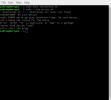

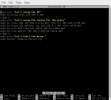

"ethX" interfaces refer to your ethernet connections. Your cellular connections should show up as either "usbX" or "wwanX". It appears they are not being recognized for some reason. Are you sure that your modem is supported by your cellular provider (it uses the proper bands)? I think sometimes additional steps need to be taken once it's plugged in, also. Try sending an AT^NDISDUP=1,1 command to the modem.The first thing I have noticed is that when I type "ifconfig" in my terminal, I am getting eth0, eth1 devices instead of usb0, usb1.
$ apt-get install socat
$ socat - /dev/ttyUSB0
> AT^NDISDUP=1,1
Thanks for the guide it’s awesome. Quick question… at my home my wife shares the internet as well via the modem, you mentioned about needing to connect the Rassbery PI to the modem, will that not affect the internet and cause lag though or am I totally wrong?
