

TOR SEO
Senior Member
- Oct 5, 2021
- 1,060
- 1,152
Download and install uBlock Origin
Remove all existing adblock extensions on your browser.
Select “uBlock Origin” from extensions tab and click on the settings icon.

Click on the “My filters” tab.
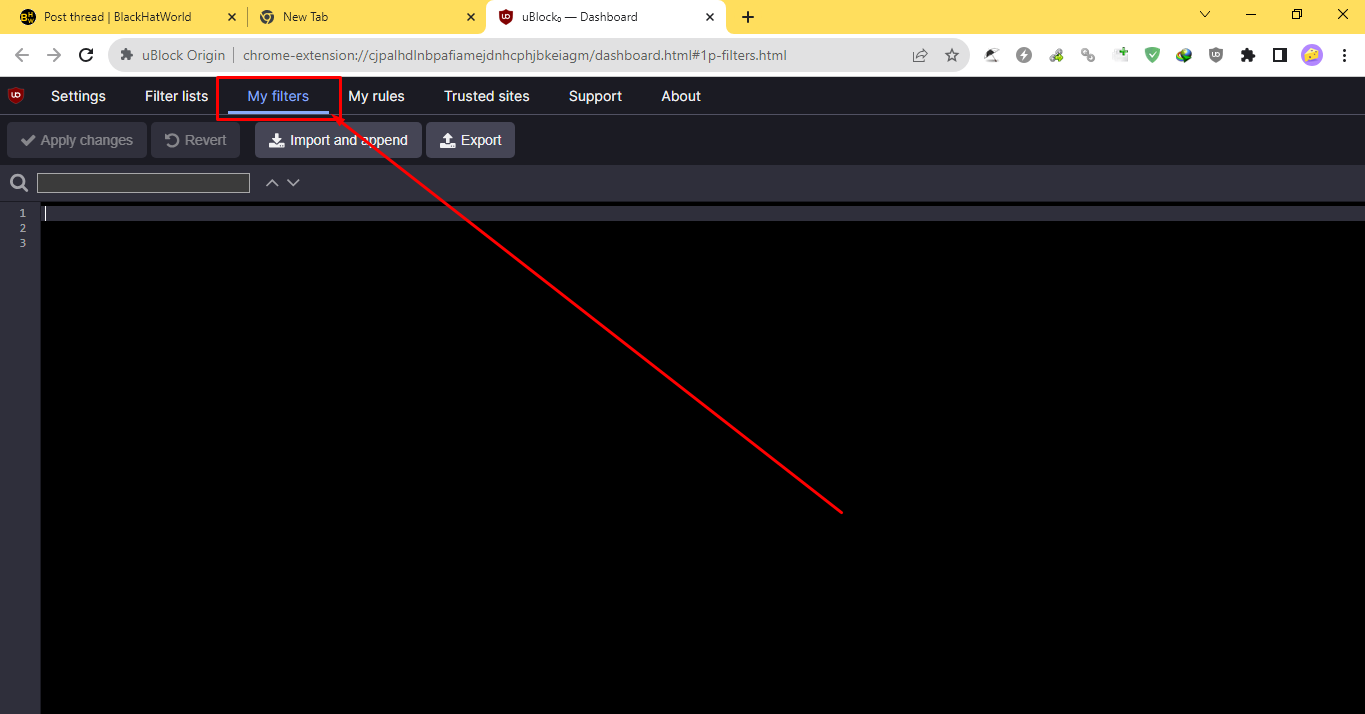
Copy and paste the following code :
youtube.com##+js(set, yt.config_.openPopupConfig.supportedPopups.adBlockMessageViewModel, false)
youtube.com##+js(set, Object.prototype.adBlocksFound, 0)
youtube.com##+js(set, ytplayer.config.args.raw_player_response.adPlacements, [])
youtube.com##+js(set, Object.prototype.hasAllowedInstreamAd, true)

Click on “Apply changes” and try watching some YouTube videos.
Done! The YouTube Ad blockage popup as well as the Ads should be gone now.
100% Working method.
Remove all existing adblock extensions on your browser.
Select “uBlock Origin” from extensions tab and click on the settings icon.
Click on the “My filters” tab.
Copy and paste the following code :
youtube.com##+js(set, yt.config_.openPopupConfig.supportedPopups.adBlockMessageViewModel, false)
youtube.com##+js(set, Object.prototype.adBlocksFound, 0)
youtube.com##+js(set, ytplayer.config.args.raw_player_response.adPlacements, [])
youtube.com##+js(set, Object.prototype.hasAllowedInstreamAd, true)
Click on “Apply changes” and try watching some YouTube videos.
Done! The YouTube Ad blockage popup as well as the Ads should be gone now.
100% Working method.
