How to Get the Most Out of ChatGPT Plus: Safe Account Sharing Tips for Teams and Individuals
If you’ve been curious about how to get more out of ChatGPT — or maybe you’re thinking about splitting the cost with a friend or a team — you’re not alone. As AI tools become part of daily workflows, questions like
“What is the difference between ChatGPT and ChatGPT Plus?” or
“Can I share my ChatGPT Plus account safely?” are increasingly common.
Whether you’re exploring ChatGPT Plus discounts, shared account setups, or just want to know how to manage multiple users safely, this guide covers the essentials. By the end, you’ll know how to share ChatGPT Plus responsibly and securely, whether it’s with a friend, a small team, or as part of a group-buy setup.
ChatGPT vs. ChatGPT Plus: Key Differences
1.Model Access
- ChatGPT (Free): GPT-5.2 — great for conversations, brainstorming, and simple tasks.
- ChatGPT Plus: GPT-5.2 (paid version) — offers longer, more accurate, and context-aware responses, ideal for research, writing, coding, and business tasks.
2.Speed and Performance
- Free users often experience slower responses, especially during peak times.
- Plus users enjoy faster and more stable performance, essential for real-time collaboration.
3.Priority Access During High Traffic
- Free accounts can be temporarily blocked when servers are overloaded.
- ChatGPT Plus provides priority access, making your workflow uninterrupted and reliable.
4.Price and Subscription
- ChatGPT Plus costs $20/month. There’s no official discount, though group-buy strategies exist — but they carry risk.
Who Should Consider ChatGPT Plus?
- Freelancers & Remote Workers: Boost productivity for writing, research, or client projects.
- Small Teams & Startups: Give multiple team members access to GPT-5.2 safely.
- Students & Researchers: Take advantage of GPT-5.2’s advanced comprehension for essays and summaries.
- Power Users: Daily users benefit from stability and priority access.
- Resellers & Group Buyers: Can operate shared accounts, but this may violate OpenAI’s terms.
Are ChatGPT Plus Discounts Available?
While $20/month isn’t trivial, a few options exist:
- Official OpenAI Promotions: Occasionally offer student trials or seasonal discounts.
- Third-Party Offers & Group Buys: Some platforms or community deals exist but pose security and compliance risks.
- Regional Pricing Loopholes: Purchasing through certain app stores may reduce costs, though it can violate terms.
- Alternative Solutions: OpenAI API or third-party GPT-powered platforms can be cost-effective options.
Sharing ChatGPT Plus Accounts: Risks & Smart Solutions
Officially, ChatGPT Plus accounts
cannot be shared across multiple users or IP addresses. Traditional sharing can lead to:
- Account suspension or bans
- Password leaks or security breaches
- Regional login conflicts
The smart way to
share accounts safely is with tools like
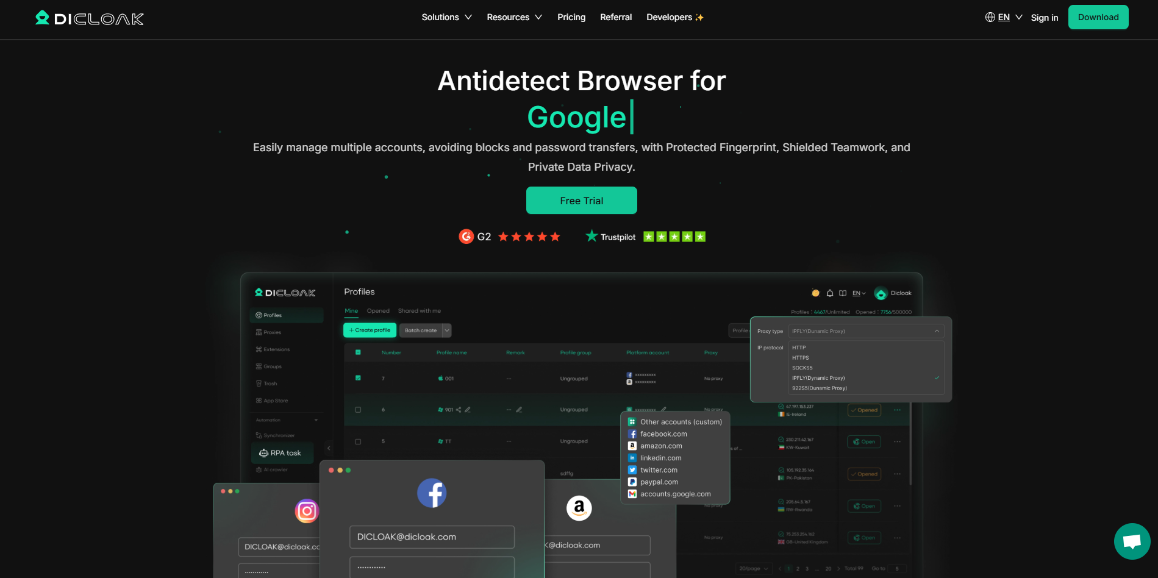
DICloak, which is designed for secure ChatGPT Plus account management.
DICloak Advantages:
- Masks browser fingerprints, avoiding detection
- Protects against password leaks, cookie theft, and unauthorized access
- Supports multi-user access without account conflicts
How to Share ChatGPT Plus Safely with DICloak
1. Strong Password Protection and Account Access Controls
- Disable password pop-ups and save prompts
Prevents browser-level prompts that ask to save or autofill login info — protecting your account from accidental exposure.
- Block packet capture software
Stops tools like Wireshark or Fiddler from sniffing login sessions or authentication data. If such software is detected, DICloak will automatically block access to the account.
- Custom password manager with restricted visibility
DICloak’s built-in password manager stores credentials securely, allowing users to log in without ever seeing the password. This is perfect for maintaining control over your ChatGPT Plus account sharing without risking leaks or unauthorized usage.
2. Browser Access Restrictions to Block Leaks and Extensions
The biggest risk after login isn’t the credentials themselves — it’s what users can do in the browser. Developer tools or malicious extensions can compromise the account.
Block Developer Tools & Extensions DICloak prevents users from inspecting cookies, editing scripts, or installing risky extensions, stopping common methods of session hijacking or malicious activity.
Control Which Sites Can Be Accessed You can whitelist or blacklist sites, block the Chrome Web Store, and restrict incognito mode. Limiting access to trusted sites like chat.openai.com reduces leaks, abuse, and the chance of account flags or bans.
3. Team Member Management and Usage Logs for Shared Accounts
Managing access, timing, and activity is crucial when sharing a ChatGPT Plus account with a group. Without control, it’s easy to lose track of who’s using the account and how.
Set Auto-Deactivation Timers Assign expiration dates for each member’s access. Once the time’s up, profiles are deactivated automatically — ideal for timed rentals or group sharing.
Track Every Login, Action, and Device DICloak logs all activity, including IPs, devices, timestamps, and actions. This transparency ensures accountability and security for multi-user setups.
Open API Support For large-scale or business use, DICloak’s API lets you programmatically manage profiles, enable/disable access, and automate scheduling — keeping control simple and efficient.
How Multiple Users Can Safely Use One ChatGPT Plus Account
Sharing a ChatGPT Plus account can be secure and manageable with the right tools. Here’s how DICloak makes it possible for multiple users to access one account safely.
1. Enable Multi-User Access with Multi-Open Mode Multi-open mode allows several users to log in simultaneously from different devices without logging each other out. Perfect for teams or group subscriptions, it eliminates interruptions and repeated re-logins.
2. Set Up a Static Proxy Using a static residential proxy keeps the login IP consistent, preventing OpenAI from flagging multiple logins from different locations. This ensures smooth and safe remote collaboration.
3. Login Data Sync and Web Element Hiding DICloak syncs cookies, passwords, and local storage automatically, so authorized users can access the account without sharing sensitive info. Web Element Hider lets admins hide billing or subscription details, maintaining control and privacy.
4. Assign Roles & Permissions Create member groups and assign roles like Admin, Manager, or Staff. Define what each group can access, ensuring only authorized users interact with the ChatGPT profile while keeping other data secure.
With these measures, sharing a ChatGPT Plus account becomes structured, secure, and efficient — minimizing risks while enabling productive collaboration.
FAQ: Sharing ChatGPT Plus Account
1.What’s the safest way to share ChatGPT Plus?Use tools like DICloak to hide browser fingerprints, control access, and manage user roles securely.
2.Can multiple people log in at the same time?Yes, with DICloak’s multi-login support, allowing simultaneous access while protecting sessions.
3.What are the risks of traditional sharing?Without proper tools, risks include unauthorized access, password leaks, regional login conflicts, and potential bans.
4.Is sharing allowed by OpenAI?No. Sharing accounts across users or IPs violates OpenAI’s Terms and may lead to restrictions or suspension.
Conclusion
ChatGPT Plus is a game-changer for productivity, research, and collaboration. Sharing accounts the old-fashioned way? That’s risky. But with tools like DICloak, you can safely let multiple people access the same account while keeping everything secure and under control. Whether you’re part of a team, a freelancer, or just want to get the most out of ChatGPT, managing your account smartly makes all the difference.


Isolated Browser Profiles
Smart Automation
Team Collaboration
Data Protection


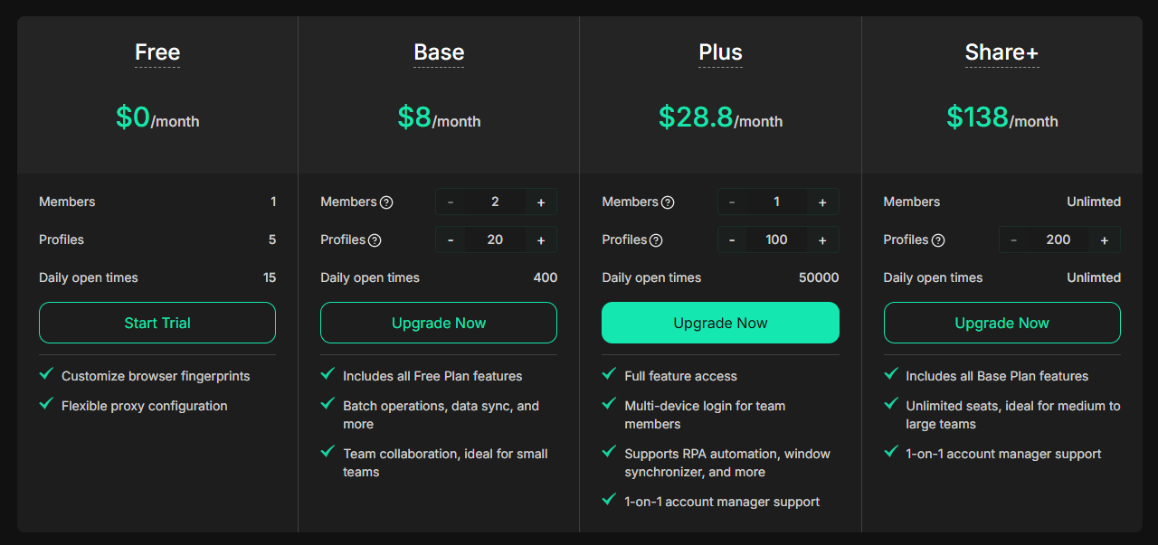
 360 Days: 50% OFF (best value!)


 Ever thought about getting paid for something you already do every day?