Content Locker OGADS

Nozge

Regular Member
Joined
Jan 20, 2019
Messages
379
Reaction score
125
Hello guys!
Today I got accepted on OGADS, and im trying to configure content locker.
I saw a few How To videos but still can't understand how can I add the offers I want to my content locker, it only shows some default offers that I don't need so my question is how to remove those offers and add the offers I want.
I know this is a dumb question but I'm new on the whole CPA thing + new on OGADS
So help a brother out please.


Content Locker with offers that I don't want to use:
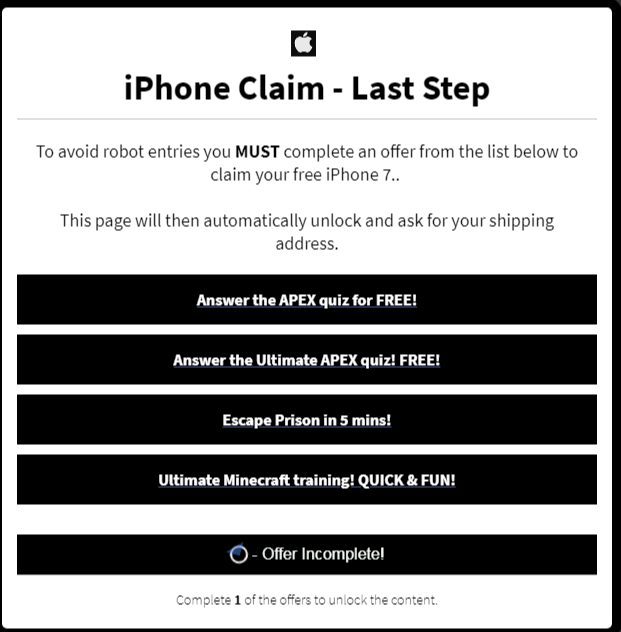
06a6e1a25fd4b062f21a28468c2e60d5.png

----
The part where I don't understand how to use it in order to add the offers I want into Content Locker:
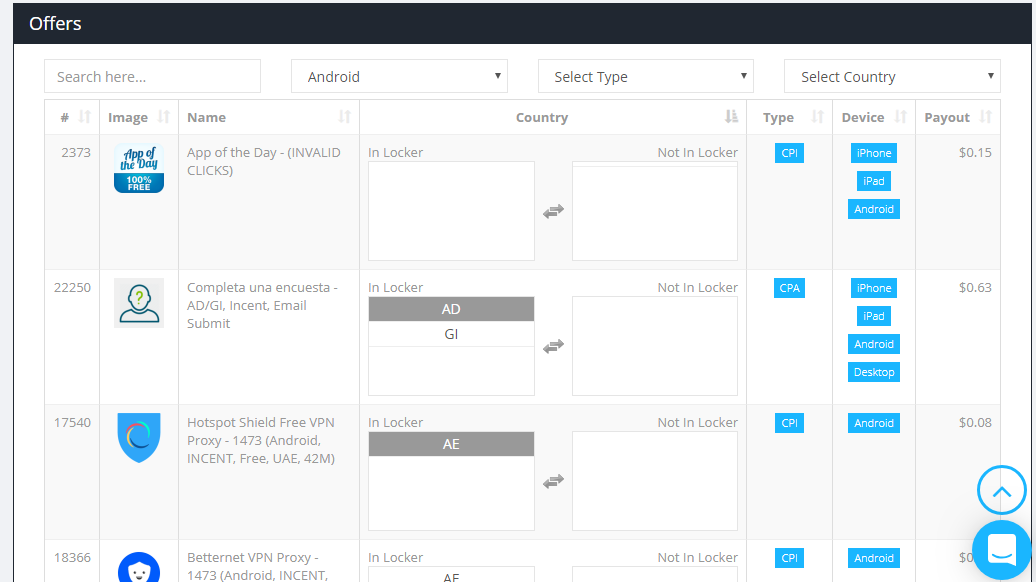
2b254c2810233e5000ee21fe7f3d59c8.png
 
You can just choose what type of offers you want for ex. Cpi, cpa, pins submit.

The way that it works is your traffic automatically gets the offers for their country.
If they are in england they get uk offers if they are in spain they get spanish ones.

The only thing you can do there is just remove the offers that you don't like for a specific country or device and ogads with automatically choose from the pool of offers that is left
 
You can just choose what type of offers you want for ex. Cpi, cpa, pins submit.

The way that it works is your traffic automatically gets the offers for their country.
If they are in england they get uk offers if they are in spain they get spanish ones.

The only thing you can do there is just remove the offers that you don't like for a specific country or device and ogads with automatically choose from the pool of offers that is left
Do you know which one works best for conversion? cpi, cpa or pins?
 
If you are a beginner, I wouldn't touch anything related to offers showing in your locker:

- Let the "Payout Threshold" section blank,
- 5 desktop offers and no limit for mobile,
- If you work on classic CPA niche, you should let "CPI prioritized, then CPA, then PIN".

What you can do is increase the conversion required, but you should do some test to see if it really increase your earning. OGAds will show optimized offers by default.

You should focus on your traffic and how to boost it to have enough data, and then start to look at the offer and delete the non-converting one.
 
You can just choose what type of offers you want for ex. Cpi, cpa, pins submit.

The way that it works is your traffic automatically gets the offers for their country.
If they are in england they get uk offers if they are in spain they get spanish ones.

The only thing you can do there is just remove the offers that you don't like for a specific country or device and ogads with automatically choose from the pool of offers that is left
AHA! I understand now, very good explained! Thank you for your answer so much I appreciate it!!
+REP

CPI has the best conversion rate if you have mobile traffic.
Good to know! Thank you Sir for this helpful tip!

If you are a beginner, I wouldn't touch anything related to offers showing in your locker:

- Let the "Payout Threshold" section blank,
- 5 desktop offers and no limit for mobile,
- If you work on classic CPA niche, you should let "CPI prioritized, then CPA, then PIN".

What you can do is increase the conversion required, but you should do some test to see if it really increase your earning. OGAds will show optimized offers by default.

You should focus on your traffic and how to boost it to have enough data, and then start to look at the offer and delete the non-converting one.
Will do Sir! Thank you for the advices!!
 
Back
Top