Ibeefaaa
Regular Member
- Apr 24, 2010
- 365
- 688
I had some bad luck buying yt accts from fiverr and BHW. Didn't find a seller whos accts to last longer than say 1 week so for the accts that I need to last longer I made a simple .bat file to speed up the job of making them manually.
Here is the code:
*NOTE this code works only if you have a dynamic IP connection.
Instructions:
1. Copy/paste the code into a new .txt file in notepad.
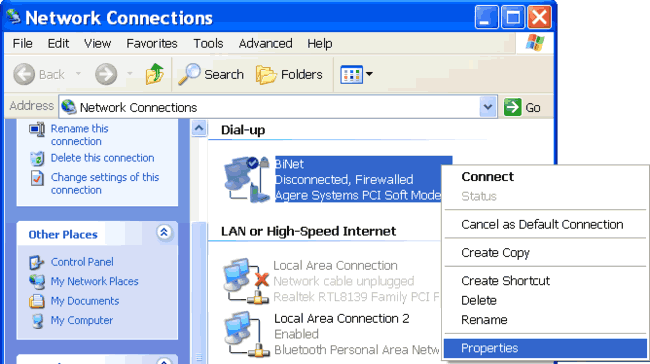
2. Replace CONNECTION NAME with the name of your internet connection.
3. Replace C:\...\CCleaner\CCleaner.exe with the full path of where you installed CCleaner (if you don't already have ccleaner, install it, it's free http://www.piriform.com/ccleaner )
4. Replace USERNAME and PASSWORD with your own details.
5. Click File > Save As
File name: Reconnect.bat
Save as type: All files
and save it on your desktop.
When you double-click it it should disconnect from the internet, start and wait for CCleaner to clean your cookies, history etc., reconnect to the internet and open your primary browser (my case firefox) on the youtube sign up page.
I hope it helps. Good luck. :thumb:
Here is the code:
*NOTE this code works only if you have a dynamic IP connection.
Code:
@ECHO OFF
rasdial "CONNECTION NAME" /disconnect

sleep 80

start "Ccleaner" /wait "C:\...\CCleaner\CCleaner.exe" /AUTO

sleep 40

rasdial "CONNECTION NAME" USERNAME PASSWORD

sleep 80

start "Firefox" "https://accounts.google.com/ServiceLogin?uilel=3&service=youtube"1. Copy/paste the code into a new .txt file in notepad.
2. Replace CONNECTION NAME with the name of your internet connection.
3. Replace C:\...\CCleaner\CCleaner.exe with the full path of where you installed CCleaner (if you don't already have ccleaner, install it, it's free http://www.piriform.com/ccleaner )
4. Replace USERNAME and PASSWORD with your own details.
5. Click File > Save As
File name: Reconnect.bat
Save as type: All files
and save it on your desktop.
When you double-click it it should disconnect from the internet, start and wait for CCleaner to clean your cookies, history etc., reconnect to the internet and open your primary browser (my case firefox) on the youtube sign up page.
I hope it helps. Good luck. :thumb: