
seowarrior008
Senior Member
- Feb 7, 2012
- 930
- 247
Does the bot work with foreign languages?or only Eng scraping?
Cheers
Cheers


Yes, it doesDoes the bot work with foreign languages?

How can I use this code, do I need to copy/paste it on a code editor like visual studios and change {query} with my search phrase to scrape PAAs?I saw the code on @iam_ironman post and upgraded with for loop, keyword list and writing resuls on txt file line by line. So also thanks for idea @RealDaddy
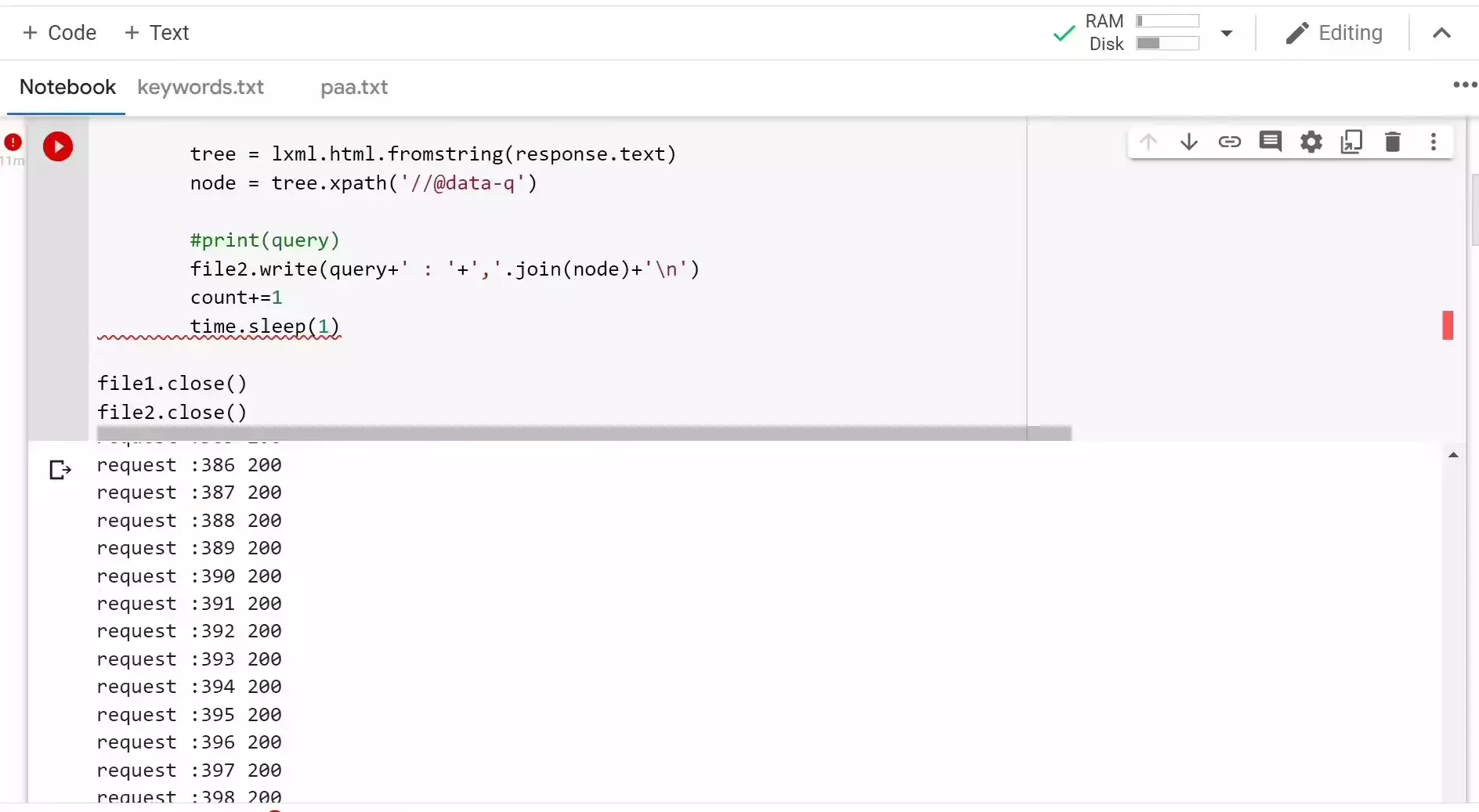
Python:import requests from lxml.html import fromstring import lxml.html file1 = open('YourPath/PeopleAlsoAsk/keywords.txt', 'r') file2 = open('YourPath/PeopleAlsoAsk/paa.txt', 'w') Lines = file1.readlines() header = { 'User-Agent': 'Mozilla/5.0 (Windows NT 10.0; Win64; x64) AppleWebKit/537.36 (KHTML, like Gecko) Chrome/89.0.4389.90 Safari/537.36', 'Accept-Language': 'tr-tr,en;q=0.9', 'Accept': 'text/html,application/xhtml+xml,application/xml;q=0.9,image/avif,image/webp,image/apng,*/*;q=0.8,application/signed-exchange;v=b3;q=0.9' } for line in Lines: query = line.strip() response = requests.get(f'https://www.google.com/search?q={query}&start=0', headers=header).text tree = lxml.html.fromstring(response) node = tree.xpath('//@data-q') x = node[0] y = node[1] z = node[2] print(query) file2.write(query) file2.write(": ") file2.write(x) file2.write(" , ") file2.write(y) file2.write(" , ") file2.write(z) file2.write("\n") file1.close() file2.close()
Create keywords.txt file and paa.txt program is saving results so paa.txt so write your keywords line by line on keywords.txt
Example paa.txt
View attachment 218623


At some point i used pythons xmlrpc library to do posts.Guys, is there a way to add questions to WordPress?
I scrape the ppa using Seo Minion, and extract it in the form of exel , I have a problem uploading it to wordpress
any solution?
import mimetypes
import os

from wordpress_xmlrpc import Client, WordPressPost
from wordpress_xmlrpc.methods.posts import GetPosts, NewPost
from wordpress_xmlrpc.methods.users import GetUserInfo
from wordpress_xmlrpc.compat import xmlrpc_client
from wordpress_xmlrpc.methods import media, posts

id = 'admin' # WP username
password = '123456' # WP user password
wpClient = Client('https://domain.com/xmlrpc.php', id, password) # Change domain name but leave the xmlrpc.php in the end

PAA = [
    ['This is question 1', 'This is answer for q1. It is a long established fact that a reader will be distracted by the readable content of a page when looking at its layout. The point of using Lorem Ipsum is that it has a more-or-less normal distribution of letters, as opposed to using "Content here, content here", making it look like readable English. Many desktop publishing packages and web page editors now use Lorem Ipsum as their default model text, and a search for "lorem ipsum" will uncover many web sites still in their infancy. Various versions have evolved over the years, sometimes by accident, sometimes on purpose injected humour and the like.'],
    ['This is question 2', 'This is answer for q2. Contrary to popular belief, Lorem Ipsum is not simply random text. It has roots in a piece of classical Latin literature from 45 BC, making it over 2000 years old. Richard McClintock, a Latin professor at Hampden-Sydney College in Virginia, looked up one of the more obscure Latin words, consectetur, from a Lorem Ipsum passage, and going through the cites of the word in classical literature, discovered the undoubtable source. Lorem Ipsum comes from sections 1.10.32 and 1.10.33 of "de Finibus Bonorum et Malorum" (The Extremes of Good and Evil) by Cicero, written in 45 BC. This book is a treatise on the theory of ethics, very popular during the Renaissance. The first line of Lorem Ipsum, "Lorem ipsum dolor sit amet..", comes from a line in section 1.10.32.']
       ]

def addImage(image, altText):
    imgPath = os.getcwd() + '/' + image
    print("Starting to add image to post")
    pictureMime = mimetypes.guess_type(imgPath)[0]

    # prepare metadata
    data = {
        'name': image,
        'type': pictureMime,  # mimetype
    }

    # read the binary file and let the XMLRPC library encode it into base64
    with open(imgPath, 'rb') as img:
        data['bits'] = xmlrpc_client.Binary(img.read())

    response = wpClient.call(media.UploadFile(data))
    # response == {
    #       'id': 6,
    #       'file': 'picture.jpg'
    #       'url': 'http://www.example.com/wp-content/uploads/2012/04/16/picture.jpg',
    #       'type': 'image/jpeg',
    # }
    attachment_id = response['id']
    attachment_url = response['url']

    return f'''
    <figure class="wp-block-image alignwide size-large">
    <img src="{attachment_url}" alt="{altText}" class="wp-image-{attachment_id}"/>
    </figure>
    '''

paragraph = ""

for x in range(len(PAA)):
    if x == 0:
        paragraph = paragraph + "<h1>" + PAA[x][0] + "</h1>"
        paragraph = paragraph + PAA[x][1]
    else:
        paragraph = paragraph + "<h2>" + PAA[x][0] + "</h2>"
        paragraph = paragraph + addImage('picture.jpg', PAA[x][0])
        paragraph = paragraph + PAA[x][1]


print(paragraph)

post_status = 'draft' # draft, publish

post = WordPressPost()
post.post_status = post_status
post.title = PAA[0][0].capitalize()
post.content = paragraph

post.terms_names = {
# 'post_tag': ['tag1', 'tag2'],
# 'category': ['category1', 'category2']
}

wpClient.call(NewPost(post))
print("Post done")I think the user agent part is the key here to use requests. I dont know how to find right elements using requests and i have been using selenium + seominion for now. When using requests it wont show all results and there is need to have some sort of javascript support.Interesting, I though google was blocking plain requests...

Interesting, I though google was blocking plain requests...

I code with visual studio code. There are many python IDE softwares you can use. Or just install python and you can code with any text editor. Then after installing python you can run your program on command prompt or terminals on linux using command 'python + filename.py'. example 'python program.py'I am little dumb.
Can anyone tell me how can we use this script?
Like some steps would help.

Very useful. Keep bringing more about this, buddy.I saw the code on @iam_ironman post and upgraded with for loop, keyword list and writing resuls on txt file line by line. So also thanks for idea @RealDaddy
Python:import requests from lxml.html import fromstring import lxml.html file1 = open('YourPath/PeopleAlsoAsk/keywords.txt', 'r') file2 = open('YourPath/PeopleAlsoAsk/paa.txt', 'w') Lines = file1.readlines() header = { 'User-Agent': 'Mozilla/5.0 (Windows NT 10.0; Win64; x64) AppleWebKit/537.36 (KHTML, like Gecko) Chrome/89.0.4389.90 Safari/537.36', 'Accept-Language': 'tr-tr,en;q=0.9', 'Accept': 'text/html,application/xhtml+xml,application/xml;q=0.9,image/avif,image/webp,image/apng,*/*;q=0.8,application/signed-exchange;v=b3;q=0.9' } for line in Lines: query = line.strip() response = requests.get(f'https://www.google.com/search?q={query}&start=0', headers=header).text tree = lxml.html.fromstring(response) node = tree.xpath('//@data-q') x = node[0] y = node[1] z = node[2] print(query) file2.write(query) file2.write(": ") file2.write(x) file2.write(" , ") file2.write(y) file2.write(" , ") file2.write(z) file2.write("\n") file1.close() file2.close()
Create keywords.txt file and paa.txt program is saving results so paa.txt so write your keywords line by line on keywords.txt
Example paa.txt
View attachment 218623
These are used to fill your website with questions and answers to gain traffic. PAA content has been ranking rather well. Then adding display ads or other ads you gain money for page views and ad clicksNice script. What are these results used for? I was sent this link in an email newsletter, so I thought I'd check it out. I see in the URL of BHW, it looks like I'm in the SEO part of the forum. I'm (nearly) clueless about SEO. I understand the concept, but what are the practical applications all of you are using the result for?
That makes sense. Seems obvious after you say it, hah. Thanks.These are used to fill your website with questions and answers to gain traffic. PAA content has been ranking rather well. Then adding display ads or other ads you gain money for page views and ad clicks

