Can't go to my website

chokho

BANNED
Joined
Jun 13, 2013
Messages
149
Reaction score
24
Hi guys, I have problems with my website.
I brought domain (expired domain, 3-4 years old) and hosting (from lovinghosting; I know it's not good hosting company but I had problem with payment method, so chose this one) about 10 days ago, set up wordpress, set the template and started to customize.
First it was working well but then it started showing me something like this: (There is my website name under black line)
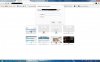
1.jpg

If I click cancel it shows me that:
2.jpg

and if I log in, it shows me my wi-fi settings.

How can I solve this problem?

NOTE: The website isn't doing that always, sometimes it works, but mostly it shows me that.

Please help me,
Thanks in advance
 
more info would be helpful.
I never seen anything as such.Did you bought the theme or installed a free version or nulled/crackerd WP theme.
 
No, I don't use proxy server and I have installed free wp theme, called "responsive".
 
more info would be helpful.
I never seen anything as such.Did you bought the theme or installed a free version or nulled/crackerd WP theme.

Yes... This is weird for me too..never seen anything like this.
 
it looks there is somewhat password protected page, did you turn on authentication kind of thing or have .htaccess rule with password, try hitting an inner url directly. like your site dot com / some link

Also do you have cpanel, upload a test file and try accessing it.
 
No, I haven't turned on anything. I can't also go to inner url and I can't even go to wp dashboard when the site does that
 
either you have messed up something in the htaccess or its your theme that is prompting this login box ! in most cases this is due to secure php http header as far as i know though i am not much into programming shit
 
if its rerouting to your home wireless router then you put your home ip address into the homepage url field maybe? can you get redirected to your cpanel? if you cannot even get to your cpanel then you will have to talk with your host about why you are being routed back to yourself. I would also try to access your site via the IP address for your site and see if you can to it that way.
 
Check your .htaccess file and make sure there aren't any passwords set for folders.

Otherwise, contact your host. They should be able to resolve this in a few minutes.
 
I'd be taking the biggest clue from the fact that it shows your wifi settings... that means you're having a routing issue somewhere along the way. What about accessing from elsewhere, on another connection?
 
I also tried to access my website from another IP but no result at all.
I will try to contact my hosting again, if they can't help me I will go with another hosting.

Thanks everyone for helping!
 
Opening a support ticket with your host is your best way to go here
 
If you're confident that there's no error from your end, then contacting your host is the best way.
 
I have solved the problem, but now I have another one:
3.jpg
 

Attachments

  • 3.jpg
    3.jpg
    50.7 KB · Views: 4
Last edited:
2 things I can think of. Good and bad.

The good is that it might be a problem with your hardware... Try from another computer and let me know the result.

The bad is that the free theme that you installed might have a back door written into it. Good news for the hackers who wrote it. Bad news for you as the site owner. Free themes quite often have back doors written into them. Since it's free, more people are inclined to use it over a paid theme. Back doors can also be written into plugins too, so check what you've installed there.
 
Last edited:
Login to your cpanel. Replace every wp file except wp-config and wp-content. Rename the folder yout current theme is in and try accessing the site, let me know if you can login/view your website
 
Back
Top