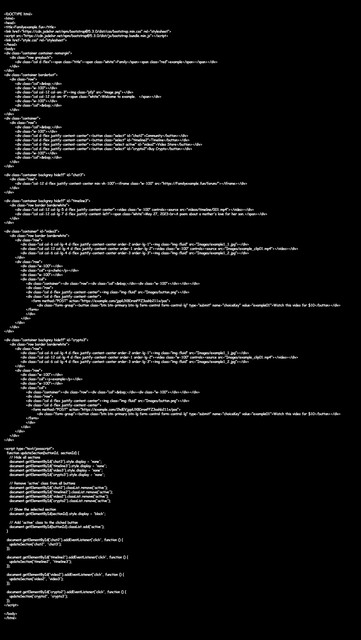
Can someone help me with trouble shoot some javascript code?

Lady-Smut

Banned - Multiple Rules Violations
Joined
Jun 7, 2023
Messages
254
Reaction score
208
I can not figure out why this is not working.
This is supposed to hide everything on the page when a button is click. It works for the first 3 times but for some reason on the 4th it won't work.

I thought it might be spacing but that's good. I checked capitalization and that seems good too.
I also ran it through AI and it said it's good too.

So why won't this work?
 
Because it is running in 4th dimension on 4th time but human brain's can't see the 4th dimension so don't worry the script works just fine. It's you who can't see it...
 
Because it is running in 4th dimension on 4th time but human brain's can't see the 4th dimension so don't worry the script works just fine. It's you who can't see it...
I tried posting the code but the site just didn't take it.
I'll try posting it in parts.

//update : Posting in parts does not work.
 
Last edited:
code.jpg
 
We need more details. Can you show us the code or maybe a page where it's implemented?
 
I tried posting the code but the site just didn't take it.
I'll try posting it in parts.

//update : Posting in parts does not work.

You could try placing your code inside pastebin and posting an URL here, the image you attached is hard to read.
 
You could try placing your code inside pastebin and posting an URL here, the image you attached is hard to read.
Agreed, I’m happy to have a look and see if I find so something, but not if 80% of the effort is trying to decipher that pic. No offense but if you want people to help you, make it easy for them to do so.
Maybe you can even put it on pastebin or literally any text based online storage, even Google Doc

Also how did you try to post it, straight up text or actually using the code feature?
 
Last edited:
You could try placing your code inside pastebin and posting an URL here, the image you attached is hard to read.

I 've already learned something new! I had never heard of pastebin.

Here's the code : https://pastebin.com/embed_iframe/tEGwkkGX


Agreed, I’m happy to have a look and see if I find so something, but not if 80% of the effort is trying to decipher that pic. No offense but if you want people to help you, make it easy for them to do so.
Maybe you can even put it on pastebin or literally any text based online storage, even Google Doc

Also how did you try to post it, straight up text or actually using the code feature?

I tried every feature available in this forum.
We need more details. Can you show us the code or maybe a page where it's implemented?

I'm linking it through pastebin Here's the code : https://pastebin.com/embed_iframe/tEGwkkGX
 
Here's the code : https://pastebin.com/embed_iframe/tEGwkkGX

(Posting it separately because lots of people only skim threads)
 
First check your HTML markup, its missing a couple of closing div tags for section ids video3 and crypto3, im also not sure what exactly your goal here is, based on your initial question the buttons should hide everything? Seems to me like you are trying to achieve tab pill functionality for displaying different content, if so i'd suggest not complicating and using a framework like bootstrap for example, which already has pre-integrated support for this.
 
i also ran through AI, and it said you need to add a eventlisterner this is the code, please test again seems to be working on my end. :D

https://pastebin.com/QEgkQuBr
I finally found the issue, and turns out it was completely unrelated to the Javascript code.

I was missing a </div> This had the unfortunate effect of making the browser think the 4th tab was a sub element of the 3rd tab. So when I would press the button to display the 4th tab, nothing would show because the "parent" element aka the 3rd tab was being hidden.
 
I finally found the issue, and turns out it was completely unrelated to the Javascript code.

I was missing a </div> This had the unfortunate effect of making the browser think the 4th tab was a sub element of the 3rd tab. So when I would press the button to display the 4th tab, nothing would show because the "parent" element aka the 3rd tab was being hidden.
great job buddy!
 
Back
Top