
solononforever
Regular Member
- Jan 4, 2018
- 229
- 160

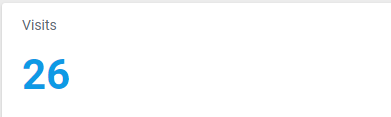
My bit.ly thats linked to my website is showing my clicks as 90, but my website is saying 26 total visits.
Does anybody know why?


Most people have js enabled, I am email marketing so shouldn't be many if not any bots.Bit.ly is redirection engine that will display redirection code when user clicks on the link and simply counts those, where analytics are usually done with javascript asynchronously. Keep in mind that most bots dont run javascript code therefore they are not visible in analytics so bitly stats are more accurate in this case but since those are bots they are not of any interest to you.
The domain is owned by me , so that isn't the case.That maybe is because the bit.ly clicks are in total (all time clicks). And these clicks you are watching at the network, if thats OGads, thats the clicks for the day only. I hope you understand me. GL
Most people have js enabled, I am email marketing so shouldn't be many if not any bots.
The domain is owned by me , so that isn't the case.
Thanks for the replies guys.
Correct as well.Bit.ly tracks clicks on your link , while your web analytics mostly works on pageloads.
Now what can happen is that users cancel the redirect or close before your web analytics snippet fires.
You will see that same concept result in different number when you look at ad clicks and website visits (say FB ads vs Google Analytics pageview etc)
