

Radarkitai
BANNED
- Nov 2, 2017
- 738
- 232
Not sure how many of you have spotted this yet, but Google just quietly rolled out one of the most overdue features in GSC… and it’s honestly about time.
Google Search Console now supports Custom Annotations directly inside Performance reports.
Google Search Central announced it earlier today, and after checking across several properties I manage, the feature is already live for most accounts.
You’ll find it inside your Performance tab — just right-click anywhere on the chart and you’ll see an “Add annotation” option. From there, you can log literally any event or update you want to track.
If you’ve ever used the classic annotations in old Google Analytics, this works almost exactly the same way — only now it’s baked directly into GSC, where it actually matters for SEO.
This makes reporting cleaner, audits more accurate, and trend analysis way more contextual. No more guessing why CTR spiked or impressions dropped four months ago — you’ll have the context right inside the tool.
Already started rolling it out across active projects — feels like one of those updates that’ll become essential pretty fast.
Curious if anyone else here has it live yet — or if you’ve found any creative uses for it so far.
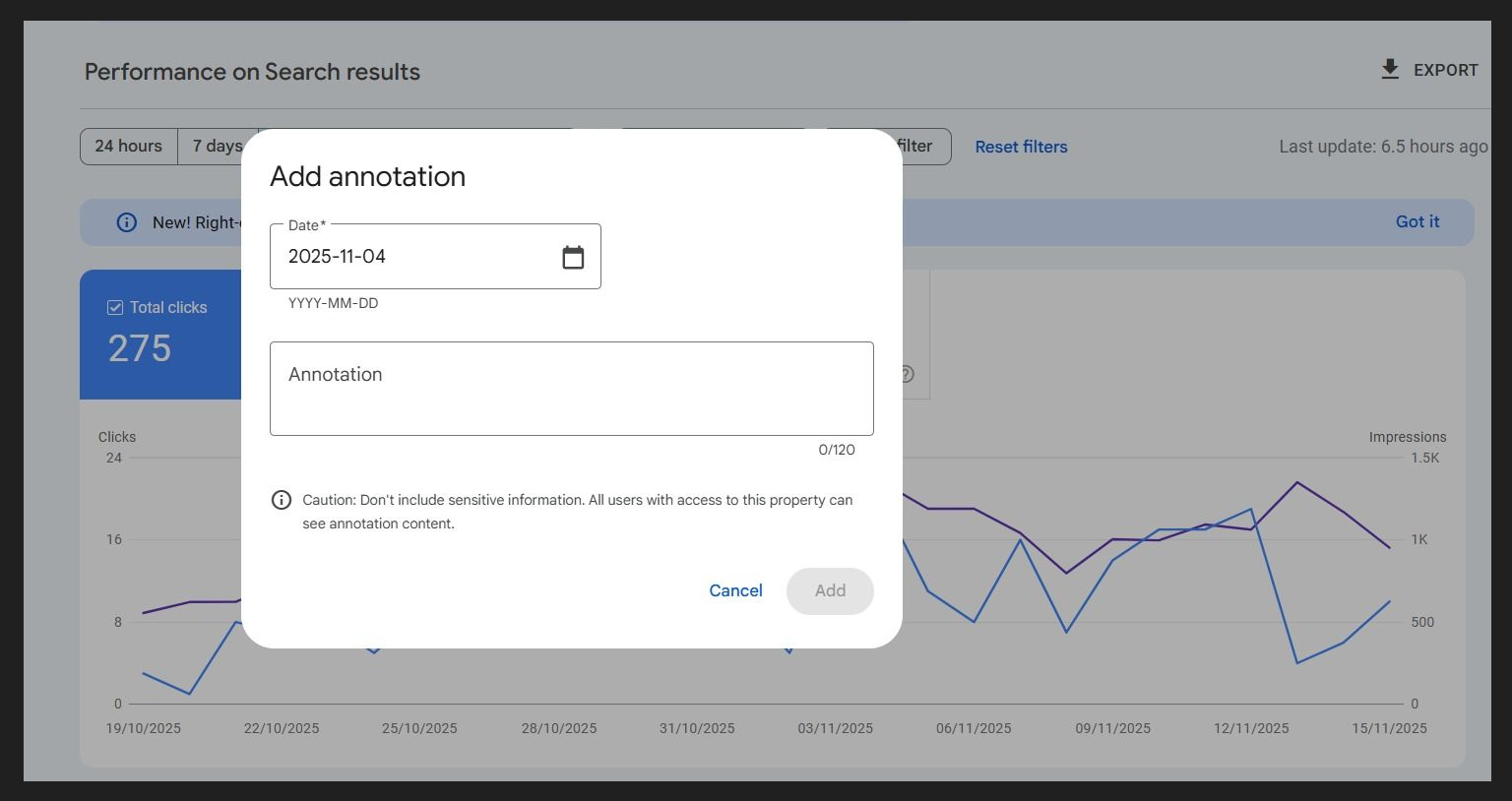
Google Search Console now supports Custom Annotations directly inside Performance reports.
Google Search Central announced it earlier today, and after checking across several properties I manage, the feature is already live for most accounts.
You’ll find it inside your Performance tab — just right-click anywhere on the chart and you’ll see an “Add annotation” option. From there, you can log literally any event or update you want to track.
If you’ve ever used the classic annotations in old Google Analytics, this works almost exactly the same way — only now it’s baked directly into GSC, where it actually matters for SEO.
Why This Is Such a Big Deal for SEOs
For years, we’ve had to keep separate spreadsheets or Notion docs to track what happened on specific dates. Now we can finally connect:- Site migrations & redesigns
- Algo updates
- New content pushes / topical clusters
- PR or brand campaigns
- Technical fixes (CWV, schema, crawling/indexing changes)
- Template updates or major structural adjustments
This makes reporting cleaner, audits more accurate, and trend analysis way more contextual. No more guessing why CTR spiked or impressions dropped four months ago — you’ll have the context right inside the tool.
Overall Thoughts
It’s a small feature on the surface, but for anyone doing serious SEO work, this is a massive quality-of-life improvement. Honestly surprised it took Google this long, but glad to see it finally shipping.Already started rolling it out across active projects — feels like one of those updates that’ll become essential pretty fast.
Curious if anyone else here has it live yet — or if you’ve found any creative uses for it so far.

