I used Google Chrome for this guide, don't be afraid of it.

1. Log into sape.
2. click "Optimizer"
3. Click the green "+" sign.
4. Put the name of the project.
5. At the top menu bar click "my projects"
6. You should see your new project, look all the way to the right and you will see a grey "+" sign, click that then click "url"
7. Put your url in and fill the other 2 boxes, press add
8. Here is where you create the anchor text you want to use, you can put text around the anchor if you want. To create anchor text you must wrap the text like this -->#a#Keyword goes here#/a#
If you click the green "#" it will automatically wrap the highlighted text with the #a# code.
9. After that click add and click "my projects" in the top menu. You should now see a magnifying glass to the right side, click that.
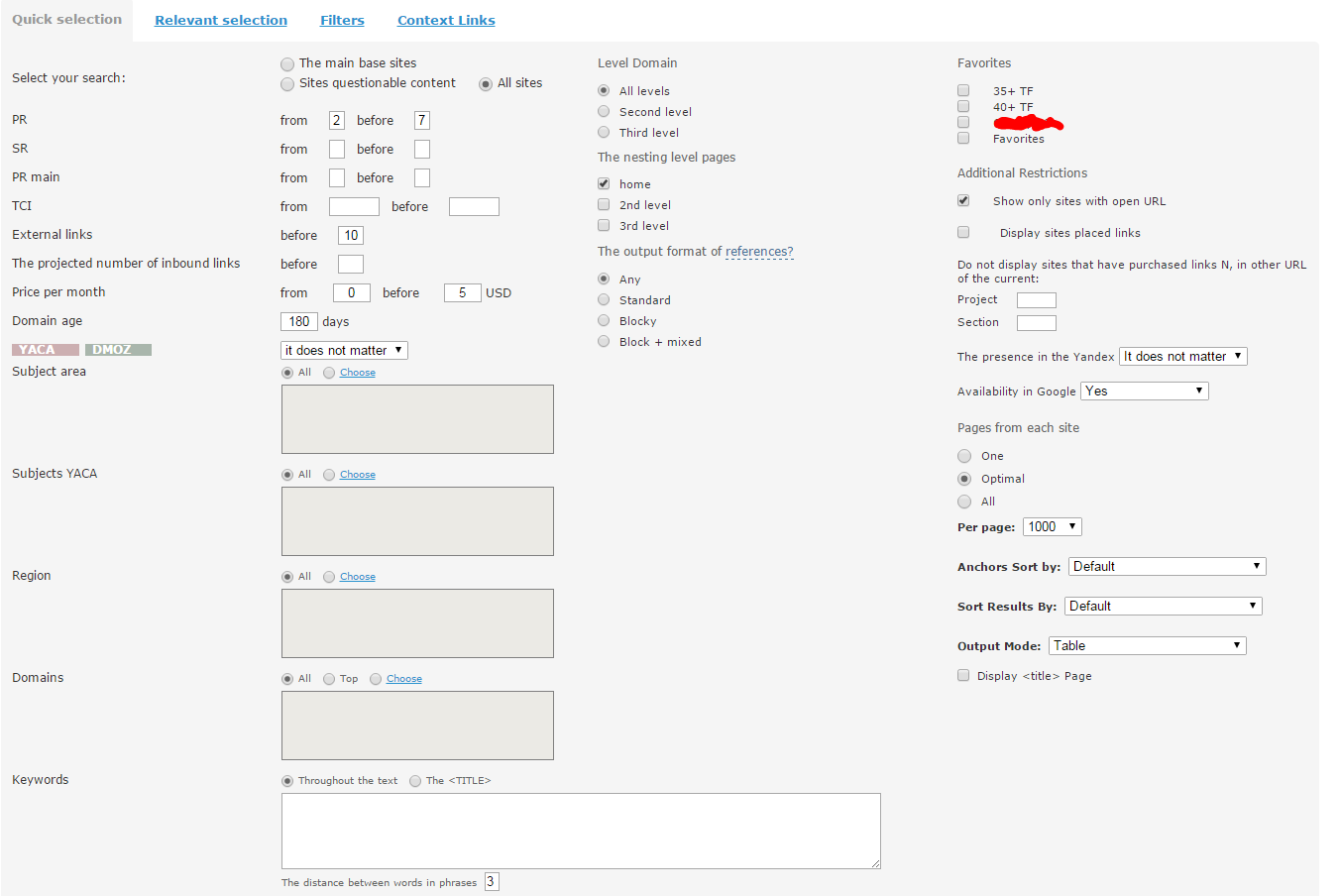
10. You are now at the heart of SAPE, here is a screenshot of my settings.
After this you use the sape plugin to filer by your desired PA and TF.