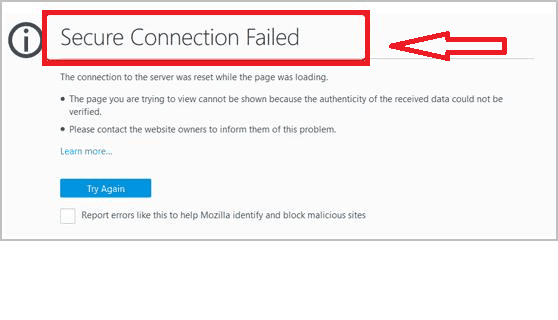
Recently, some users have reported a problem when trying to load certain websites through their Mozilla Firefox browser. They have been encountering a “Secure Connection Failed” issue multiple times, either while trying to log into different pages or while loading specific domains.
The “Secure Connection Failed” (Error code:sec_error_ocsp_unknown_cert or err_ssl_version_interference) may be caused by different reasons. You may try clearing the cookies and cache and reload the page or click on “Or you can add an exception…” help page button if it is available, but if none of these methods has an effect in resolving the issue, you may need to try some other workarounds.
If you are getting the “Secure Connection Failed” warning message on Firefox only on a specific site and the issue doesn’t pop-up on anything else, then there might be a problem with the site itself. However, there are a few things that are worth it to try and see if you can get rid of the annoying error message.
If you are unable to load any site, then one of the reasons that this issue might happen is very simple – your Date and Time setting on your computer may be out of date. Once you correct them, the “Error code:sec_error_ocsp_unknown_cert or err_ssl_version_interference” may disappear. Also it is a good idea to check your CMOS battery in your device (be it a Laptop or a Desktop) because that is what keeps the Date and Time settings in your BIOS.
Another reason that may be causing this issue is your Anti-Virus program. To see if that is the cause, try “Disabling” or “Suspending” the anti-virus software and reload the problematic web-page to see what happens. If this does the trick, then there might be a need for an update from the anti-virus developer to fix the false-flagging of the web-page. Keep in mind though, that disabling your security software brings security risks, that’s why, it is not a good idea to do that often and for every website.
If you are disturbed by this error, here are two quick workarounds, which may help you get rid of the error in Mozilla Firefox.
Firefox Secure Connection Failed Fix
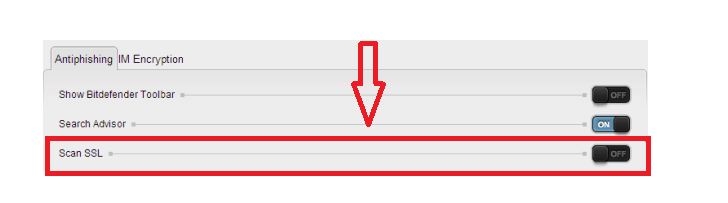
Fix1: Disable the SSL scanning feature of your Anti-virus software
For protecting your PC from malicious websites, most security programs come with a built-in feature, called SSL scanning or SSL filter. When this feature is enabled, your antivirus program tries to filter the website you want to visit in order to create a safer network connection. To disable the SSL filter, open the settings of your security software, locate the SSL filtering feature and uncheck or disable it. After that, try to reload the website that triggers the “Secure Connection Failed” message and see if you can load it.
Fix 2: Adjust SSL settings on Firefox
Another thing you may try is to adjust the SSL settings of your Firefox browser.
1) For that first, open Firefox.
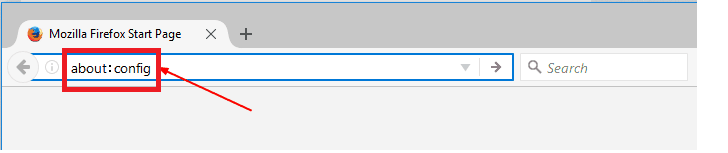
2) In the address bar type about:config and press Enter
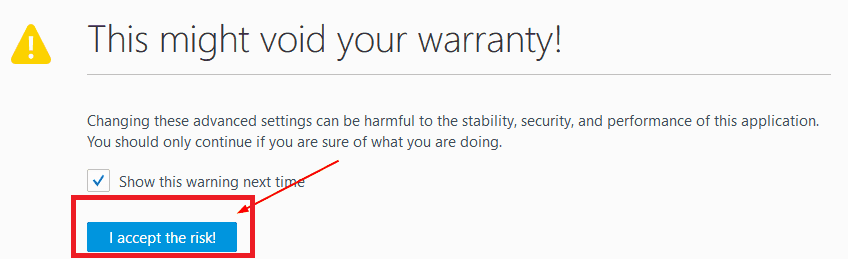
3) A warning page will open up. Click “I accept the risk” and continue.
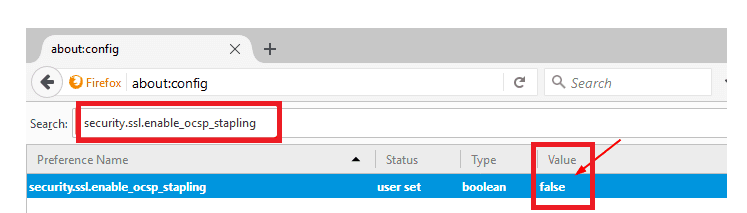
4)Next, copy security.ssl.enable_ocsp_stapling and paste it on the search bar of the open page.
5) Then double-click on it to set its Value to be “false”.
6) Now try to reload the problematic website and see if the error has gone.