Karma.Domains ‒ Expired Domain Aggregator & Analyzer via Wayback Machine

Did you know…

You can customize the table columns


The service allows you to choose which columns to display in the domain table. This helps you focus only on the information that matters to you.

screenshot-2025-08-08-at-19-19-22-min-png.464798


Use invite code icBHWFOREVER during registration for 10 FREE credits and a 10% lifetime discount on the unlimited plan.
 
Did you know…

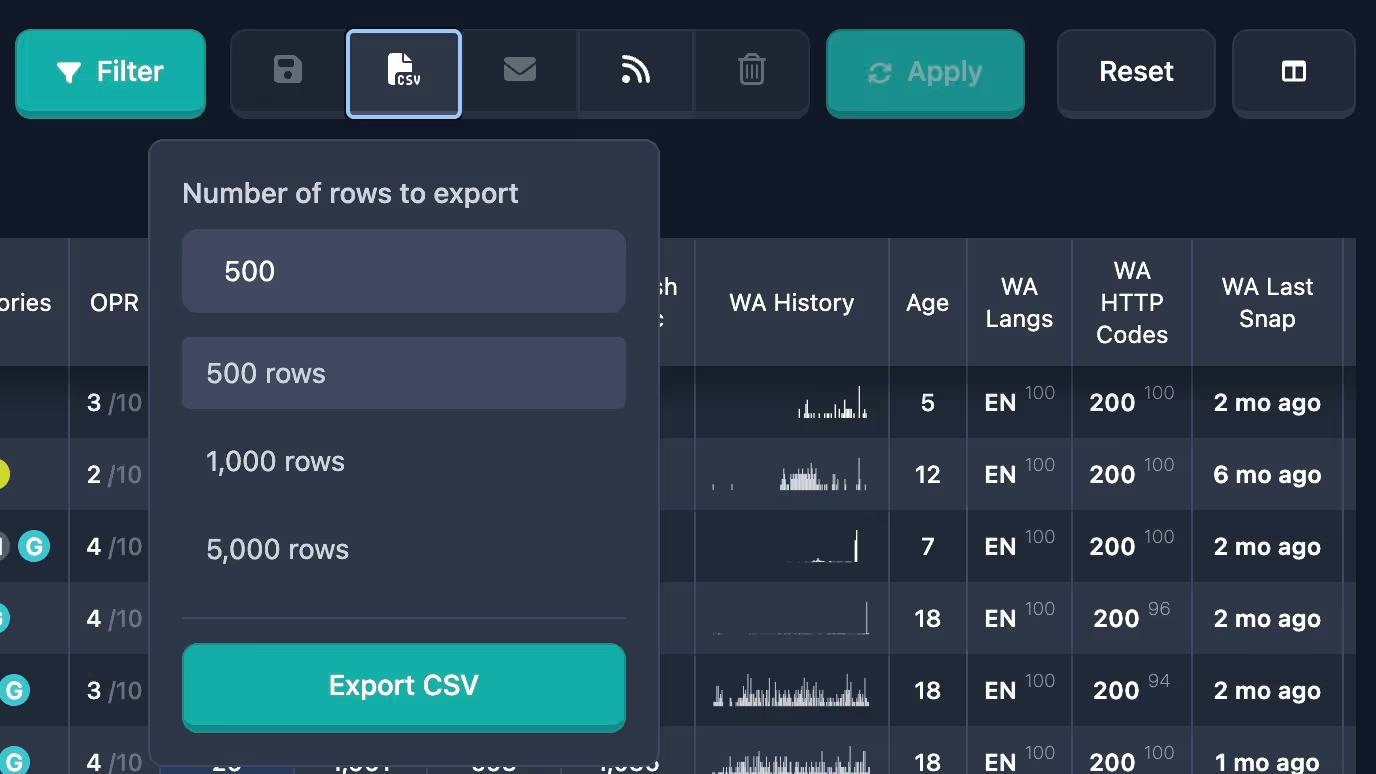
Export table data to CSV up to 1000 domains


Users can now export data from tables in CSV format with support for up to 1000 records at once.

This feature significantly simplifies working with large volumes of data and allows easy transfer of information to other systems and analytics services.

Export is available for all users and for all types of tables in the system and supports all major data fields.

export-csv.avif


Use invite code icBHWFOREVER during registration for 10 FREE credits and a 10% lifetime discount on the unlimited plan.​
 
Did you know…

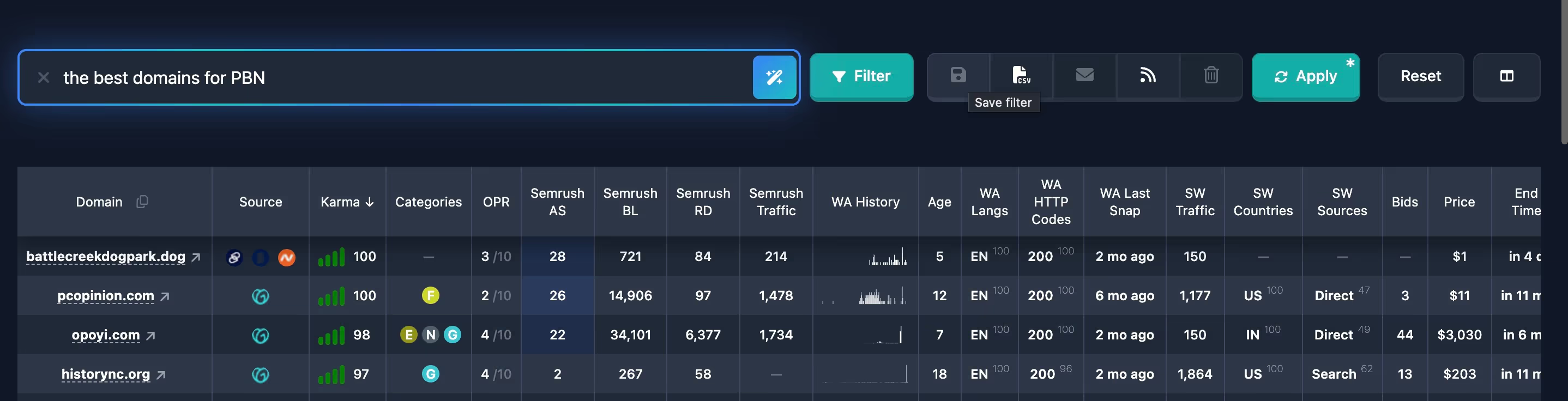
Search domains in natural language with Karma AI


Domain search has become even easier thanks to integration with Karma AI, which allows you to formulate queries in natural language.

Instead of complex filters and settings, you just need to describe what you're looking for, and the system will automatically create a suitable search query.

This feature significantly speeds up the search process and makes it accessible even for users without technical knowledge.

karma-ai.avif


Use invite code icBHWFOREVER during registration for 10 FREE credits and a 10% lifetime discount on the unlimited plan.​
 
Did you know…

Public API and MCP Server on the Pro Plan


On the Pro plan, two ways to work with Karma.Domains outside the browser are now available:

Public API — REST API for scripts, dashboards, and CRM: search reports by filters, full reports, favorites, domain checks, and profile. One Bearer key, up to 60 requests per minute; request and response schemas — in OpenAPI.

MCP server — connect to Cursor, Claude, and other AI assistants: search domains in plain language, get a shortlist with links to reports, manage favorites, and check candidates before registration — right in chat.

Both channels use one API key from Profile → Settings; the request limit is shared for REST and MCP.


Use invite code icBHWFOREVER during registration for 10 FREE credits and a 10% lifetime discount on the unlimited/pro plan.​
 

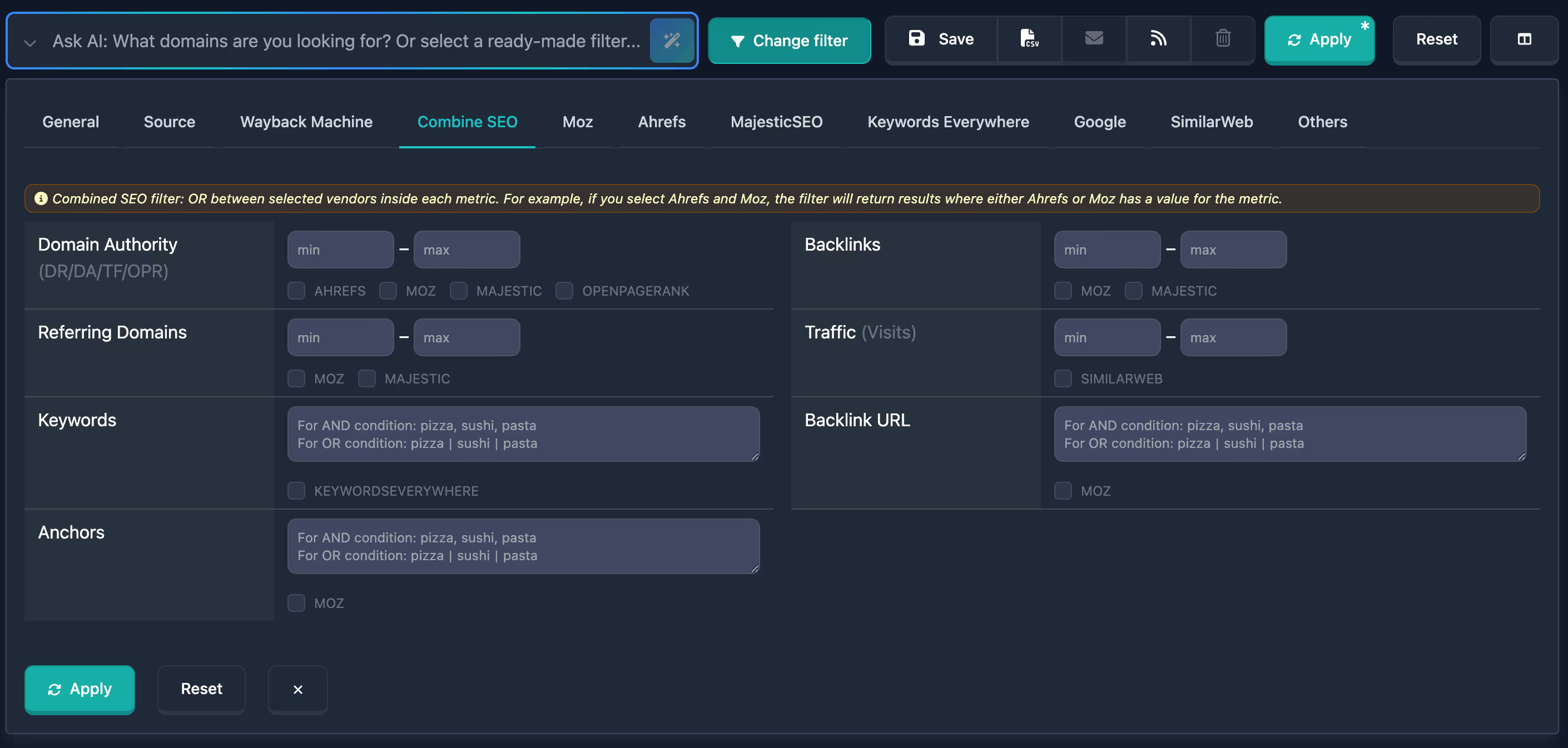
Added Combined SEO Filter


A combined SEO filter is now available in report filters. You can set ranges for key SEO metrics (DR, DA, TF, OPR, Backlinks, Referring Domains, Traffic) in one block, add text conditions for Keywords, Backlink URL, and Anchors, and choose the required data sources.

combine-seo-filter.avif


Use invite code icBHWFOREVER during registration for 10 FREE credits and a 10% lifetime discount on the unlimited plan.​
 
Did you know…

You can hover to see server response statistics


Hover over the domain table — and you’ll instantly see how often 404 errors, 500 errors, or redirects occurred in the Wayback Machine history. This helps filter out domains with a problematic technical history without even opening the report.

screenshot-2025-07-24-at-16-53-13-min-png.461236


Use invite code icBHWFOREVER during registration for 10 FREE credits and a 10% lifetime discount on the unlimited plan.​
 
Did you know…

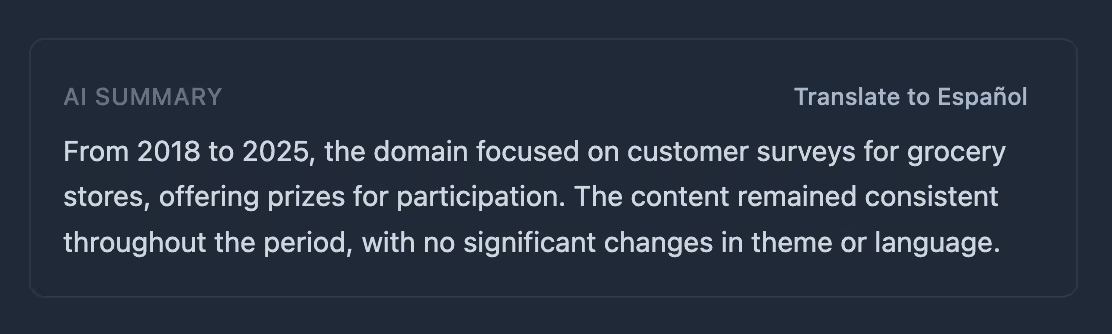
Translate AI domain summary to browser language


In the AI Summary block in domain reports, you can now translate the English description to your browser language. Just click the «Translate to [language]» button next to the heading — the text will be translated, and you can restore the original with the «Original» button if needed.

summary-translation.avif


Use invite code icBHWFOREVER during registration for 10 FREE credits and a 10% lifetime discount on the unlimited plan.​
 
Did you know…

You can view detailed content data in the report


Inside each report, you’ll find key topics, meta tags, frequent words, and the structure of the old content. All of this is available for each unique snapshot in the Wayback Machine history. It helps you assess the domain’s subject matter and see how it has evolved over time.

screenshot-2025-04-21-at-15-59-37-min-png.467211


Use invite code icBHWFOREVER during registration for 10 FREE credits and a 10% lifetime discount on the unlimited plan.​
 
Did you know…
You can see red and green flags of the Karma Score in the domain report

The Karma Score summary shows the overall quality score of a domain’s history. It helps you quickly understand how “clean” a domain is.

The score is calculated as an average across all analyzed snapshots from the Wayback Machine, with a time-based adjustment: more recent snapshots carry more weight than older ones.

The report displays all red and green flags detected for the domain, which were taken into account in the score calculation.

screenshot-2025-07-28-at-19-04-55-min-png.462185


Use invite code icBHWFOREVER during registration for 10 FREE credits and a 10% lifetime discount on the unlimited plan.
 
Did you know…

You can find expired domains with the traffic and GEO you need.


A new advanced filter based on SimilarWeb data is now available. You can filter not only by the number of visits, but also by the country of origin (by specifying the percentage of traffic from a specific GEO) and the traffic source — direct, search, paid, etc.

For example, if you’re looking for a domain with search traffic from the USA, you can configure the filter accordingly.

screenshot-2025-07-29-at-12-01-57-min-png.462356


Now it’s easier than ever to find domains with the exact traffic you need!


Use invite code icBHWFOREVER during registration for 10 FREE credits and a 10% lifetime discount on the unlimited plan.​
 
Did you know…

Search domains in natural language with Karma AI


Domain search has become even easier thanks to integration with Karma AI, which allows you to formulate queries in natural language.

Instead of complex filters and settings, you just need to describe what you're looking for, and the system will automatically create a suitable search query.

This feature significantly speeds up the search process and makes it accessible even for users without technical knowledge.

karma-ai.avif


Use invite code icBHWFOREVER during registration for 10 FREE credits and a 10% lifetime discount on the unlimited plan.​
 
Did you know…

You can find sites in a specific niche


Enter keywords in the “Wayback Machine - Keywords in content” filter — for example, "crypto, wallet", or "crypto|wallet". This will quickly find domains that were previously in your desired niche and are suitable for your project or network.

screenshot-2025-08-13-at-19-03-38-min-png.465921


Use invite code icBHWFOREVER during registration for 10 FREE credits and a 10% lifetime discount on the unlimited plan.​
 
Did you know…
You can use ready-made filter lists


One click — and you’re already viewing domains with the desired characteristics: clean history, backlinks from news sites, short names, and much more. It saves time and helps you quickly select only the most interesting ones.

screenshot-2025-07-13-at-19-14-06-min-png.458434


Use invite code icBHWFOREVER during registration for 10 FREE credits and a 10% lifetime discount on the unlimited plan.​
 
Did you know…

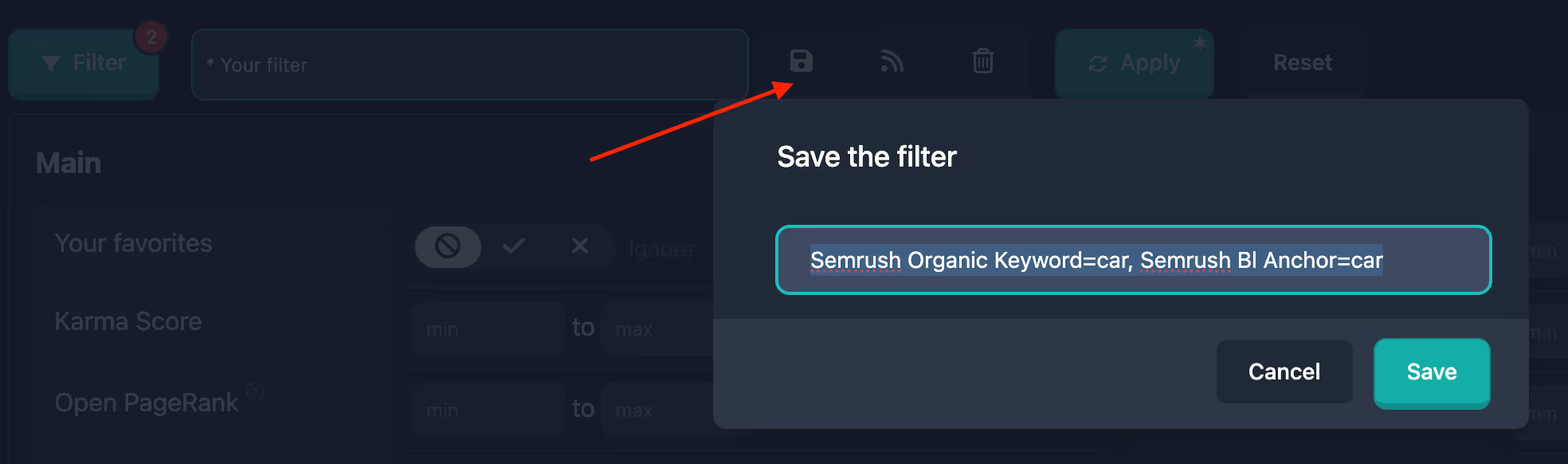
You can save a custom filter for quick access


Any filter settings can be saved for quick access in the future. By default, the filter name will be generated based on its parameters, but you can rename it to anything you like.

save-filter.avif


Use invite code icBHWFOREVER during registration for 10 FREE credits and a 10% lifetime discount on the unlimited plan.​
 
Did you know…

You can copy domains from the table to the clipboard


A handy feature that lets you copy domains from the table to the clipboard for further analysis in other applications.
A small copy button has appeared in the header of the Domains column in the table.

clipboard-domains-jpg.476163


Use invite code icBHWFOREVER during registration for 10 FREE credits and a 10% lifetime discount on the unlimited plan.​
 
Did you know…

You can hover to see server response statistics


Hover over the domain table — and you’ll instantly see how often 404 errors, 500 errors, or redirects occurred in the Wayback Machine history. This helps filter out domains with a problematic technical history without even opening the report.

screenshot-2025-07-24-at-16-53-13-min-png.461236


Use invite code icBHWFOREVER during registration for 10 FREE credits and a 10% lifetime discount on the unlimited plan.​
 
Back
Top